Quick Sub 2: Video Subtitling
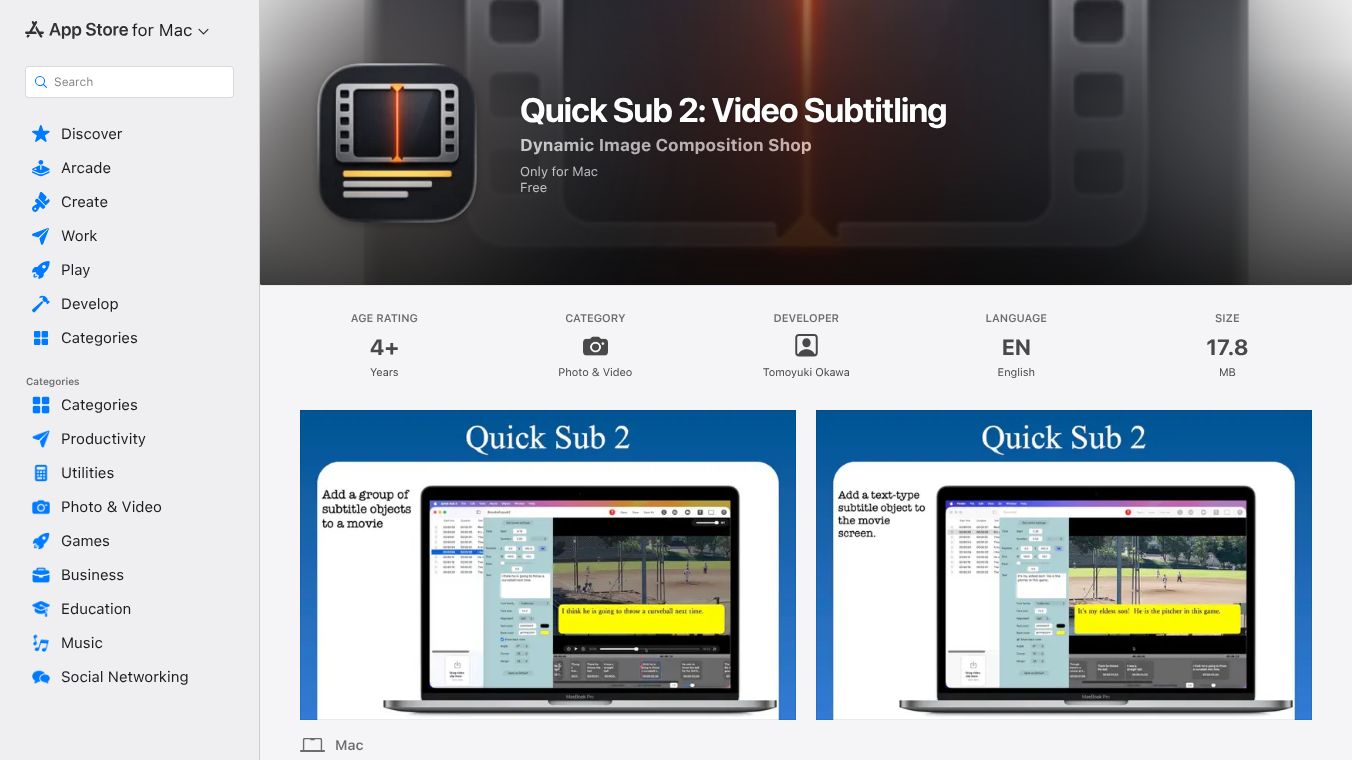





Quick Sub 2: Professional Video Subtitling for Mac
Quick Sub 2 is a streamlined application designed for Mac users to add custom subtitles to video files. It allows users to overlay text onto MOV and MP4 videos with deep creative control. The app separates text from its container, meaning users can manage margins, background colors, corner shapes, and rotation angles independently. This separation gives full authority over font families, typography, color, and alignment. It is built by Tomoyuki Okawa and published by Tomato Software.
Benefits
The app offers several key advantages for video editors and content creators. Precision editing allows users to control text styling and container geometry separately, ensuring perfect layout alignment. Workflow efficiency is improved because users can apply size and style parameters to multiple subtitle objects with a single command. This reduces repetitive tasks significantly. The app also includes a robust undo and redo system that provides full history support. This means every design change is reversible, allowing for stress-free iterative design. Progress is saved natively using a .qsub2 file format. Users can double-click or drag-and-drop these files to instantly restore their workspace. High-performance video rendering features real-time progress monitoring. If a workflow needs adjustment, the export process can be safely aborted at any time. Users can also choose to create a subtitle file directly from text layers.
Use Cases
Quick Sub 2 is ideal for users seeking a modern and efficient solution for video subtitling on Mac. It is useful for anyone who needs to add professional-grade subtitles to their video projects. The app supports a modern, fluid user experience built from the ground up using the SwiftUI framework. Recent updates have introduced expanded object libraries, including dedicated rectangle-type subtitle objects for more versatile visual compositions. Dynamic timeline control allows users to adjust the duration of subtitle objects with a zoom factor ranging from 0.1x to 10x. Subtitle objects can be dragged left or right on the timeline to refine start times. Users can position subtitle objects with precision by dragging them directly over the movie screen. Advanced styling features allow selected subtitle objects to be rotated to achieve the perfect angle for any layout. The latest update also added the ability to export text layers as .srt files via the Movie menu. Keyboard navigation lets users move the selected layer using arrow keys. Timeline snapping functionality helps align the timeline layer near the frame's beginning. When restoring progress from an application file, the app will prompt the user to select the original video file if it cannot be found automatically.
Pricing
The app is free to use. It is available on the Apple App Store for Mac users.
Vibes
The app is designed to be intuitive and powerful. Users appreciate the ability to make precise adjustments without complex tools. The modern interface and fluid experience make it easy to work with. The robust undo system gives users confidence to experiment with different designs. The ability to export subtitle files directly adds significant value for those who need standard formats. The app is well-suited for both quick edits and complex projects.
Additional Information
The developer is Tomoyuki Okawa, and the publisher is Tomato Software. The app requires macOS 14.0 or later to run. It is available in English and has an age rating of 4+. The app size is 17.8 MB. The developer does not collect any data from this app. The copyright belongs to Tomato Software as of 2026. Specific accessibility features have not yet been indicated by the developer.
This content is either user submitted or generated using AI technology (including, but not limited to, Google Gemini API, Llama, Grok, and Mistral), based on automated research and analysis of public data sources from search engines like DuckDuckGo, Google Search, and SearXNG, and directly from the tool's own website and with minimal to no human editing/review. THEJO AI is not affiliated with or endorsed by the AI tools or services mentioned. This is provided for informational and reference purposes only, is not an endorsement or official advice, and may contain inaccuracies or biases. Please verify details with original sources.
 No Info
Comments
Please log in to post a comment.