CodeMote





What is CodeMote
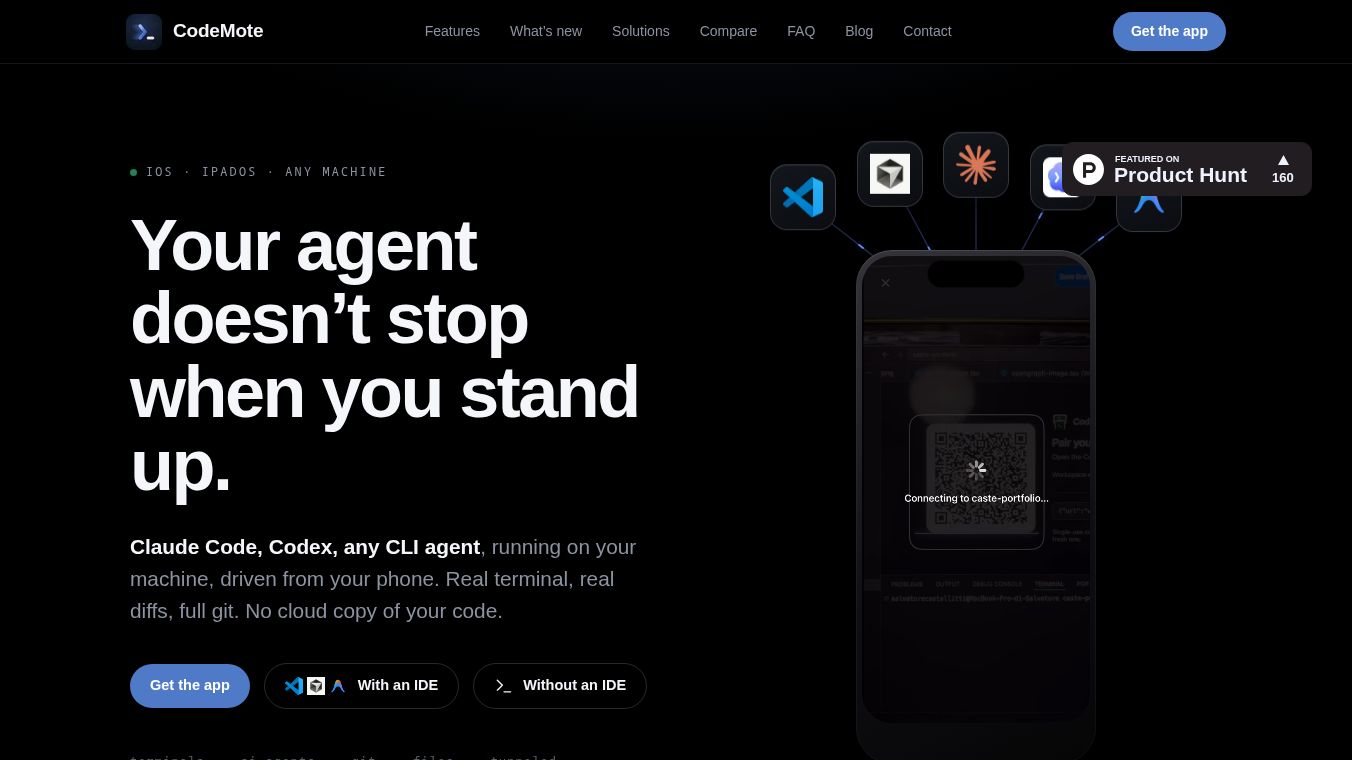
CodeMote is a mobile application that lets developers control their computer from their phone. It connects directly to your local development environment, allowing you to manage code, run AI agents, and handle full development workflows without leaving your device. Unlike other apps that send your code to the cloud, CodeMote keeps everything on your machine. It streams a live terminal from your computer to your phone so you can see updates in real time. This means you can approve actions, fix bugs, or review changes while away from your desk, all while keeping your data private and secure.
Benefits
CodeMote offers several key advantages for developers who want to stay productive on the go. First, it provides real terminal access. You can see live updates on your phone screen or even on your lock screen. When an AI agent needs a decision, the app sends a notification so you can approve or redirect it quickly. Second, it works with any editor you already use, such as VS Code, Cursor, or Antigravity. You do not need to change your setup to use the app. Third, it includes full Git integration. You can stage changes, view diffs, commit, and push code directly from your phone without logging into GitHub or storing tokens on your device. Fourth, it helps you manage development servers. You can start and monitor servers from your phone, and they keep running in the background even if you close the app. Finally, it prioritizes privacy. Your code, files, and terminal data never leave your computer. The connection uses an encrypted tunnel, so your machine does not need to be exposed to the internet.
Use Cases
CodeMote is designed for situations where you need to manage your workflow while away from your computer. One common use case is unblocking long AI agent runs. You can start a large task at your desk and then leave. If the agent needs a decision while you are away, you can approve it from your phone. Another use case is fixing bugs on the go. If production breaks while you are on a train or in a meeting, you can open the repository on your phone, read the changes, and push a fix immediately. You can also use it for code review from anywhere. You can pull up the file tree, review changes, and leave your laptop closed. This allows you to manage your workflow from the couch or any other location. The app also works on headless machines, VPS servers, or Raspberry Pis, making it useful for a wide range of development environments.
Pricing
CodeMote offers a free trial period for new users. You can try the app free for seven days. After the trial, specific pricing details are not listed in the available information, but the core functionality remains focused on local execution without hidden cloud costs.
Vibes
The public reception of CodeMote highlights its unique approach to mobile development. Users appreciate that it does not require exposing ports or setting up complex SSH servers. The ability to control AI agents like Claude Code from a phone is seen as a major convenience. Reviews often mention the peace of mind that comes from knowing code never leaves the local machine. The app is praised for making the development process portable, allowing the workflow to continue seamlessly whether the developer is at their desk or on the move. The integration with popular editors and the simplicity of the QR code pairing process are also frequently noted as positive features.
Additional Information
CodeMote relies on Microsoft's free devtunnel tool to create secure connections between the phone and the computer. This tool is available for macOS, Windows, and Linux. The app supports various editors including VS Code, Cursor, Antigravity, and Windsurf. It also includes a standalone CLI that works on any machine with Node.js, even those without a graphical interface. The development team focuses on local execution and data privacy, ensuring that no code is mirrored to their servers. The app is compatible with both iPhone and iPad, providing flexibility for different mobile devices.
This content is either user submitted or generated using AI technology (including, but not limited to, Google Gemini API, Llama, Grok, and Mistral), based on automated research and analysis of public data sources from search engines like DuckDuckGo, Google Search, and SearXNG, and directly from the tool's own website and with minimal to no human editing/review. THEJO AI is not affiliated with or endorsed by the AI tools or services mentioned. This is provided for informational and reference purposes only, is not an endorsement or official advice, and may contain inaccuracies or biases. Please verify details with original sources.
Comments
Please log in to post a comment.