Canopy IDE





Canopy IDE: The Sweet Spot for Agent-Driven Development
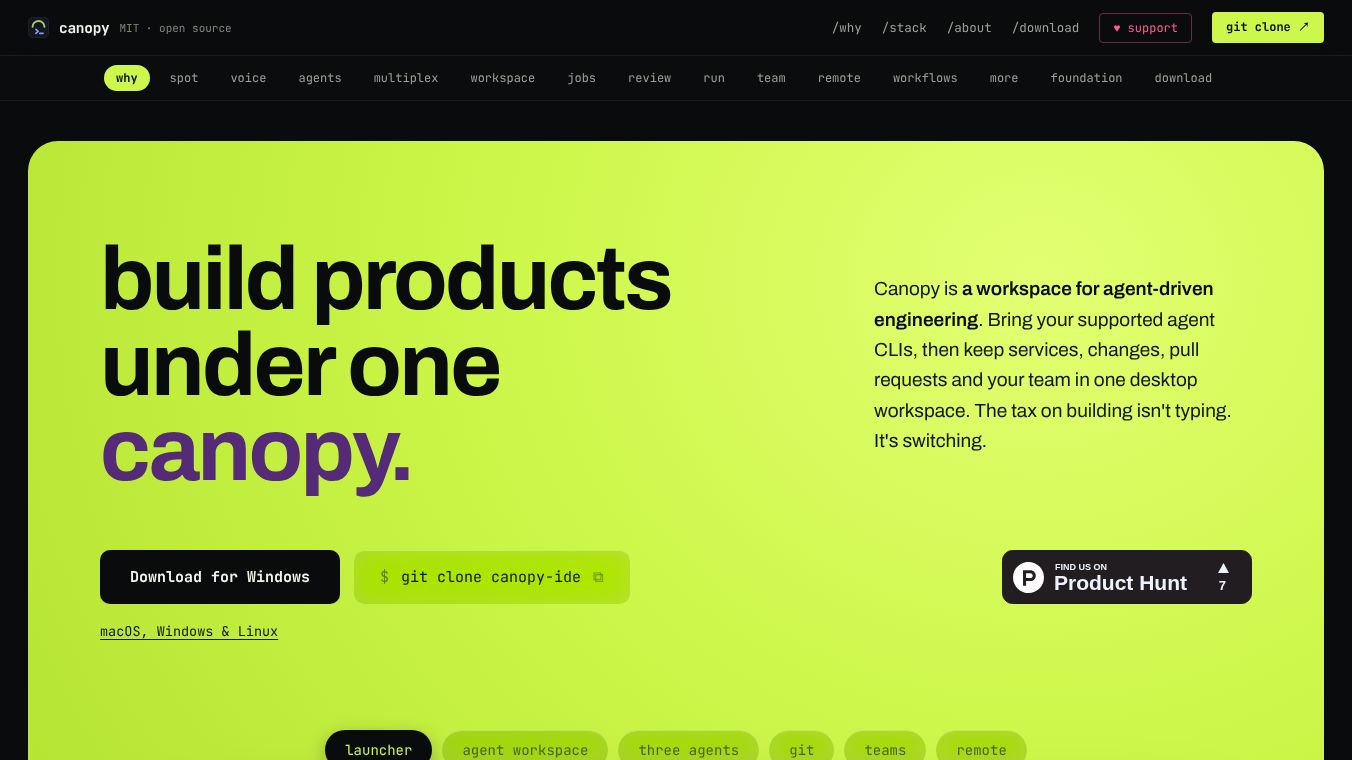
Canopy is a free, open-source code editor designed to improve how developers work with their terminal. Built with Rust and Tauri, it runs smoothly on macOS, Windows, and Linux without slowing down. Its main goal is to keep the powerful terminal workflow while adding tools needed for modern agent-driven development. This includes shared context, isolated work areas, running services, visual feedback, and task management. It is licensed under MIT, meaning anyone can use, modify, and distribute it.
Benefits
Canopy offers several key advantages for developers who want to work faster and more efficiently.
Agent Orchestration and Mesh:The IDE turns the development environment into an agent mesh. This allows multiple AI agents to work at the same time without stepping on each other's toes. Users can see every agent, monitor their actions, and start new ones instantly with a keyboard shortcut. Agents share a unified view of the project and can pass messages to one another to coordinate tasks. The system also prevents overlapping edits by making file claims visible before they happen.
Multiplexed Workspace:Users can turn a single tab into a workspace for several independent agents. They can split panes horizontally or vertically to create custom layouts. Each pane has its own terminal and project context. The layout is saved automatically, so it remains intact even after a restart. Agents can also drive live browser previews in a picture-in-picture mode. This lets users watch an agent navigate a page without losing control of the terminal.
Advanced Search and Dictation:Canopy includes a unified search palette triggered by Cmd+K. It indexes tabs, files, agent conversations, terminal history, research notes, tickets, and pull requests. The search is typo-tolerant and allows users to act directly on results. Users can also speak commands instead of typing. The tool transcribes audio on the user's device into terminals and agent prompts. This works offline after the model is installed and supports Apple Silicon, Windows, and Linux.
Job Management and Workflows:The IDE shifts the focus from managing windows to managing jobs. Agents can run tasks in a Tasks rail without needing a dedicated tab. These tasks report progress and ask for human input when needed. Once complete, they close their own terminals. Completed jobs remain searchable with their summary, status, tags, and output. Users can continue a conversation or re-run a job long after the terminal session has closed. There is also a scratchpad area to catch ideas or bugs before they disappear.
Integrated Review and Collaboration:An agent can read a Pull Request, check claims against the code changes, and stage findings as drafts. This includes risk assessments and specific issues. Comments stay beside the code diff, allowing users to jump to lines, reply, or apply suggestions without leaving the view. The system can validate comments, fix causes, and push changes in rounds until the PR is ready to merge. Team sharing is supported through private connections hosted by the user. These connections are encrypted, allowing teammates to co-edit files and share PRs via a relay join code.
Remote Control and Server Management:Users can control Canopy from another device like a phone or desktop browser. They can monitor agents, reply to prompts, and stop processes. Access is enabled only when the user chooses. Configured servers are always within reach. Users can start, stop, inspect logs, and open discovered ports directly from the IDE. They can also inspect Model Context Protocol servers, browse tool schemas, and call tools directly within the interface.
Local-First Architecture:Canopy keeps credentials, workspace data, and agent conversations on the user's machine. This ensures privacy and control. It is built on Rust to avoid garbage collection pauses and uses the OS's native webview instead of bundled Chromium. This ensures a small footprint even while running heavy agents and services. The IDE supports multiple accounts, native viewers for various file types, and full terminal support.
Use Cases
Canopy is designed for developers who want to leverage AI agents while maintaining full control over their code and data.
- Multi-Agent Development:Teams or individuals can use multiple AI agents to work on different parts of a project simultaneously. The agent mesh feature ensures that these agents do not conflict with each other and can share context effectively.
- Complex Project Management:Developers working on large projects can use the multiplexed workspace to manage multiple tasks in a single view. The ability to split panes and maintain separate contexts for each agent helps in organizing complex workflows.
- Offline and Secure Work:Since Canopy is local-first and supports on-device dictation, it is ideal for users who need to work offline or are concerned about data privacy. Credentials and conversations never leave the user's machine.
- Remote Collaboration:Teams can collaborate on projects using the encrypted team sharing feature. Developers can co-edit files and share pull requests without relying on a central cloud service.
- Server and Service Management:Developers who manage local servers or services can use the remote control and server management features to monitor and control their infrastructure directly from the IDE.
Pricing
Canopy is completely free and open source under the MIT license. There are no hidden costs or subscription fees. Users can download, use, and modify the software without any restrictions.
Vibes
As a free and open-source project, Canopy does not have public reviews or testimonials available yet. However, its design philosophy and features suggest it is well-suited for developers who value privacy, performance, and control over their development environment.
Additional Information
Canopy is built with Rust and Tauri, which ensures a lightweight footprint and native performance on macOS, Windows, and Linux. It requires Rust (stable) and Node 20+ to build. The project is hosted on GitHub, and users can clone the repository to get started. The installation process involves cloning the repository, installing dependencies with npm, and running the Tauri development or build command. By combining the power of existing agent CLIs with a robust, local-first workspace, Canopy aims to be the ultimate environment for developers who want to ship faster while maintaining full control over their code and data.
This content is either user submitted or generated using AI technology (including, but not limited to, Google Gemini API, Llama, Grok, and Mistral), based on automated research and analysis of public data sources from search engines like DuckDuckGo, Google Search, and SearXNG, and directly from the tool's own website and with minimal to no human editing/review. THEJO AI is not affiliated with or endorsed by the AI tools or services mentioned. This is provided for informational and reference purposes only, is not an endorsement or official advice, and may contain inaccuracies or biases. Please verify details with original sources.

Comments
Please log in to post a comment.