Auto Invoice Generator





Auto Invoice Generator: A Private, Offline AI Invoicing Tool
Overview
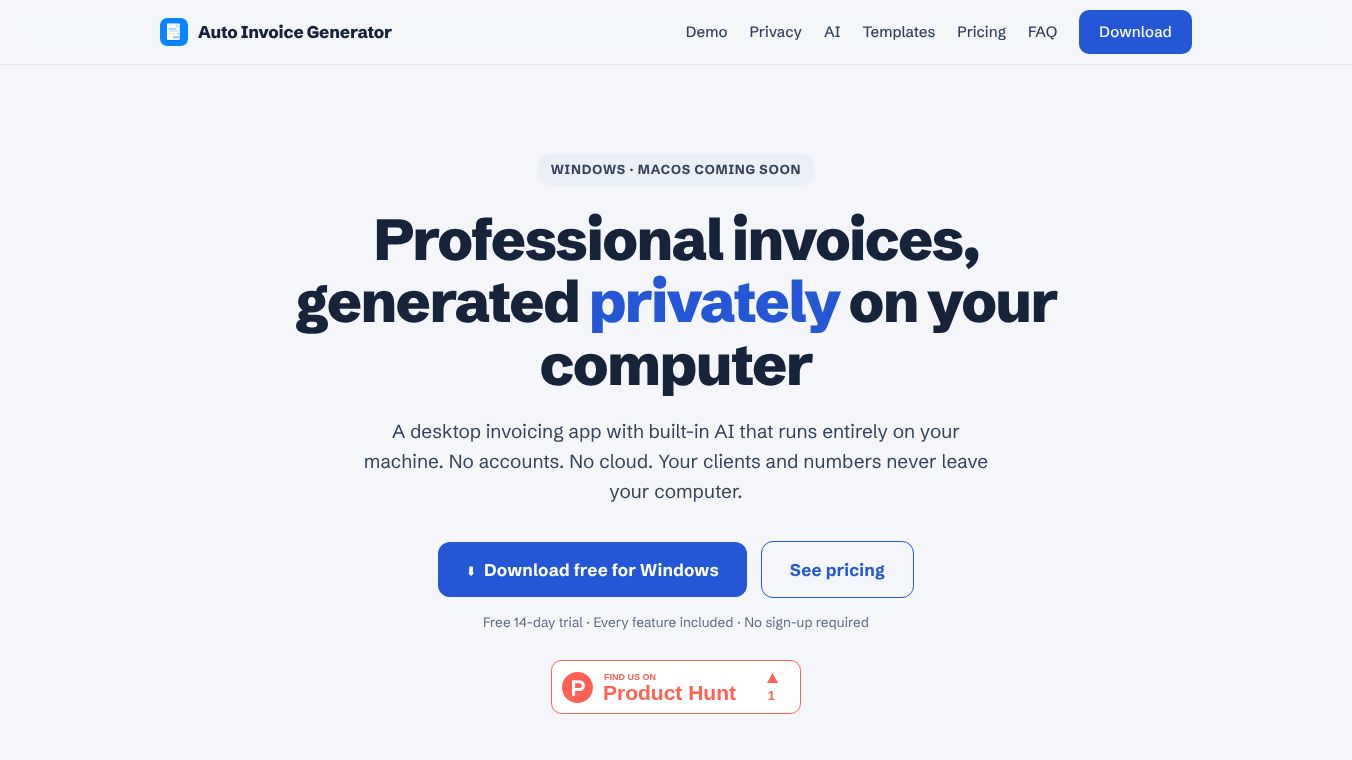
Auto Invoice Generator is a desktop application designed to transform messy client emails or documents into professional, ready-to-send PDF invoices in approximately 40 seconds. Unlike traditional invoicing software that relies on cloud servers, this tool operates entirely on the user's local machine, ensuring that business data never leaves the user's device.
Benefits
The main advantage of this tool is its focus on privacy and security. All invoices, client lists, rates, and revenue data are stored exclusively on the user's computer. There is no user account to create, and no server ever accesses this sensitive information. The AI assistant runs open-weight models directly on the user's hardware, meaning no text or documents are uploaded to external providers. The app also functions fully offline. An internet connection is only needed for the initial download and license activation. Once set up, invoicing, previewing, and exporting can be done with the internet switched off.
The software uses local open-source models to automate invoice creation through three primary methods. Users can drop in a contract, email thread, or work summary, and the AI will read the content to automatically populate the invoice with parties, line items, dates, and notes. There is also a guided fill feature that acts like a short interview, asking who is billing and what work was done to populate the form. A built-in chat interface allows users to polish notes or draft payment terms locally on their machine.
The application includes four professionally designed US-Letter templates with embedded typography. These include Slate, Classic, Ink, and Ledger styles. Users can customize these with service dates, optional per-day hours, tax calculations, and any currency, including custom currency codes.
Use Cases
This tool is ideal for freelancers, consultants, and small business owners who need to send invoices quickly without compromising their data privacy. It works well for users who prefer not to store their financial data on the cloud. The ability to generate invoices from messy emails or contracts makes it perfect for those who deal with unstructured communication from clients. The offline capability ensures that users can work in areas with poor internet connectivity or simply prefer to keep their work environment disconnected from the web.
The software supports Windows 10 and 11 64-bit systems. A macOS version optimized for Apple Silicon is in development and expected to be released soon. Invoicing features run on nearly any computer, while AI features perform best with 8 GB of RAM or more. The installer and executables are code-signed by a Microsoft-verified publisher, adding a layer of safety for users.
Pricing
Auto Invoice Generator offers a 14-day free trial that includes every feature, such as templates, unlimited invoices, PDF export, and the full AI assistant. This trial does not require a credit card or an account. After the trial, exports will carry a watermark, and AI features will pause until a license is activated.
Licensing is handled via a key sent by email after purchase, which is pasted into the app under Settings. The app checks the license periodically but tolerates being offline for weeks. Users can deactivate a license on one device to move it to another.
The pricing tiers are as follows:- Monthly: $5 per month. This plan can be canceled anytime and includes all templates, local AI, unlimited invoices, and email support.- Yearly: $45 per year. This is equivalent to $15 less than the monthly plan, roughly 3 months free. It includes everything in the Monthly plan plus all updates included with one payment.- Lifetime: $109 one-time payment. This includes all templates, AI features, all future updates, and email support.
A 14-day money-back guarantee is offered on all purchases with no questions asked.
Vibes
While specific customer reviews are not detailed in the provided text, the tool emphasizes a user-friendly approach with a note that AI can make mistakes. The application always prompts the user to review generated invoices before sending them. This suggests a design philosophy that prioritizes accuracy and user control over fully automated processes.
Additional Information
The current version of the app is 0.1.0. The platform supports Windows 10 and 11 64-bit, and the download size is 56 MB. A SHA-256 checksum is published for verification. While the app is architecturally private, users are advised that AI can make mistakes, so the application always prompts the user to review generated invoices before sending them.
This content is either user submitted or generated using AI technology (including, but not limited to, Google Gemini API, Llama, Grok, and Mistral), based on automated research and analysis of public data sources from search engines like DuckDuckGo, Google Search, and SearXNG, and directly from the tool's own website and with minimal to no human editing/review. THEJO AI is not affiliated with or endorsed by the AI tools or services mentioned. This is provided for informational and reference purposes only, is not an endorsement or official advice, and may contain inaccuracies or biases. Please verify details with original sources.


Comments
Please log in to post a comment.