ZoneGuard: AI Area Monitor





ZoneGuard: AI Area Monitor
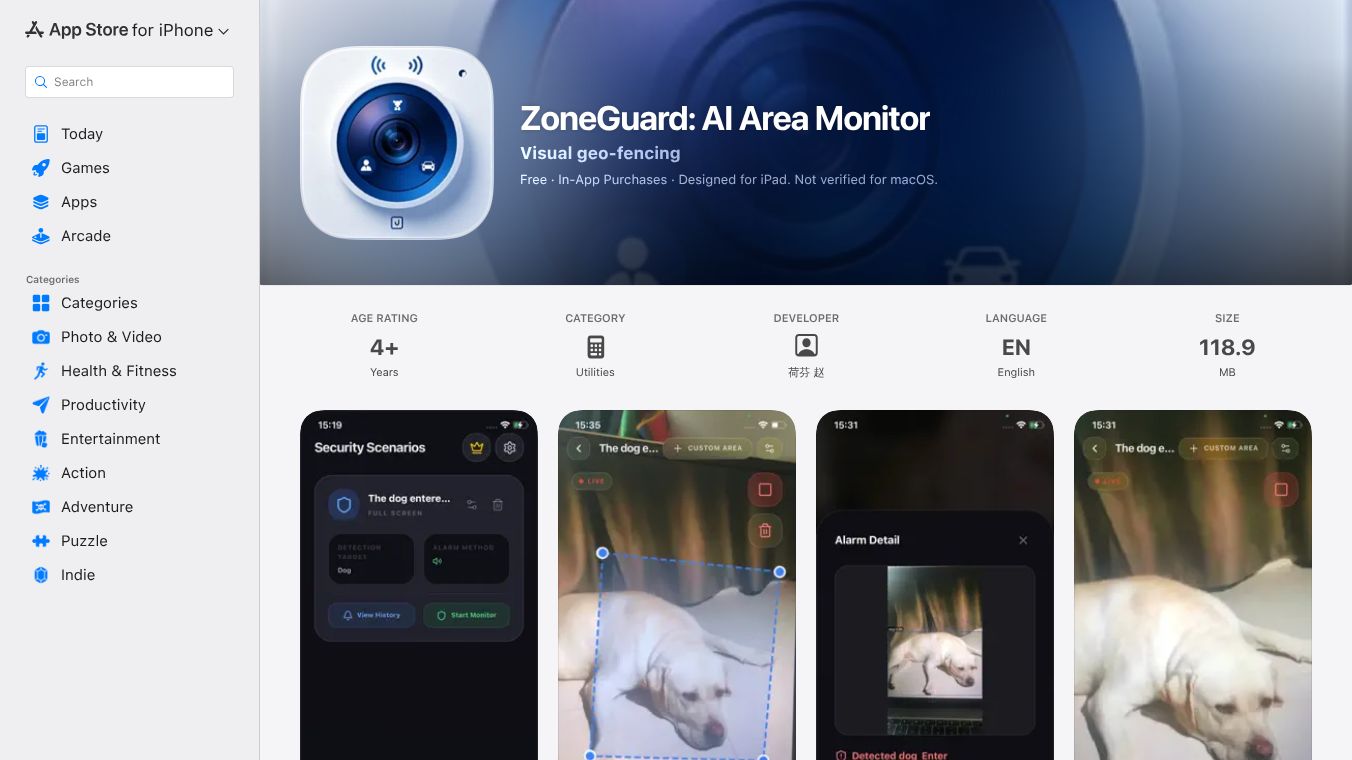
ZoneGuard is a mobile application designed to help users keep track of their surroundings using artificial intelligence. It turns a smartphone into a smart security camera that can detect movement and send alerts to the user. The app focuses on making area monitoring simple and accessible for everyday people who want to protect their homes or businesses without needing expensive equipment.
Benefits
The main advantage of ZoneGuard is its ability to use AI to distinguish between real threats and normal activity. This means the app is less likely to send false alarms for things like leaves blowing in the wind or pets walking by. Users can set up specific zones in their home or office and receive instant notifications when someone enters those areas. The app also allows users to view live video feeds from their phone, giving them a clear picture of what is happening in real time. Another key benefit is its ease of use, as it runs directly on a smartphone without requiring extra hardware or complex installation.
Use Cases
ZoneGuard is useful for homeowners who want to monitor their property while they are away. It can also be used by small business owners to keep an eye on their storefronts or back offices. People who live in apartments or shared housing can use the app to check on common areas or ensure that neighbors are not causing disturbances. Additionally, it can serve as a tool for parents who want to keep an eye on their children playing outside or in a backyard. The app works well in both indoor and outdoor settings as long as the phone has a clear view of the area being monitored.
Pricing
ZoneGuard is available for free download on the Apple App Store. The app offers a free version with basic features that allow users to set up one monitoring zone and receive standard alerts. For users who need more advanced capabilities, such as multiple zones or cloud storage for video clips, there may be premium options available within the app. Specific pricing for these upgrades is determined by the developer and can be found directly in the app store listing.
Vibes
Users who have tried ZoneGuard generally appreciate its simplicity and reliability. Many reviews highlight how the AI feature reduces false alarms compared to traditional motion detectors. Some users mention that the live view feature gives them peace of mind when they are not at home. While some early adopters noted occasional connectivity issues depending on their internet speed, the overall reception has been positive. The app has gained attention for being a practical solution for those who want security features without the cost of installing a full security system.
Additional Information
ZoneGuard was developed by an independent team focused on bringing AI-powered tools to the consumer market. The app has been featured in several tech blogs as an example of how mobile technology is evolving to meet security needs. There are no major corporate partnerships publicly announced at this time, and the project remains a standalone product aimed at individual users. The developer continues to update the app to improve performance and add new features based on user feedback.
This content is either user submitted or generated using AI technology (including, but not limited to, Google Gemini API, Llama, Grok, and Mistral), based on automated research and analysis of public data sources from search engines like DuckDuckGo, Google Search, and SearXNG, and directly from the tool's own website and with minimal to no human editing/review. THEJO AI is not affiliated with or endorsed by the AI tools or services mentioned. This is provided for informational and reference purposes only, is not an endorsement or official advice, and may contain inaccuracies or biases. Please verify details with original sources.




 No Info

Comments
Please log in to post a comment.