Vocabo
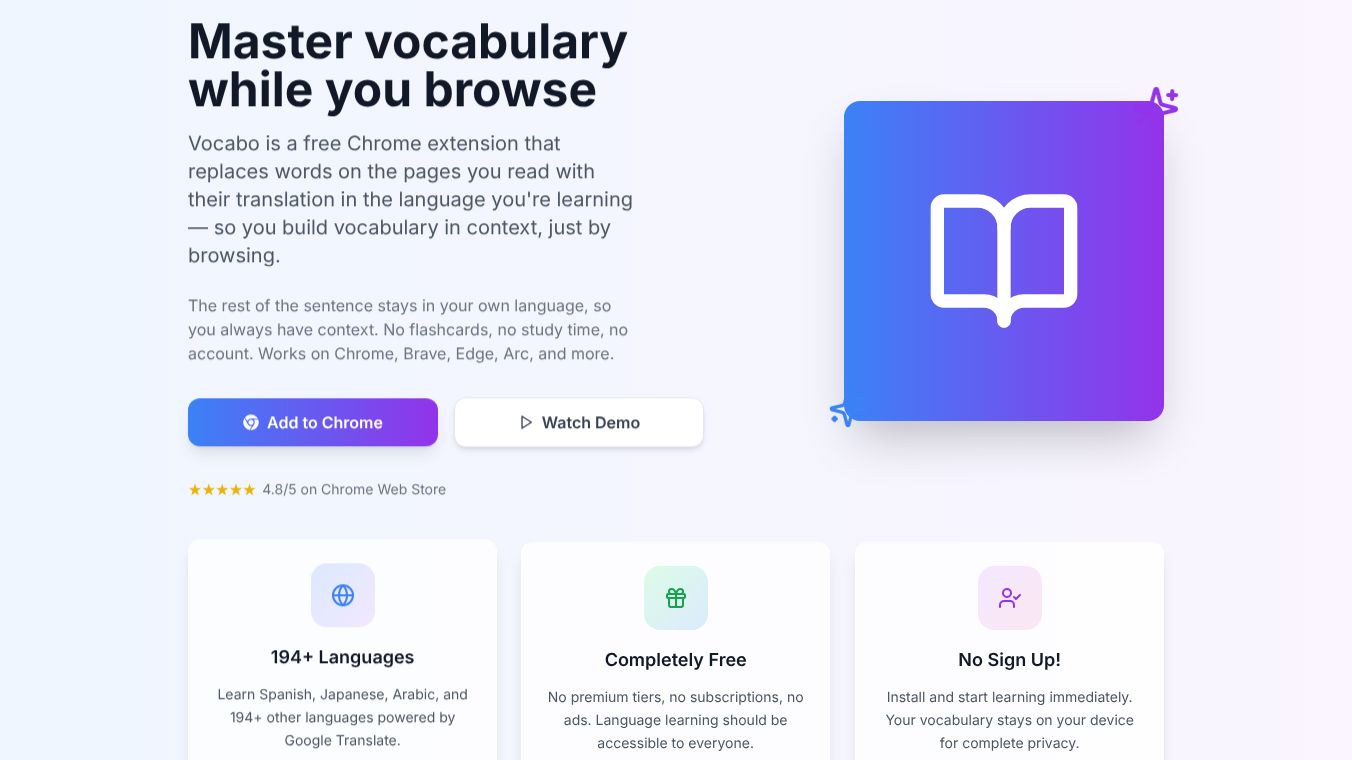





Vocabo: Master Vocabulary While You Browse
Vocabo is a free browser extension that helps people learn new words while they use the internet. Instead of stopping to study flashcards, it replaces difficult words on web pages with their translations in the language you are learning. This allows users to build their vocabulary naturally as they read news, check social media, or do research.
Benefits
Vocabo offers several key advantages for language learners. It supports over 194 languages, which means it works for almost any language pair you might want to study. The tool is completely free with no hidden costs, subscriptions, or advertisements. Users do not need to create an account to start using it, which keeps their personal data private and stored only on their own device. The extension works on popular browsers like Chrome, Brave, Edge, and Arc. Its main strength is context-based learning, which keeps the rest of the sentence in the user's native language while translating specific words. Research shows that learning words within a full sentence is more effective than memorizing isolated words.
Use Cases
This tool is perfect for anyone who wants to improve their language skills without dedicating extra time to study sessions. You can use it while reading news articles in a foreign language to understand the meaning of new terms immediately. It is also useful when browsing social media or watching videos where subtitles might be missing. Researchers can use it to quickly pick up terminology while studying topics in a different language. Students can use it to expand their vocabulary during online homework or reading assignments. The extension is particularly helpful for languages that are less commonly taught, such as Punjabi or Traditional Chinese.
Pricing
Vocabo is free to use. There are no premium tiers, subscriptions, or paid features. The extension is accessible to everyone without any financial barrier.
Vibes
Users rate Vocabo very highly on the Chrome Web Store with a 4.8 out of 5 stars. People generally love how simple and clean the tool is. Many users appreciate the ability to learn new words naturally while browsing without any interruptions. They like the customization options that let them add their own definitions or correct suggested translations. The export feature allows users to save their vocabulary lists as a CSV file for later review. Some users specifically value the support for languages that other apps often ignore. Unlike similar tools that include games or quizzes, Vocabo focuses purely on vocabulary acquisition, which some users find less distracting.
Additional Information
Vocabo is developed by a team that values privacy and simplicity. The extension does not track user data or collect personal information. While the tool is highly rated, there are some areas for improvement. Some users have reported bugs where punctuation or spacing is handled incorrectly, causing words to disappear or save without showing up on the page. There is also occasional confusion in the setup process regarding the terms for native and source languages. Some users suggest that the interface could be cleaner so that added words do not clutter the screen. A feature request from the community includes the ability to select multiple source languages at once for users who browse the web in different languages.
This content is either user submitted or generated using AI technology (including, but not limited to, Google Gemini API, Llama, Grok, and Mistral), based on automated research and analysis of public data sources from search engines like DuckDuckGo, Google Search, and SearXNG, and directly from the tool's own website and with minimal to no human editing/review. THEJO AI is not affiliated with or endorsed by the AI tools or services mentioned. This is provided for informational and reference purposes only, is not an endorsement or official advice, and may contain inaccuracies or biases. Please verify details with original sources.
 No Info


Comments
Please log in to post a comment.