TimaLens — AI Whiteboard Video Explainer
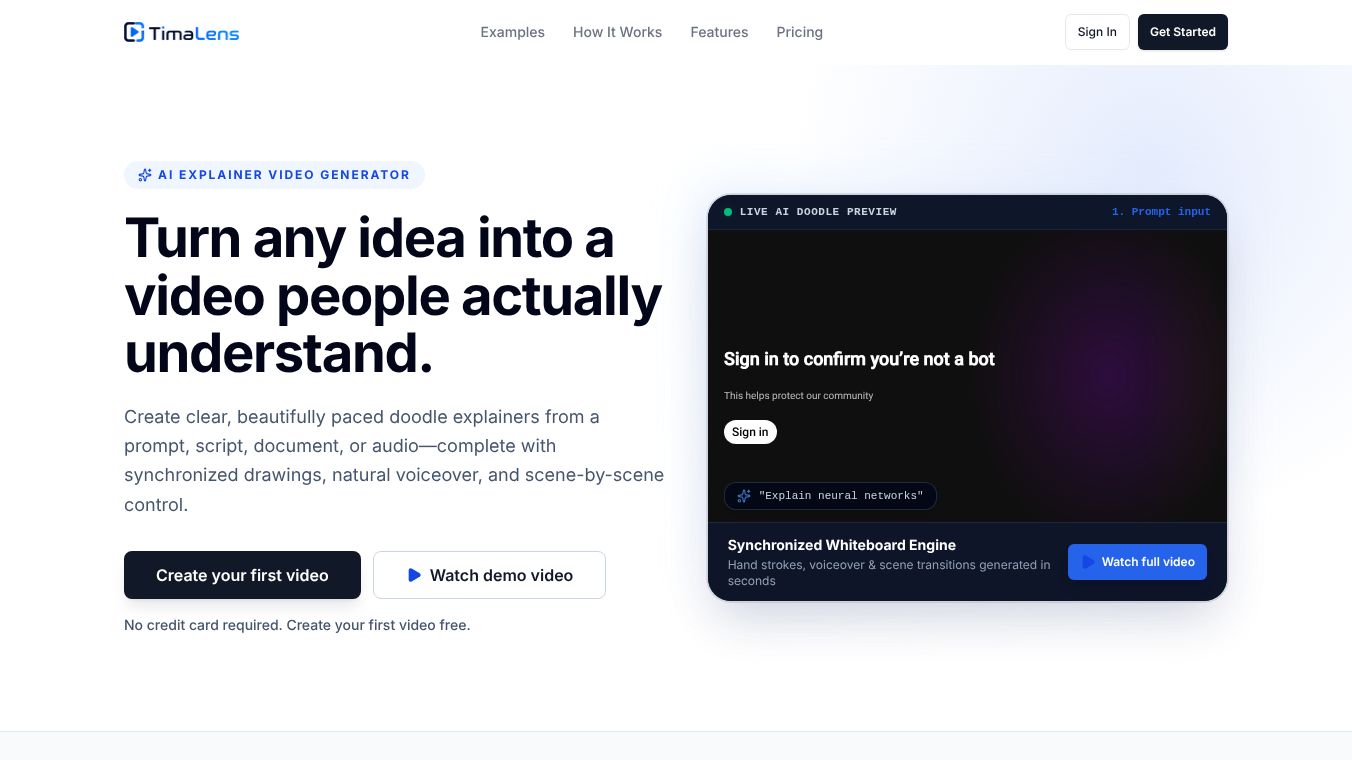





TimaLens: A Comprehensive Review of the AI-Driven Whiteboard Video Tool## OverviewTimaLens is an innovative, AI-powered platform designed to simplify the creation of engaging whiteboard explainer videos. By utilizing simple text prompts, the tool generates video content automatically, making it an accessible solution for educators, marketers, and content creators who need quick production without extensive technical skills. The platform aims to democratize video production by offering a user-friendly interface and a risk-free entry point for new users.## Key Features and Capabilities### Core FunctionalityAt its core, TimaLens operates on a prompt-based system. Users input a description of the desired video, and the AI generates a corresponding whiteboard animation. This process eliminates the need for manual animation, scripting, or complex editing software, significantly reducing the time required to produce video content.### User ExperienceThe platform is noted for its simplicity and ease of use. It features a web-based deployment model, ensuring accessibility from any browser without the need for software installation. The interface is designed to be intuitive, catering specifically to beginners and those who prioritize speed over granular control.### Video Specifications*Video Length:Currently, TimaLens limits generated videos to a maximum duration of 5 minutes.*Topics:The tool supports a wide range of topics, with a particular focus on educational content and general marketing needs.*Customization:While the AI handles the bulk of the creation, users have noted that customization options for video styles are currently limited.## Pricing and AccessibilityTimaLens distinguishes itself with a highly accessible pricing model:*Free Tier:The platform offers a completely free first video, allowing users to test the capabilities without any financial commitment.*Pro Version:A Pro tier is available, currently listed at $0 per month. However, specific details regarding the additional features unlocked in the Pro version remain limited in public documentation.## Pros and Cons### Advantages*Ease of Use:The interface is streamlined, making it ideal for users with no prior video editing experience.*Risk-Free Trial:The free first video allows potential users to evaluate the tool's quality before committing to a subscription.*Speed:The AI-driven generation process is quick, making it suitable for tight schedules and rapid content turnover.*Accessibility:Being web-based, it requires no downloads or complex setup.### Limitations*Limited Integrations:The tool currently lacks deep integration with other third-party applications or enterprise workflows.*Advanced Features:It does not offer advanced video editing capabilities, which may be necessary for professional post-production needs.*Stability:As the platform is in its early stages of development, users may encounter occasional glitches or bugs.*Export Options:Some users have reported limited export options for completed videos.*API Access:The platform does not currently offer API access for developers.## Target Audience### Best For*Educators:Ideal for creating engaging instructional videos and educational materials quickly.*Small Business Owners:Suitable for generating simple promotional content without hiring a production team.*Content Creators:Perfect for those who need to generate video concepts rapidly with minimal effort.*Beginners:The low barrier to entry makes it an excellent choice for those new to video production.### Not Recommended For*Large Enterprises:Organizations requiring complex integrations, API access, or enterprise-grade stability may find the tool insufficient.*Advanced Editors:Users who need granular control over animation styles, extensive editing tools, or specific customization options should look elsewhere.## Market ComparisonWhen compared to established competitors, TimaLens positions itself as a lightweight, quick-turnaround alternative:*Animaker:Offers a wider variety of animation styles but costs approximately $10/month.*Powtoon:Focuses on presentation-style videos and is priced around $19/month.*Canva Video:Prioritizes design flexibility and is available for roughly $12.99/month.While competitors offer more robust feature sets and integration capabilities, TimaLens excels in simplicity and the ability to generate content instantly from a prompt.## Community Sentiment and ReliabilityTimaLens launched on Product Hunt, receiving mixed reactions. While some users praised its ease of use, others expressed concerns regarding its limitations in integrations and feature depth. Currently, there are no verified user reviews available on major review platforms, suggesting the product is still in a nascent stage. The editorial review notes a "Medium" confidence level due to the reliance on early feedback and the potential for the platform to evolve rapidly.## ConclusionTimaLens represents a promising step forward for AI-generated video content, specifically targeting users who need speed and simplicity over advanced customization. Its free first video and zero-cost Pro tier make it an attractive option for testing AI video capabilities. However, users requiring extensive editing tools, deep integrations, or enterprise-level reliability should consider more mature alternatives like Animaker or Powtoon. For those looking to create quick educational or promotional whiteboard videos with minimal effort, TimaLens is a viable and accessible solution.## Frequently Asked QuestionsIs TimaLens suitable for beginners?Yes, the platform is designed to be user-friendly and accessible for those with no prior experience in video production.Can I create longer videos with TimaLens?Currently, the maximum video length supported is 5 minutes.Is there a cost after the first free video?The Pro version is listed as free ($0/month), though specific details on feature unlocks are currently limited.How does TimaLens compare to other video creation tools?TimaLens is simpler and faster but lacks the advanced features and extensive animation libraries found in competitors like Animaker or Canva Video.How does the tool work?Users provide a text prompt, and TimaLens automatically generates a whiteboard video based on that input.
NOTE:
This content is either user submitted or generated using AI technology (including, but not limited to, Google Gemini API, Llama, Grok, and Mistral), based on automated research and analysis of public data sources from search engines like DuckDuckGo, Google Search, and SearXNG, and directly from the tool's own website and with minimal to no human editing/review. THEJO AI is not affiliated with or endorsed by the AI tools or services mentioned. This is provided for informational and reference purposes only, is not an endorsement or official advice, and may contain inaccuracies or biases. Please verify details with original sources.


Comments
Please log in to post a comment.