Textquill





Textquill: Private, Offline OCR for Chrome
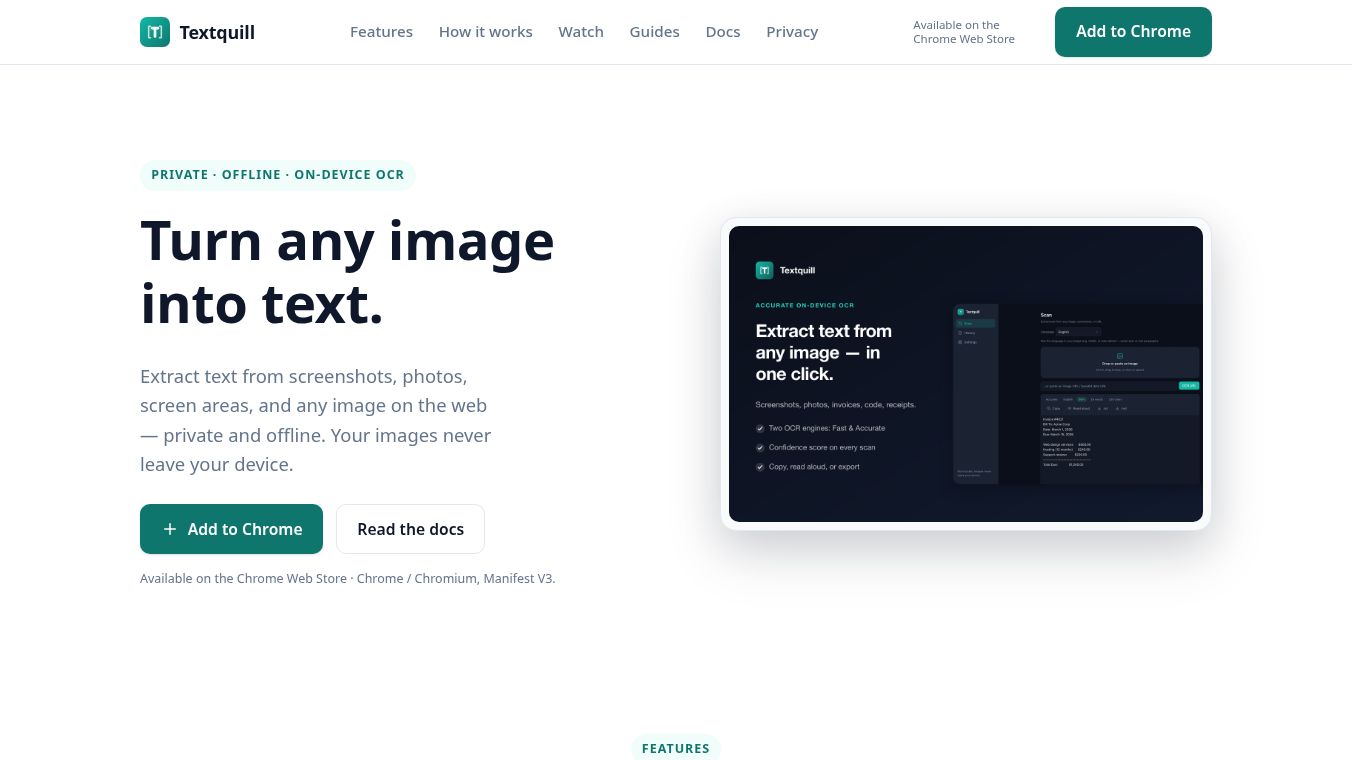
Textquill is a privacy-focused Optical Character Recognition extension available on the Chrome Web Store. It works with Chrome and Chromium browsers that use Manifest V3. The tool lets users pull text from screenshots, photos, screen areas, and any image on the web. All processing happens on the user's local device. No images are sent to a server. Users do not need to create an account to use the tool.
Benefits
Textquill offers several key advantages for users who need to extract text quickly and securely.
- Complete Privacy: The extension processes all data locally on the user's computer. No images leave the device. This ensures that sensitive information stays private.
- No Account Required: Users can start using the tool immediately without signing up or logging in.
- Multiple Capture Methods: Users can right-click any image to extract text. They can also drag a box over a screen area using the shortcut Alt + Shift + S. The tool can capture the entire visible tab or a full scrolling page.
- Wide Language Support: Textquill recognizes text in 16 languages. This includes English, Chinese, Hindi, Nepali, Japanese, and Arabic.
- QR and Barcode Reading: The tool automatically decodes QR codes and barcodes found within images along with the extracted text.
- Flexible Quality Modes: Users can choose between Fast and Accurate modes. An Auto setting intelligently picks the best mode for each image.
- Read Aloud Feature: The extension includes built-in text-to-speech. Users can listen to any extracted text.
- Local History and Export: Every extraction is saved in a searchable local history. Users can revisit past scans and favorite important results. They can copy text to the clipboard or export clean files in TXT or Markdown formats.
Use Cases
Textquill is useful for many everyday tasks and professional workflows.
- Research and Study: Students and researchers can quickly pull text from PDFs, websites, or scanned documents without needing to download the entire file.
- Document Digitization: Users can convert printed documents or photos of notes into editable text files.
- Quick Information Retrieval: People can extract text from screenshots of emails, chat messages, or social media posts to save or share the content.
- Accessibility: The read-aloud feature helps users who prefer listening to reading. It also assists those who need to verify text accuracy.
- Offline Work: Since the tool works entirely offline, it is perfect for users in areas with poor internet connections or those who prefer not to upload data.
Pricing
Textquill is available for free on the Chrome Web Store. Users can add the extension to their browser to start extracting text from images immediately.
Vibes
The extension is designed with a focus on user privacy and simplicity. Reviews highlight its ability to work without uploading data to a server. Users appreciate the fast recognition speeds and the variety of supported languages. The local history feature is often praised for making it easy to find past extractions. The tool is seen as a reliable choice for anyone who values their data privacy while needing quick text extraction.
Additional Information
Textquill is compatible with Chrome and Chromium browsers using Manifest V3. It does not require any setup beyond installation. The developers have focused on keeping the tool lightweight and secure. There are no known partnerships or funding details publicly listed in the provided information. The extension is maintained by the developers of the Chrome Web Store ecosystem.
This content is either user submitted or generated using AI technology (including, but not limited to, Google Gemini API, Llama, Grok, and Mistral), based on automated research and analysis of public data sources from search engines like DuckDuckGo, Google Search, and SearXNG, and directly from the tool's own website and with minimal to no human editing/review. THEJO AI is not affiliated with or endorsed by the AI tools or services mentioned. This is provided for informational and reference purposes only, is not an endorsement or official advice, and may contain inaccuracies or biases. Please verify details with original sources.




 No Info
Comments
Please log in to post a comment.