Supercut - AI Video Editor





What is Supercut - AI Video Editor
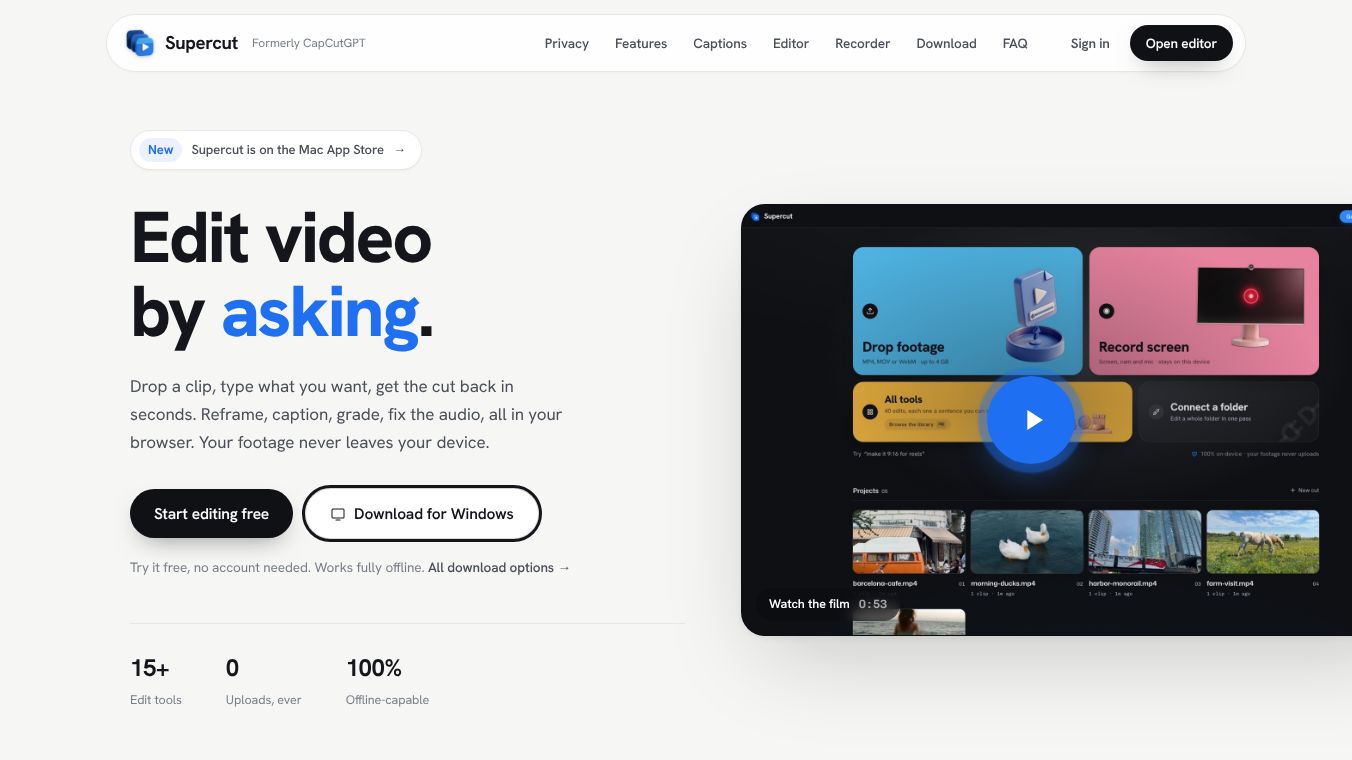
Supercut is an online tool that helps people make videos faster using artificial intelligence. It is a website where users can upload their own video clips and let the software do the heavy lifting. The main goal of the tool is to turn long, messy footage into short, polished videos that look professional. It is designed for anyone who wants to create content without needing expensive software or advanced editing skills.
Benefits
The biggest advantage of Supercut is how much time it saves. Instead of spending hours cutting clips, adding music, and syncing audio, the AI does most of the work in seconds. It automatically finds the best parts of a video and arranges them into a smooth sequence. This makes it easy for beginners to create high-quality content that looks like it was made by a pro.
Another key benefit is the variety of templates available. Users can choose from different styles for their videos, such as TikTok trends, YouTube Shorts, or Instagram Reels. The tool also includes features to add captions, music, and effects automatically. This ensures that the final video is engaging and ready to share on social media platforms.
Use Cases
Supercut is perfect for social media creators who need to post content regularly. Influencers and content creators can use it to repurpose long videos into short clips that fit platform limits. For example, a YouTuber can take a ten-minute vlog and turn it into three separate shorts for TikTok.
It is also useful for businesses that want to highlight customer testimonials or product reviews. Companies can upload hours of interview footage and let Supercut extract the most interesting moments. This helps them create marketing materials quickly without hiring a full-time video editor.
Teachers and students can use the tool to create educational summaries from long lectures. By selecting key points and adding captions, they can make learning materials more accessible and easier to digest.
Pricing
Supercut offers a free plan that allows users to create videos with watermarks. This is great for testing the tool or making occasional posts. For users who need more features, there are paid subscription options. These plans remove watermarks and provide access to premium templates and higher resolution exports. Specific pricing details may vary, but the free tier is available for everyone to try.
Vibes
Users generally enjoy the speed and ease of use that Supercut provides. Many people appreciate how the AI understands context and picks the right moments from a video. Reviews often mention that the tool is a game-changer for social media managers who are short on time. Some users note that while the free version has limitations, the paid plans offer excellent value for the features included.
Additional Information
Supercut has gained popularity quickly since its launch. It has become a go-to resource for creators looking to streamline their video editing workflow. The company focuses on making video editing accessible to everyone, not just professionals with large budgets. As the platform grows, it continues to add new features and templates to stay relevant in the fast-paced world of social media.
This content is either user submitted or generated using AI technology (including, but not limited to, Google Gemini API, Llama, Grok, and Mistral), based on automated research and analysis of public data sources from search engines like DuckDuckGo, Google Search, and SearXNG, and directly from the tool's own website and with minimal to no human editing/review. THEJO AI is not affiliated with or endorsed by the AI tools or services mentioned. This is provided for informational and reference purposes only, is not an endorsement or official advice, and may contain inaccuracies or biases. Please verify details with original sources.

Comments
Please log in to post a comment.