Skills Manager
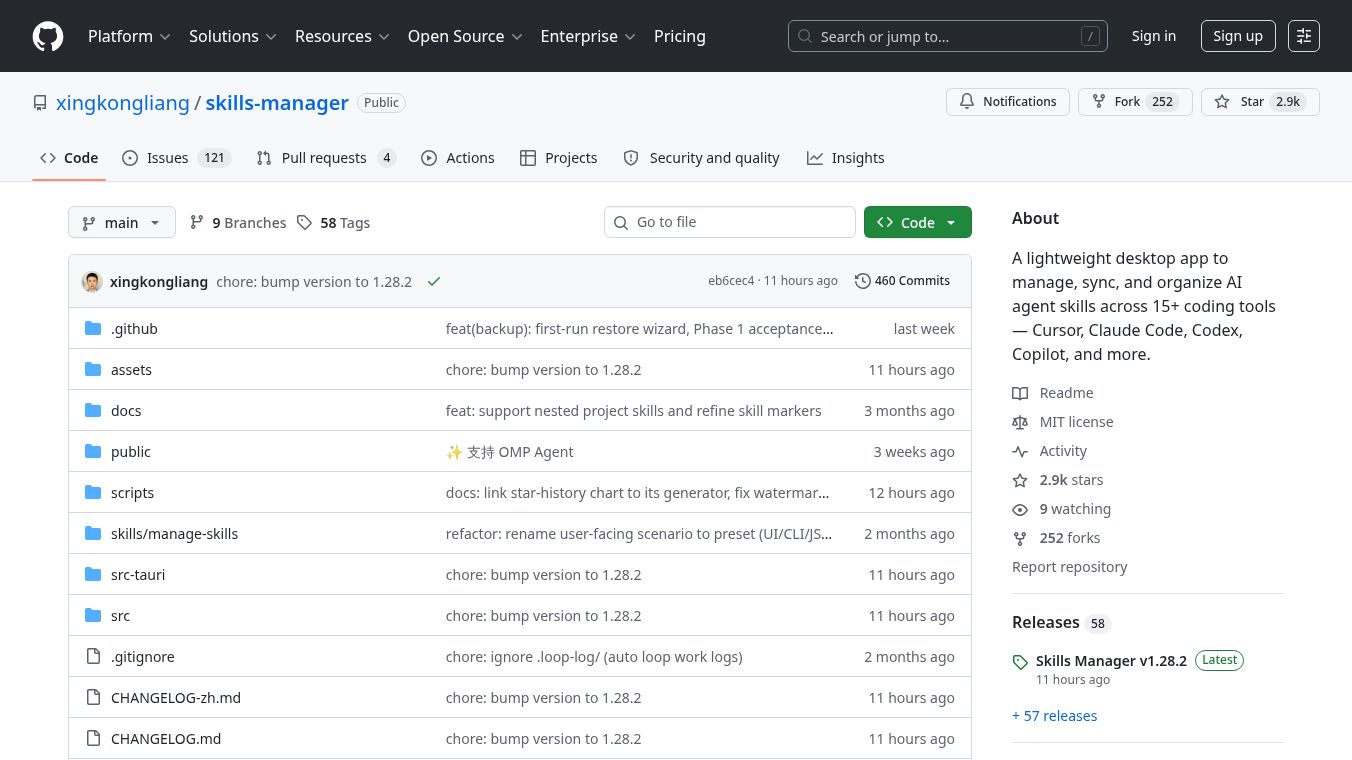





Skills Manager: A Unified Tool for AI Agent Skill Management
Research context and background
Skills Manager is a lightweight desktop application designed to help developers manage, sync, and organize skills for AI coding assistants. It acts as a central hub for tools like Cursor, Claude Code, GitHub Copilot, and many others. Instead of managing skills separately for each tool, this app brings everything into one place. It supports over 15 coding tools out of the box and allows users to install skills from Git repositories, local folders, or a built-in marketplace. The tool also includes features for backing up skills to GitHub, syncing across multiple devices, and organizing skills into reusable groups called presets.
Benefits
Skills Manager offers several key advantages for developers who use multiple AI coding assistants. First, it provides a unified library where users can install and manage skills from various sources without switching between different tools. This saves time and reduces confusion. Second, the app supports multi-tool sync, meaning a skill installed once can be applied to multiple agents with a single click. Third, it includes a backup system that automatically syncs skills to a private GitHub repository. This ensures that skills are safe and can be restored on other devices. The app also allows users to create presets, which are reusable groups of skills that can be activated instantly. This makes it easy to switch between different development contexts. Finally, the tool includes a command-line interface for advanced users who prefer scripting or automation.
Use Cases
Skills Manager is ideal for developers who work with multiple AI coding assistants in their daily workflow. For example, a developer might use Claude Code for general tasks and Cursor for specific projects. With Skills Manager, they can install a skill once and apply it to both tools easily. The app is also useful for teams that need to share skills across different machines. The backup feature allows a developer to sync their skill library to GitHub and then pull it down on a new computer. This ensures consistency across the team. Project managers can use the project workspace feature to manage skills specific to a particular codebase. This keeps project-specific skills separate from global skills. Additionally, the tagging and filtering features help users organize a large collection of skills. They can quickly find skills by category or source. The app is also suitable for developers who want to experiment with new AI tools without cluttering their main workspace. They can use linked workspaces to test skills in isolated directories.
Pricing
Skills Manager is currently available as an open-source project on GitHub under the MIT license. This means it is free to use, modify, and distribute. There are no subscription fees or hidden costs. Users can download the application directly from the GitHub repository. The project has gained significant community support with nearly 3,000 stars on GitHub, indicating strong interest and trust from the developer community.
Vibes
The Skills Manager project has received positive attention from the developer community. With nearly 3,000 stars on GitHub, it has become a popular choice for managing AI agent skills. Users appreciate its ability to unify skill management across many different tools. The open-source nature of the project allows developers to inspect the code and contribute improvements. The community has actively reported issues and suggested features, which helps the project evolve quickly. The presence of a dedicated command-line interface and robust documentation shows that the creators are committed to supporting both casual users and advanced developers. The project addresses a real pain point for developers who juggle multiple AI coding assistants, making it a valuable tool in the modern development ecosystem.
Additional Information
Skills Manager is built using modern technologies including React 19, TypeScript, Vite, and Tailwind CSS for the frontend. The desktop application uses the Tauri 2 framework, while the backend is powered by Rust. The app stores data in a SQLite database, ensuring fast and reliable performance. The project is maintained by the developer xingkongliang and is available on GitHub. The source code is fully open and available for review. The project includes a comprehensive CLI that shares the same database and sync engine as the desktop app. This allows for flexible usage scenarios. The app supports internationalization, meaning it can be used in different languages. The project also includes a help system within the app to guide new users through common workflows. The license is MIT, which permits commercial use and modification. The project has not received venture funding but has grown organically through community adoption and word-of-mouth among developers.
This content is either user submitted or generated using AI technology (including, but not limited to, Google Gemini API, Llama, Grok, and Mistral), based on automated research and analysis of public data sources from search engines like DuckDuckGo, Google Search, and SearXNG, and directly from the tool's own website and with minimal to no human editing/review. THEJO AI is not affiliated with or endorsed by the AI tools or services mentioned. This is provided for informational and reference purposes only, is not an endorsement or official advice, and may contain inaccuracies or biases. Please verify details with original sources.



Comments
Please log in to post a comment.