ScreenLet
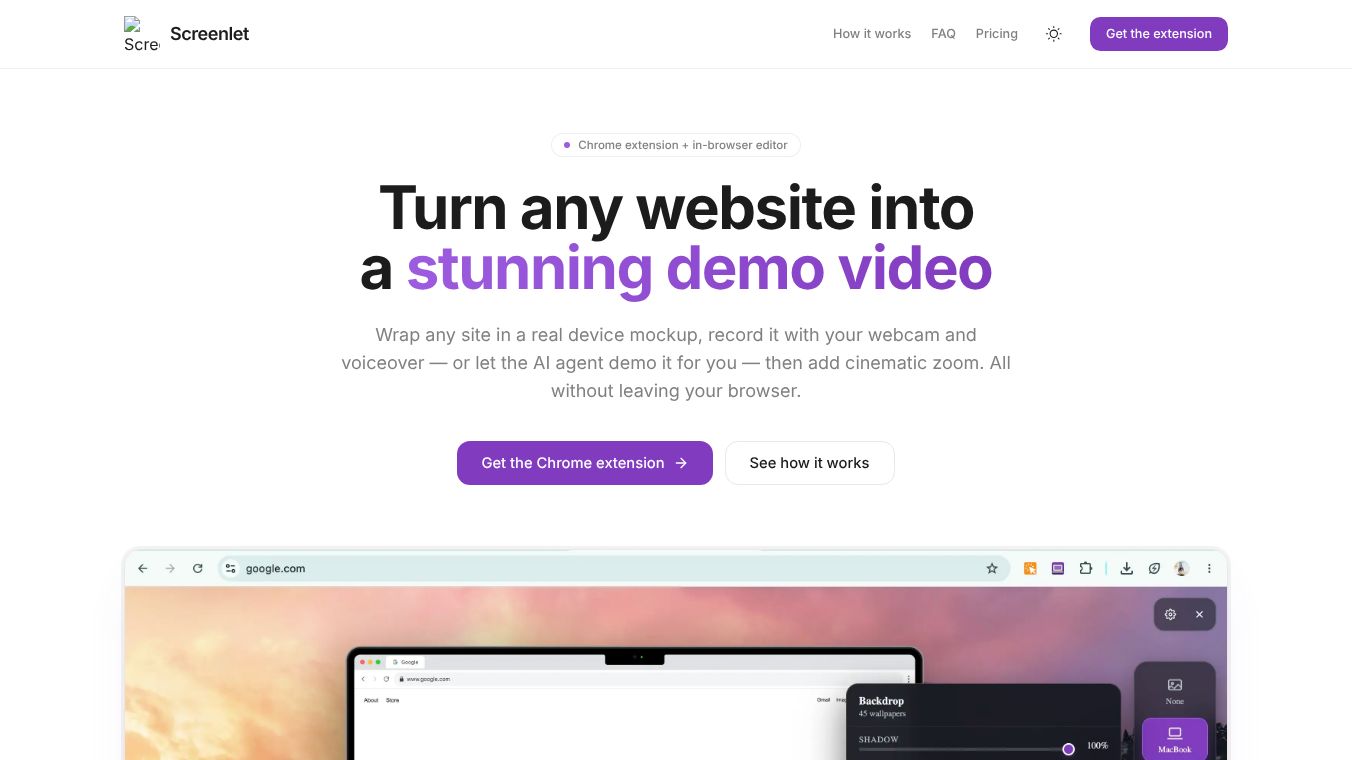





Screenlet: Turn Any Website into a Stunning Demo Video
Screenlet is a Chrome extension designed to transform any website into a polished product demo video entirely within your browser. It eliminates the need for extra software, complex exporting workflows, or leaving your current environment. By combining real device mockups, webcam recording, voiceovers, and an AI-powered demo agent, Screenlet allows users to create professional videos quickly and efficiently.
Benefits
Screenlet offers several key advantages for anyone needing to showcase a website. First, it provides real device mockups that wrap your website in pixel-perfect frames of popular devices like the MacBook Pro, Dell Latitude, and iPhone 17 Pro Max. Users can choose to simulate specific operating systems or opt for a clean floating screenshot. Second, the tool features a Gemini-powered AI agent that allows for a hands-free experience. Users simply type a one-line brief describing the desired walkthrough, and the agent autonomously browses the page to generate a complete video. Third, users can record themselves using a draggable webcam bubble and add a microphone voiceover. Both the video feed and audio are captured into a single smooth HD video file. Finally, the tool includes a non-destructive zoom editor that lets users add cinematic zoom effects wherever the cursor moved during recording. All recording and editing occur locally within the browser, ensuring user privacy since videos are not uploaded to a server for processing.
Use Cases
Screenlet is ideal for anyone who needs to create professional demo videos without the hassle of traditional recording software. It is perfect for marketing teams, product managers, and developers who want to showcase their websites on landing pages, social media posts, or app store listings. The tool is also useful for educators or trainers who need to record walkthroughs of specific web features. Because it works entirely within the browser, it is convenient for users who do not want to install additional software or deal with complex workflows. The AI agent feature is particularly helpful for users who prefer to generate videos quickly by simply describing what they want to see rather than manually recording every step.
Pricing
Screenlet operates on a pay once, use forever model, with the exception of the AI demo agent which is metered. The Free Plan costs $0 and includes access to device mockups, recording, and the zoom editor. It also allows for webcam and voiceover recording at full 1080p HD and includes one AI agent video. Exports from the free plan include a screenlet.org watermark. The Lifetime Plan costs $29 as a one-time payment. This plan unlocks everything forever, including no watermark on exports, unlimited recordings and screenshots, and five AI agent videos. Users can also top up for additional AI videos anytime. After purchase, a license key is emailed to the user to unlock the Lifetime features.
Vibes
Screenlet has received positive reception for its ability to simplify the video creation process. Users appreciate the local processing feature that ensures privacy and the ease of use provided by the AI agent. The tool is often praised for its ability to produce high-quality videos quickly without the need for complex setups. The pay once model is also well-received by users who want to avoid recurring subscription fees.
Additional Information
Screenlet is compatible with Google Chrome and other Chromium-based browsers that support Chrome extensions. The AI agent utilizes a single-use token for narration, ensuring account security. The tool supports up to three devices for the Lifetime Plan and includes access to all future updates for purchasers of the Lifetime Plan.
This content is either user submitted or generated using AI technology (including, but not limited to, Google Gemini API, Llama, Grok, and Mistral), based on automated research and analysis of public data sources from search engines like DuckDuckGo, Google Search, and SearXNG, and directly from the tool's own website and with minimal to no human editing/review. THEJO AI is not affiliated with or endorsed by the AI tools or services mentioned. This is provided for informational and reference purposes only, is not an endorsement or official advice, and may contain inaccuracies or biases. Please verify details with original sources.




Comments
Please log in to post a comment.