Prompt Fixer





Prompt Fixer: Comprehensive Review and Guide
Overview
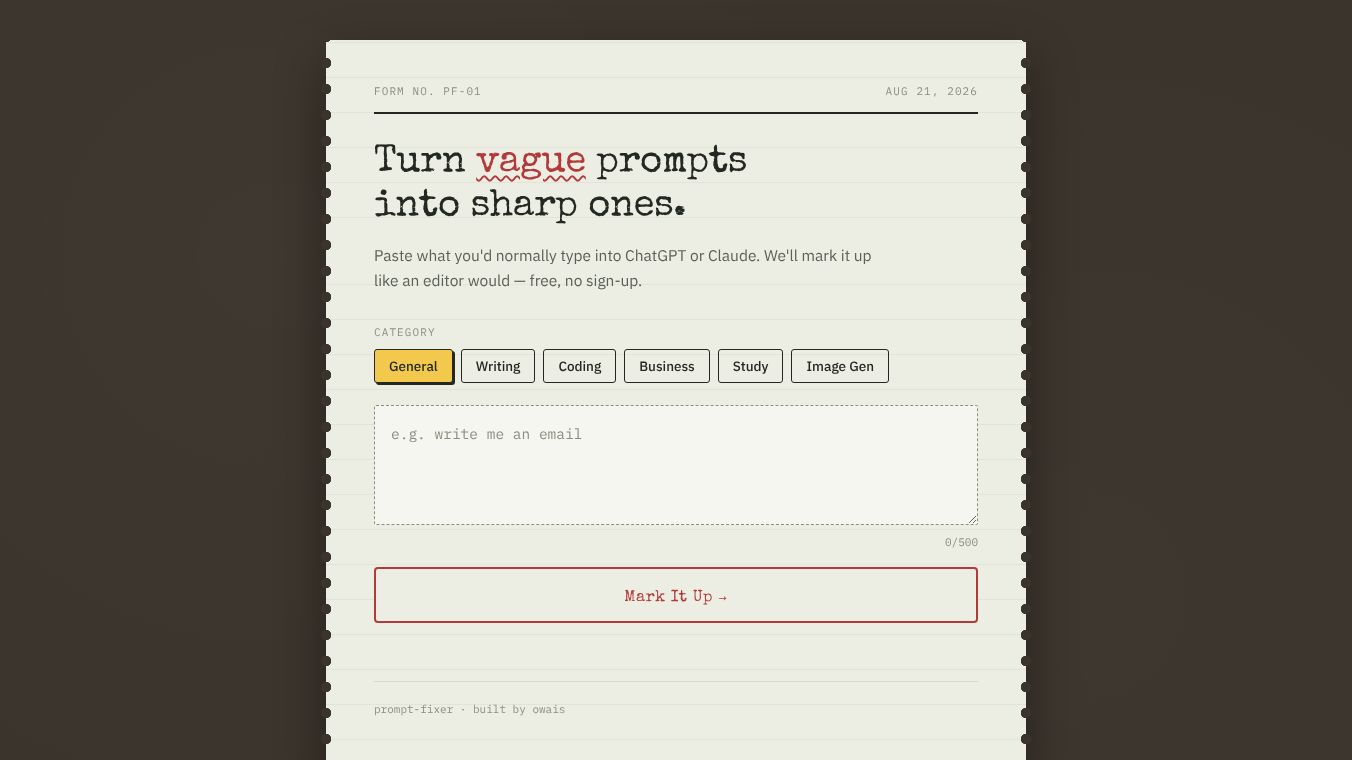
Prompt Fixer is an AI-powered prompt optimization tool developed by KAJ Analytics. Designed to enhance user interactions with Large Language Models (LLMs), it helps students, developers, content creators, and professionals refine their prompts for better clarity, specificity, and accuracy. The tool integrates directly into major AI platforms, offering real-time analysis and one-click rewrites to improve output quality and efficiency.
Key Highlights:-Launch Date:August 20, 2026-Business Model:Freemium SaaS-Target Audience:Writers, coders, business professionals, students, and prompt engineers.-Domain Rating:90-User Rating:4.8 stars on the Chrome Web Store-Recent Updates:Version 2.0 introduced prompt history and additional templates in October 2025.
Core Features
Prompt Fixer provides a suite of capabilities designed to refine and optimize AI prompts:
- AI-Powered Prompt Enhancement:Analyzes and rewrites prompts to improve clarity, specificity, and readiness for LLMs.
- Advanced Prompt Scoring:Generates numeric scores across four key metrics: Clarity, Specificity, LLM Readiness, and Context Alignment. It includes visual before/after comparisons.
- Template Library:Offers over 40 professional pre-built templates for tasks like writing, coding, and brainstorming, alongside a custom template builder.
- One-Click Injection:Seamlessly sends optimized prompts back to supported AI platforms.
- Prompt History:Automatically saves and allows users to revisit previous prompts and their enhancements.
- Context-Aware Refinement:Reads the entire conversation thread (up to 6 turns, capped at 8,000 characters) to ensure continuity for mid-chat follow-ups.
- Real-Time Auto Coaching:Provides immediate feedback and suggestions as users type.
- Multi-AI Model Routing:Supports optimization across various models.
Supported Platforms & Integrations
Prompt Fixer integrates directly into the following AI chat interfaces:- ChatGPT- Claude- Gemini- Perplexity- Grok- Cursor- Copilot
How to Use Prompt Fixer
The tool is primarily available as a Chrome extension, allowing for direct integration without a separate sign-up process for basic use.
- Install:Download the Prompt Fixer Chrome extension from the Chrome Web Store.
- Navigate:Go to a supported AI platform (e.g., ChatGPT, Claude, Gemini).
- Input:Type a vague or initial prompt into the AI chat interface.
- Analyze:Prompt Fixer analyzes the input in real-time, providing suggestions and a quality score.
- Optimize:Use the one-click injection feature to apply the optimized prompt directly into the chat.
- Review:Check the AI's response and access prompt history for past optimizations.
Pricing Plans
Prompt Fixer operates on a freemium model, catering to both casual users and professionals.
Free Tier ($0/month)
- No sign-up required.
- Limit:3 prompts per day.
- Features:
- AI-powered prompt enhancement.
- Limited scoring and analytics.
- Access to 2 template categories.
- Last 3 history items.
- Multi-platform support.
Premium Plan ($7/month)
- Limit:Unlimited prompts.
- Features:
- Full scoring and analytics.
- Access to the full template library (40+ templates).
- Ability to create custom templates.
- Unlimited history access.
- Advanced search and sort features.
- Priority support.
Who Should Use Prompt Fixer?
Prompt Fixer is designed for a diverse range of users seeking to improve AI-generated content:-Students:For enhancing essays, research, and writing prompts.-Developers:For optimizing coding prompts to achieve better code generation and debugging.-Content Creators:For improving tone, creativity, and structure in blog posts and marketing copy.-Professionals:For crafting clearer internal communications, client messages, and business presentations.-Prompt Engineers:For testing, refining, and scoring LLM prompts for optimal performance.
Pros and Cons
Pros
- Direct Integration:Works seamlessly within ChatGPT, Claude, Gemini, Perplexity, Grok, Cursor, and Copilot.
- Real-Time Feedback:Offers immediate AI-powered enhancement and scoring.
- Context Awareness:Analyzes conversation threads for relevant rewrites.
- Extensive Templates:Includes a comprehensive library of 40+ professional templates and a custom builder.
- Freemium Access:Allows users to test core functionalities without a subscription.
- High User Satisfaction:Rated 4.8 stars on the Chrome Web Store.
Cons
- Free Tier Limitations:Restricted to 3 prompts per day, which may be insufficient for frequent users.
- Platform Dependency:Primarily a Chrome extension, potentially limiting access for users on other browsers or platforms.
- Pricing Variations:Reported pricing tiers have shown slight variations (e.g., $5, $7, or $9/month), which could cause minor confusion.
- Third-Party Reliance:Effectiveness is partially dependent on the performance of the third-party AI models it utilizes for optimization.
This content is either user submitted or generated using AI technology (including, but not limited to, Google Gemini API, Llama, Grok, and Mistral), based on automated research and analysis of public data sources from search engines like DuckDuckGo, Google Search, and SearXNG, and directly from the tool's own website and with minimal to no human editing/review. THEJO AI is not affiliated with or endorsed by the AI tools or services mentioned. This is provided for informational and reference purposes only, is not an endorsement or official advice, and may contain inaccuracies or biases. Please verify details with original sources.


Comments
Please log in to post a comment.