PocketShell
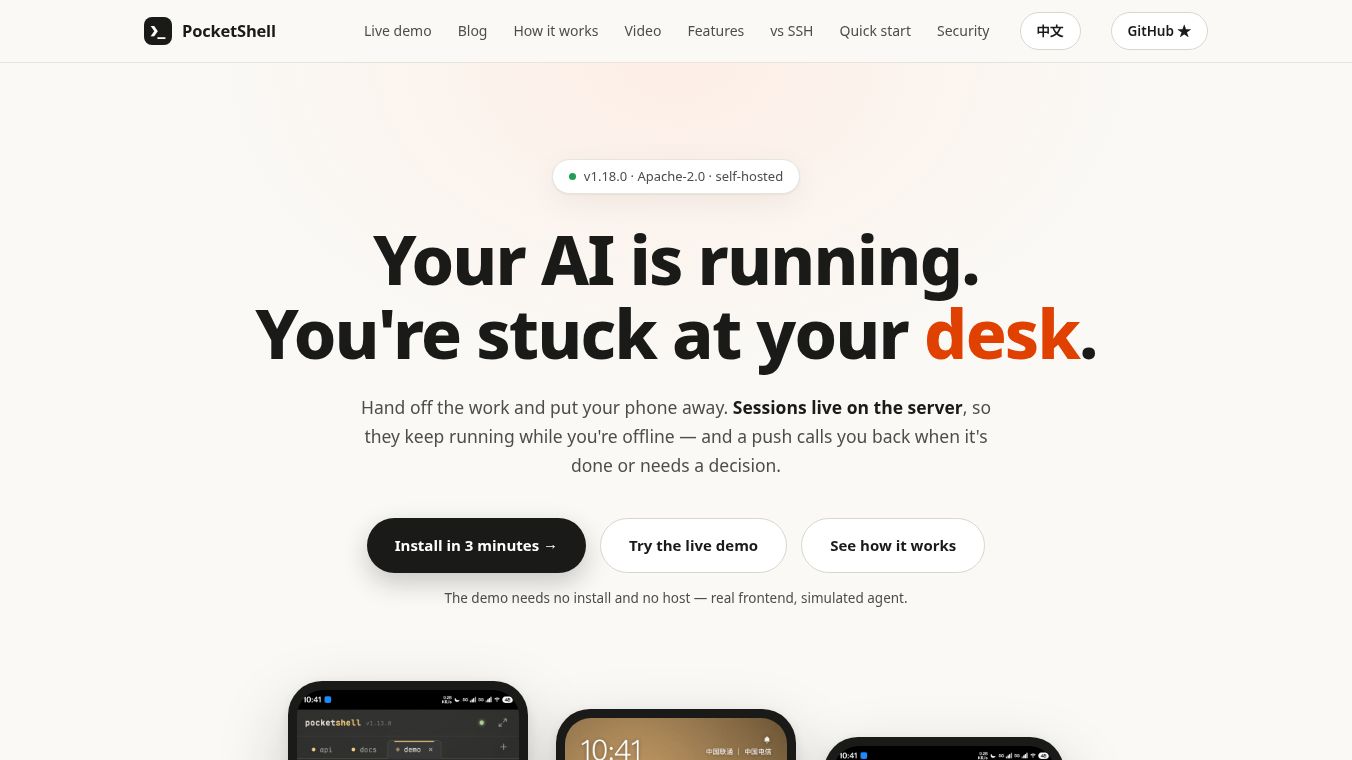





PocketShell: The Open-Source Host Agent for Managing Your Entire Fleet
Overview
PocketShell is an open-source tool that lets you manage all your computers from your mobile phone. It works with many devices, including VPS servers, Raspberry Pis, Macs, and NAS drives. Unlike other remote access tools, PocketShell uses a secure peer-to-peer connection. This means it does not need open ports, a VPN, or a public tunnel to work. It acts as a full control panel that gives you a real terminal, a project-based workspace, live monitoring, and push alerts. It also supports coding agents like Claude and Codex directly within the app.
Benefits
PocketShell offers several key advantages for users who need to manage multiple machines. First, it provides a real terminal session over an encrypted channel. You can run multiple sessions at once and use tools like tmux or screen. The app also includes on-screen key bars to help you navigate without typing. Second, it creates project spaces that feel like a local code editor. You can see file trees with color coding, manage Git changes, and view live previews of development servers running on your host. The app remembers your tabs and file positions so you can pick up where you left off on another device. Third, it gives you live monitoring of your machines. You can see graphs for CPU, RAM, disk usage, and network load. You can also set alerts to get notified if a host goes offline or if resources get too high. Finally, it unifies coding agents. You can browse history and resume sessions for tools like Claude or Codex from one place instead of using different apps for each vendor.
Use Cases
PocketShell is designed for developers and system administrators who manage a fleet of devices. It is perfect for someone who has servers in different locations and wants to check them from their phone. For example, a developer can open a project space on a remote server to write code while traveling. They can see their live development server running right in the app. A system administrator can monitor the health of multiple NAS devices or Raspberry Pis from a single dashboard. If a server runs out of disk space, they will get a push alert immediately. The tool is also useful for teams that use AI coding assistants. Instead of switching between different vendor apps, they can manage all their agent sessions in one interface. It works on Linux, macOS, Windows, Raspberry Pi, and NAS devices.
Pricing
PocketShell offers a free tier and paid options to suit different needs. The free plan allows you to pair up to two hosts. It includes two saved project spaces and two active alerts. You get live stats but no history. Agent sessions are saved for the last three days. File transfers are limited to 5 MB. The Pro plan costs $39.99 per year. This plan supports up to ten hosts. It offers unlimited project spaces and alerts. You get full stats history and unlimited agent sessions. File transfers increase to 100 MB. There is also a lifetime option for $99.99. This one-time payment includes all Pro features plus all future major versions of the software.
Vibes
PocketShell is well received by users who value privacy and open-source software. The tool is praised for its strong security features, such as end-to-end encryption and QR code pairing. Users appreciate that it does not store their terminal history or file contents on its servers. The ability to manage a fleet of devices from a single phone app is a major highlight. Reviews note that it solves the problem of scattered agent usage by bringing everything into one place. The open-source nature of the project under the Apache-2.0 license builds trust with the community. Users who need a secure way to access private hosts without opening ports find it very useful.
Additional Information
PocketShell is built as open-source software under the Apache-2.0 license. This allows anyone to inspect the code and contribute to the project. The tool uses a unique architecture where the host agent initiates a single outbound connection. This ensures no inbound ports are needed. The pairing process requires biometric authentication like Face ID or Touch ID for security. Device keys are bound to specific hardware to prevent unauthorized access. The backend only handles coordination and pairing. It does not persist sensitive data. Users can completely remove the agent and all keys by running a single uninstall command. This leaves no daemons or residual trust on the host machine.
This content is either user submitted or generated using AI technology (including, but not limited to, Google Gemini API, Llama, Grok, and Mistral), based on automated research and analysis of public data sources from search engines like DuckDuckGo, Google Search, and SearXNG, and directly from the tool's own website and with minimal to no human editing/review. THEJO AI is not affiliated with or endorsed by the AI tools or services mentioned. This is provided for informational and reference purposes only, is not an endorsement or official advice, and may contain inaccuracies or biases. Please verify details with original sources.



Comments
Please log in to post a comment.