PixelPets





PixelPets: AI Desktop Companions
Overview
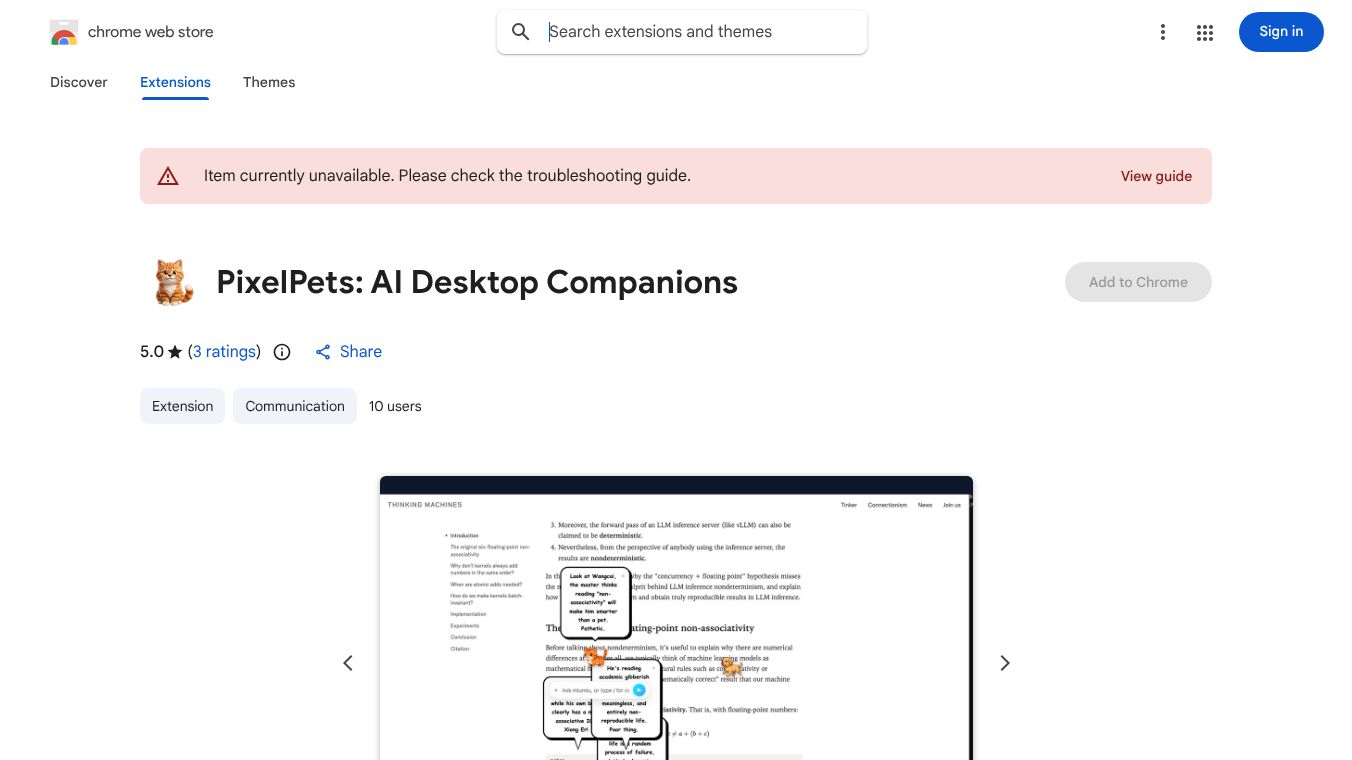
PixelPets is a Chrome extension that brings adorable, interactive pixel pets directly into your browser tabs. These virtual companions live alongside you as you browse the web. They react to your screen, move with realistic physics, and engage in conversations powered by Google Gemini AI. The tool is designed to add a fun and lively element to your daily browsing routine.
Benefits
PixelPets offers several key advantages for users who want to make their browsing experience more engaging.
- Realistic Movement: Your pet behaves like a living creature. It can walk, run, climb walls, sleep, and fall naturally. You can also drag and throw your pet across the screen, and it will bounce and slide in a realistic way. The pets even use smart collision avoidance to jump over obstacles instead of getting stuck.
- Smart Conversations: Powered by Google Gemini AI, your pet can see what you are browsing and react to the content. You can select any text or image on a webpage, right-click it, and send it to your pet for an instant discussion. You can also chat naturally through a sleek interface where speech bubbles show the pet's thoughts.
- Multiple Pets: You can summon multiple pets to create a lively environment. Watch them bump into each other and interact. You can even trigger group chats where the pets debate or discuss the webpage together.
- Customization: Choose from six unique pixel pets, including an Orange Cat, Golden Retriever, Bunny, Fox, Panda, and Dragon. Each has its own personality. You can earn experience points by interacting with your pet to level up and unlock new conversational tones. You can also customize settings like the pet's appearance and behavior.
- Multi-Language Support: The interface is available in six languages, including English, Chinese, Japanese, Korean, and Spanish. The AI chat also supports all languages that Google Gemini supports.
Use Cases
PixelPets is perfect for anyone who wants to add a touch of fun to their daily internet usage.
- Personal Browsing Companion: Use PixelPets as a friendly presence while you work or relax online. Your pet will follow you around your tabs and react to the websites you visit.
- Learning and Research: When you are reading an article or studying, you can select text and ask your pet for its opinion or help you understand the content.
- Entertainment: Summon multiple pets to watch them interact and play. This can be a fun way to take a break from serious work or study.
- Language Practice: Since the AI supports multiple languages, you can practice speaking or writing in different languages while chatting with your pet.
Pricing
PixelPets is a free Chrome extension available on the Chrome Web Store. There are no subscription fees or hidden costs mentioned for the basic features.
Vibes
Users have responded positively to PixelPets for its unique blend of entertainment and technology. The community appreciates the realistic physics engine that makes the pets feel alive. Many users enjoy the ability to customize their pets and the fun of watching multiple pets interact. The privacy-focused approach, built with vanilla JavaScript to avoid data bloat, has also been well-received by users concerned about data security. Reviews often highlight the smooth performance and the creative ways users interact with their digital companions.
Additional Information
PixelPets was developed by Guanghui WANG, who goes by the handle notevideollm. The current version is 1.2.8, and the extension size is 10.8MiB. The developer has stated that data is not sold to third parties and is not used for unrelated purposes. Support can be reached via email at [email protected] or by phone at +852 6678 5020. The extension was recently updated to version 1.2, which included improvements like smarter collision avoidance and customizable settings for pet behavior.
This content is either user submitted or generated using AI technology (including, but not limited to, Google Gemini API, Llama, Grok, and Mistral), based on automated research and analysis of public data sources from search engines like DuckDuckGo, Google Search, and SearXNG, and directly from the tool's own website and with minimal to no human editing/review. THEJO AI is not affiliated with or endorsed by the AI tools or services mentioned. This is provided for informational and reference purposes only, is not an endorsement or official advice, and may contain inaccuracies or biases. Please verify details with original sources.





 No Info
Comments
Please log in to post a comment.