PDF to Markdown





PDF to Markdown: A Comprehensive Guide to Clean, LLM-Ready Conversion
Overview
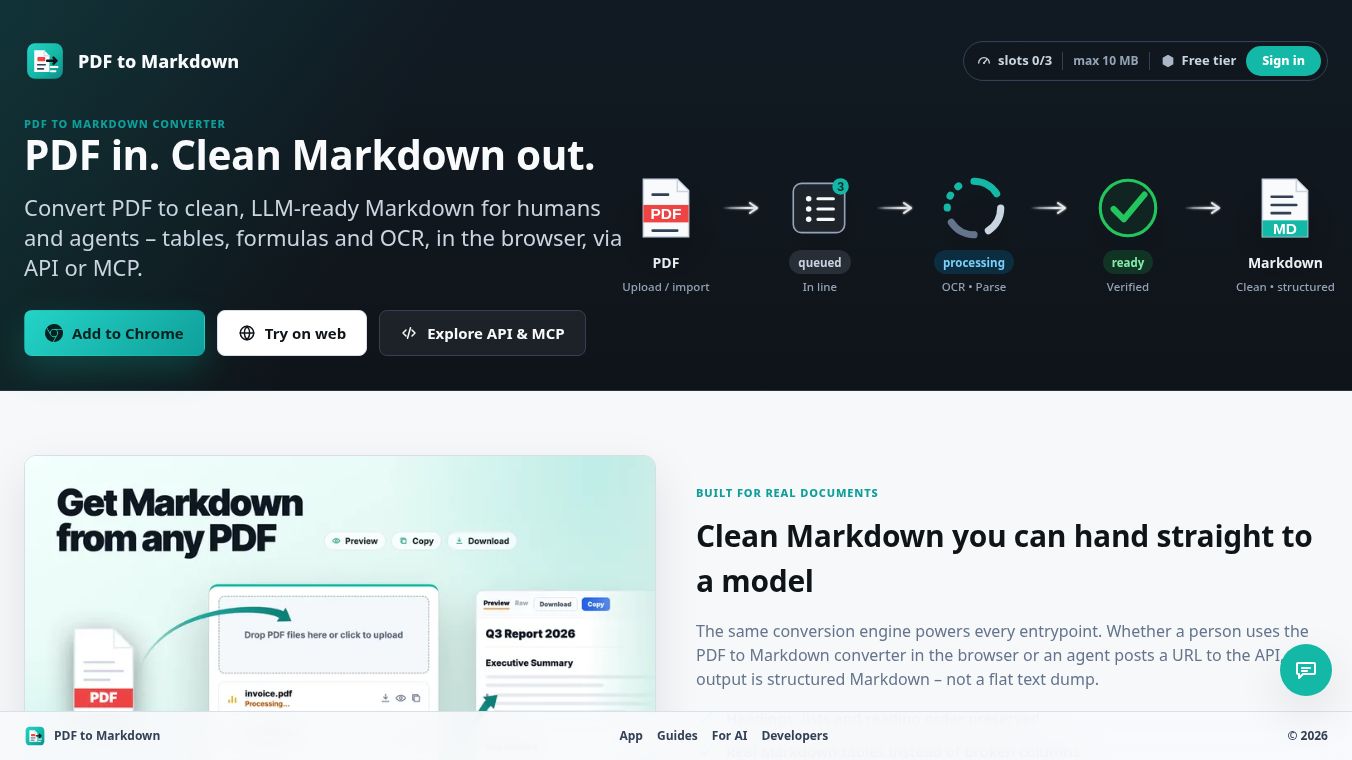
PDF to Markdown is a service designed to convert PDF documents into clean, structured Markdown that is ready for use by humans and Large Language Models. Unlike simple text dumps, this tool preserves structure, including tables, formulas, and OCR capabilities for scanned documents. The service operates via a browser-based interface, a Chrome extension, a REST API, and a Hosted Model Context Protocol endpoint, all powered by a single conversion engine.
Benefits
The conversion engine is built for real documents, ensuring high-quality output suitable for downstream processing:-OCR Capabilities: Image-only and scanned PDFs are converted into selectable Markdown, including support for Cyrillic and mixed-language documents. Users can force OCR if a PDF has a poor text layer.-Structural Preservation: Columns are converted into genuine Markdown tables rather than jumbled lines. Mathematical notation is preserved instead of being flattened into garbled characters.-Media Handling: Images can be embedded as base64 strings or replaced with lightweight placeholders, depending on user preference.-Link Integrity: Hyperlinks and footnotes are carried over as Markdown links, ensuring they are not dropped or flattened.-Preview Options: Users can preview rendered Markdown, read the raw source, copy to clipboard, or download a .md file.
Use Cases
The service offers multiple ways to access the same conversion engine, adhering to consistent slots, limits, and retention rules across all platforms.
1. Chrome Extension
- Usage: Drag, drop, or paste a PDF URL directly into the extension popup or use an inline button on any webpage.
- Access: Can be used anonymously or by signing in for API keys and paid tiers.
2. Web Converter
- Usage: A full workbench allowing uploads, URL inputs, settings configuration, status monitoring, preview, and download.
- Access: Available anonymously or via sign-in for higher tiers.
3. REST API
- Usage: For developers, allowing job creation, status polling, and result fetching over HTTPS using a Bearer API key.
- Features: Stable Data Transfer Objects, predictable errors, and an OpenAPI specification.
4. Hosted MCP
- Usage: A managed Model Context Protocol endpoint that acts as a thin wrapper over the REST API, enabling compatible agents to use conversion as a tool.
5. ChatGPT Custom GPT
- Usage: Users can import a ready-made action spec to enable PDF-to-Markdown conversion as a built-in tool within a Custom GPT, requiring no code.
Pricing
The service operates on a start free, upgrade for capacity model. Paid plans provide increased queue capacity, larger file sizes, longer processing time budgets, extended retention periods, webhooks, and higher queue priority.
| Tier | Price | Slots | Max File Size | Time Budget | Retention | Key Features |
|---|---|---|---|---|---|---|
| Free | $0 | 3 | 10 MB | 15 min | 1 hour | Anonymous in browser, API key access (with Google sign-in), Hosted MCP |
| Builder | $9/mo | 10 | 25 MB | 25 min | 6 hours | Webhooks, Batch create |
| Pro | $19/mo | 20 | 50 MB | 40 min | 12 hours | Higher rate limits |
| Business | $49/mo | 50 | 100 MB | 55 min | 24 hours | Priority support |
Note: Enterprise plans are available with custom limits.
Vibes
- Anonymous by Default: Users can convert documents in the browser or extension without signing up. Requests are device-signed.
- Sign-In Benefits: A free Google account unlocks API keys, hosted MCP, and paid tiers. These credentials work consistently across the extension and web app.
- Data Security: API keys are secrets sent over HTTPS and can be revoked at any time.
- Data Retention: Files and results are stored only temporarily to run the conversion and are automatically deleted after the tier-specific retention window. Users can also delete jobs manually at any time.
- No Model Training: The service explicitly states that user files and results are not used to train models.
Additional Information
- Do I need an account?No account is needed for everyday conversion in the browser or extension. A free Google account is only required for API keys, hosted MCP, and paid tiers.
- How do API keys work?Sign in with Google to generate a key, which is sent as a Bearer token over HTTPS. Keys are secure secrets that can be revoked anytime.
- What is the Hosted MCP?It is a managed endpoint exposing conversion as agent tools, wrapping the same REST API to ensure limits and slots are respected.
- What happens with very long documents?Each tier has a time budget. If a document exceeds this, the service converts as much as possible and returns a partial result flagged with truncated=true.
- Which languages are supported?Conversion and OCR handle a wide range of languages, including mixed-language documents and Cyrillic. The Chrome extension interface supports over 50 languages.
- Can I convert from a URL?Yes, direct PDF URLs can be pasted in the extension or web app, or POSTed to the API without downloading the file first.
- Are webhooks available?Yes, but only on paid tiers. They allow you to register signed endpoints to be notified when a job is ready.
- Is it really free?Yes, the free tier offers 3 slots, 10 MB file support, a 15-minute time budget, and 1-hour retention without requiring a credit card.
- Does it work on scanned PDFs?Yes, image-only and scanned PDFs are OCR'd into selectable Markdown.
This content is either user submitted or generated using AI technology (including, but not limited to, Google Gemini API, Llama, Grok, and Mistral), based on automated research and analysis of public data sources from search engines like DuckDuckGo, Google Search, and SearXNG, and directly from the tool's own website and with minimal to no human editing/review. THEJO AI is not affiliated with or endorsed by the AI tools or services mentioned. This is provided for informational and reference purposes only, is not an endorsement or official advice, and may contain inaccuracies or biases. Please verify details with original sources.





Comments
Please log in to post a comment.