PDF Inspector Web UI
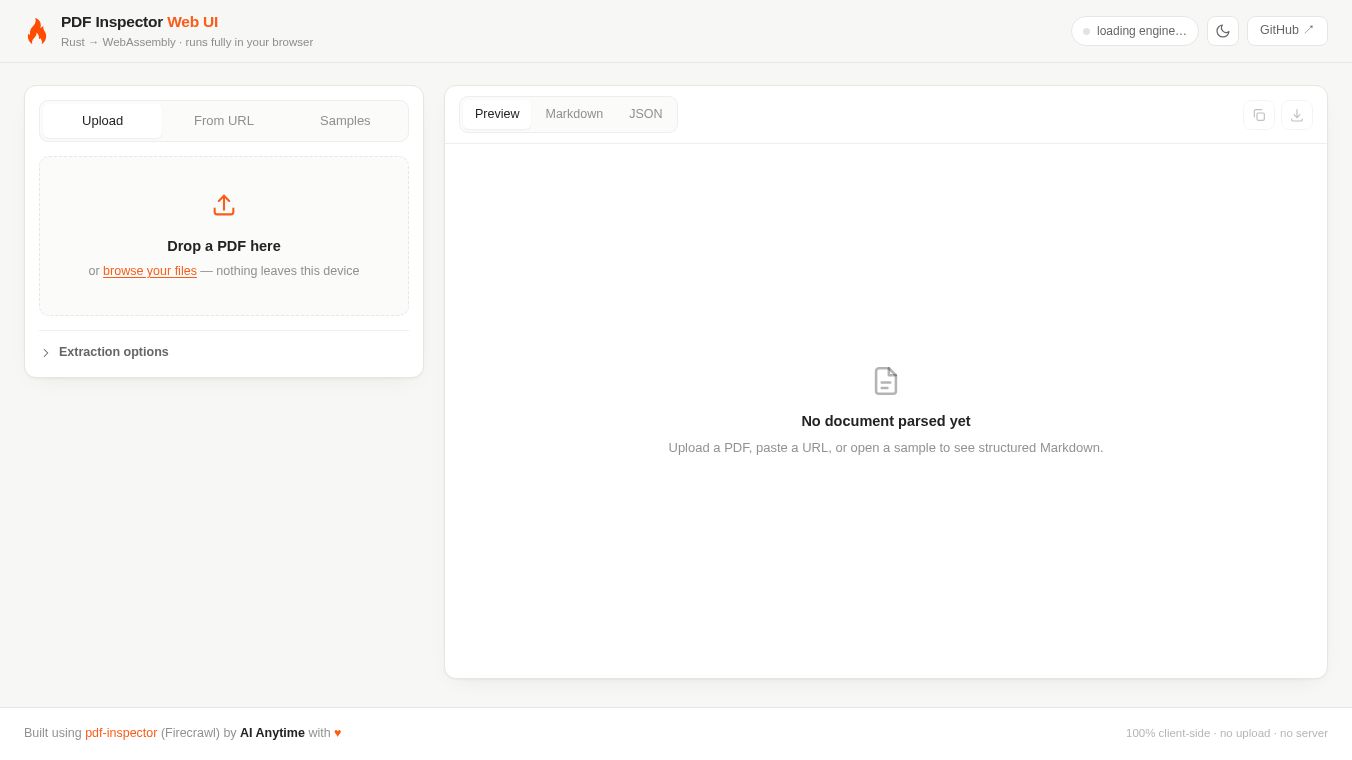





PDF Inspector Web UI: A Simple Tool for Checking PDF Files
Introduction
PDF Inspector Web UI is a free online tool that helps users check the details of PDF files without needing to install any software. It works directly in your web browser, making it easy to use on any computer with an internet connection. The tool was created by a developer named AianYTime and is hosted on GitHub. It allows people to see important information about their PDF documents, such as the file size, the number of pages, and the software used to create the file. This is especially helpful for users who want to verify the integrity of a document or understand its structure before sharing or editing it.
Benefits
One of the main advantages of PDF Inspector Web UI is that it is completely free to use. There are no hidden costs or subscription fees. Another benefit is its simplicity. Users do not need to download or install any programs. They can simply upload a file to the website and get the results instantly. The tool provides clear and easy-to-read information about the PDF, which is useful for both beginners and experienced users. It also supports various file formats, allowing users to inspect different types of documents. Additionally, since the tool runs in the browser, it is secure and does not require storing files on a remote server permanently.
Use Cases
PDF Inspector Web UI can be used in many situations. For example, a student might use it to check the page count of a research paper before submitting it to a professor. A designer could use the tool to verify the file size of a brochure before sending it to a printer. A business professional might inspect a contract to ensure it was created with the correct software and has not been altered. It is also useful for developers who need to debug PDF files or for anyone who wants to learn more about the technical details of a document. The tool is particularly helpful when a user receives a suspicious PDF file and wants to check its metadata before opening it.
Pricing
PDF Inspector Web UI is free to use. There are no charges for uploading files or viewing the inspection results. The tool is open-source, which means the code is available for anyone to review or modify if needed.
Vibes
Since the tool is hosted on GitHub and is relatively new, there are not many public reviews or testimonials available yet. However, the open-source nature of the project has received positive attention from the developer community. Users who have tried it generally appreciate its straightforward design and the fact that it does not require any installation. The simplicity of the interface makes it a popular choice for quick checks without the need for complex software.
Additional Information
PDF Inspector Web UI was created by a developer known as AianYTime. The project is hosted on GitHub, where the source code is available for public viewing. This open-source approach allows the community to contribute to the project and ensure its continued improvement. The tool is built using web technologies that make it accessible and easy to run in any modern browser. Its lightweight design ensures that it works quickly even on slower internet connections.
This content is either user submitted or generated using AI technology (including, but not limited to, Google Gemini API, Llama, Grok, and Mistral), based on automated research and analysis of public data sources from search engines like DuckDuckGo, Google Search, and SearXNG, and directly from the tool's own website and with minimal to no human editing/review. THEJO AI is not affiliated with or endorsed by the AI tools or services mentioned. This is provided for informational and reference purposes only, is not an endorsement or official advice, and may contain inaccuracies or biases. Please verify details with original sources.



 No Info
Comments
Please log in to post a comment.