PaperToPro





Research context and background
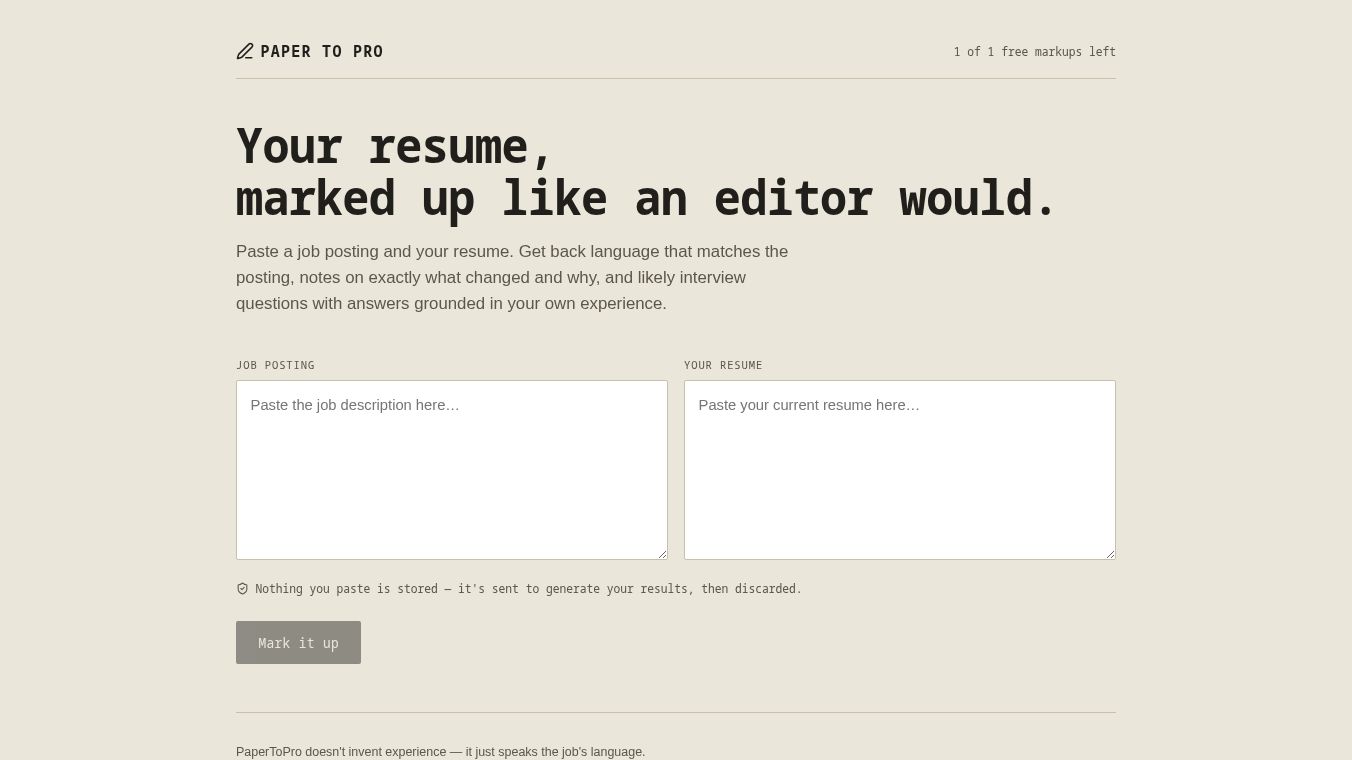
PaperToPro is a digital tool designed to help people turn their handwritten notes into clean, professional documents. It works by taking a photo of a page with writing on it and then using smart technology to fix the image. The app removes messy lines, corrects crooked angles, and makes the text look like it was typed on a computer. This makes it easy to share notes with others or keep them organized in a digital folder.
Benefits
The main advantage of PaperToPro is that it saves time. Instead of typing out notes by hand, users can just take a picture and let the app do the work. It also improves the look of the document. Handwritten notes often have smudges or uneven lines, but PaperToPro cleans these up so the final image looks sharp and clear. This is helpful for students who need to submit assignments or for professionals who want to share meeting notes with a team. The tool also helps with storage. By converting paper notes into digital files, users can keep their information safe and easy to search without needing physical space for paper.
Use Cases
Students can use PaperToPro to digitize their class notes before an exam. They can take a photo of their notebook and get a clean version to study from later. Teachers might use it to create digital copies of student work for grading or record keeping. In a business setting, employees can use the app to scan meeting minutes or contracts. This ensures that important documents are clear and ready to be emailed or stored in a company database. Travelers can also use it to keep receipts and boarding passes organized by turning them into digital files on their phone.
Pricing
PaperToPro offers a free version that allows users to convert a limited number of pages each month. For users who need more features or want to convert unlimited pages, there is a paid subscription plan. The exact cost of the subscription may vary, but it is generally affordable for individuals and small teams who need the tool regularly.
Vibes
Users often praise PaperToPro for how fast it works. Many reviews mention that the app is simple to use and does not require any special skills. People appreciate that the cleaned-up images look very close to the original handwriting but without the mess. Some users note that the free version is a good starting point, while others feel the paid plan is worth it if they use the app every day. Overall, the public reception is positive, with many people finding it a helpful addition to their daily digital workflow.
Additional Information
PaperToPro has grown in popularity since its launch and has built a community of users who rely on it for their daily tasks. The company continues to update the app with new features to improve the scanning experience. While specific funding details are not widely publicized, the product has gained traction in the education and productivity sectors. It is available on both iOS and Android devices, making it accessible to a wide range of users.
This content is either user submitted or generated using AI technology (including, but not limited to, Google Gemini API, Llama, Grok, and Mistral), based on automated research and analysis of public data sources from search engines like DuckDuckGo, Google Search, and SearXNG, and directly from the tool's own website and with minimal to no human editing/review. THEJO AI is not affiliated with or endorsed by the AI tools or services mentioned. This is provided for informational and reference purposes only, is not an endorsement or official advice, and may contain inaccuracies or biases. Please verify details with original sources.





Comments
Please log in to post a comment.