PaloQA
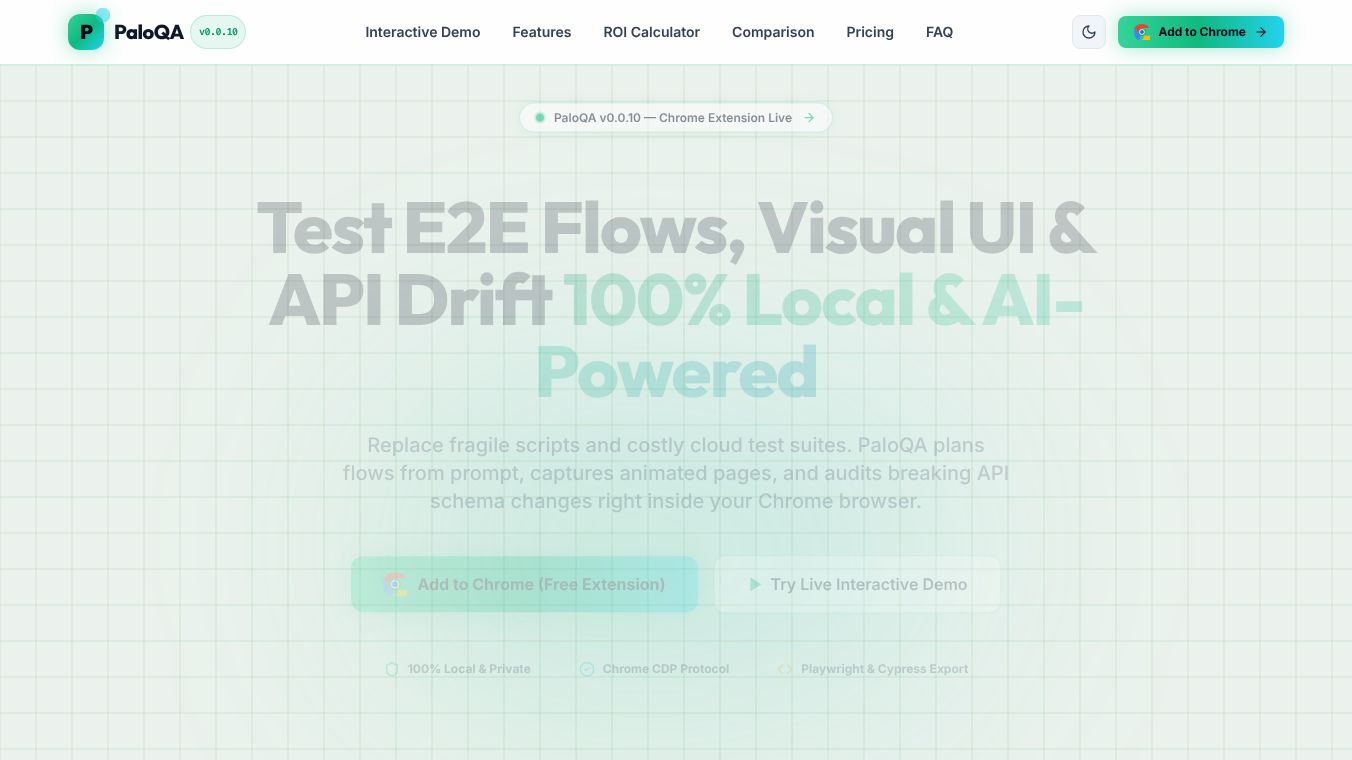





PaloQA: AI-Powered Browser Flow Verification for Non-Technical Teams
Research context and background
PaloQA is an enterprise-grade tool designed to help developers, QA engineers, and non-technical teams verify how websites and applications work. It functions as a side-panel extension for the Chrome browser. The main goal of PaloQA is to replace old, fragile testing scripts with a smarter system that uses artificial intelligence to understand and test user journeys. It allows users to describe what they want to test in plain English instead of writing complex code. This makes testing faster and more reliable for teams of all skill levels.
Benefits
PaloQA offers several key advantages that improve the testing process. First, it uses an AI Test Composer that lets users write test steps in natural language. For example, a user can simply type "Login with standard_user, add item to cart, verify total" and the tool will create a detailed plan. Second, it features self-healing selectors. When a website changes its layout or updates an ID, the tool automatically finds the new element so tests do not break. Third, it includes an API Contract Interceptor. This feature checks background data calls to ensure the website is sending and receiving the correct information. Fourth, it provides multi-format reports. Users can get real-time dashboards and export results as interactive HTML pages or Excel spreadsheets for offline review. Finally, it protects sensitive data by automatically redacting passwords and bypassing annoying pop-ups like cookie consent banners during tests.
Use Cases
PaloQA is useful in many situations where website reliability matters. Product managers can use it to verify that new features work as expected before they launch. QA engineers can rely on it to run automated tests without constantly fixing broken scripts due to UI changes. Developers can use the API audit feature to catch data errors early in the development cycle. Non-technical team members can also participate in testing by describing their desired user flows in simple words. It is particularly helpful for testing modern web applications built with frameworks like React, Vue, or Next.js, where elements often change dynamically. Teams can also use it to monitor core web vitals and visual performance to ensure the site loads quickly and looks good.
Pricing
Pricing details for PaloQA are not available in the provided information. The tool is currently listed as version 0.0.10, which suggests it may be in an early stage of development or release.
Vibes
There are no public reviews, testimonials, or specific public reception details available in the provided article. The tool is described as a new release with version 0.0.10, indicating it is a recent addition to the market.
Additional Information
PaloQA was developed by an individual associated with the email [email protected] and the website palosite.com. The tool is built using Google Gemini AI and the Chrome DevTools Protocol. It is available as a Chrome extension with a file size of 1.64 MiB. The developer states that user activity and website content are not sold to third parties and are only used for the core functionality of the tool. Support is available via email at [email protected].
This content is either user submitted or generated using AI technology (including, but not limited to, Google Gemini API, Llama, Grok, and Mistral), based on automated research and analysis of public data sources from search engines like DuckDuckGo, Google Search, and SearXNG, and directly from the tool's own website and with minimal to no human editing/review. THEJO AI is not affiliated with or endorsed by the AI tools or services mentioned. This is provided for informational and reference purposes only, is not an endorsement or official advice, and may contain inaccuracies or biases. Please verify details with original sources.

Comments
Please log in to post a comment.