Nuvra





Nuvra: A Local, Offline, Open-Source Notion Alternative
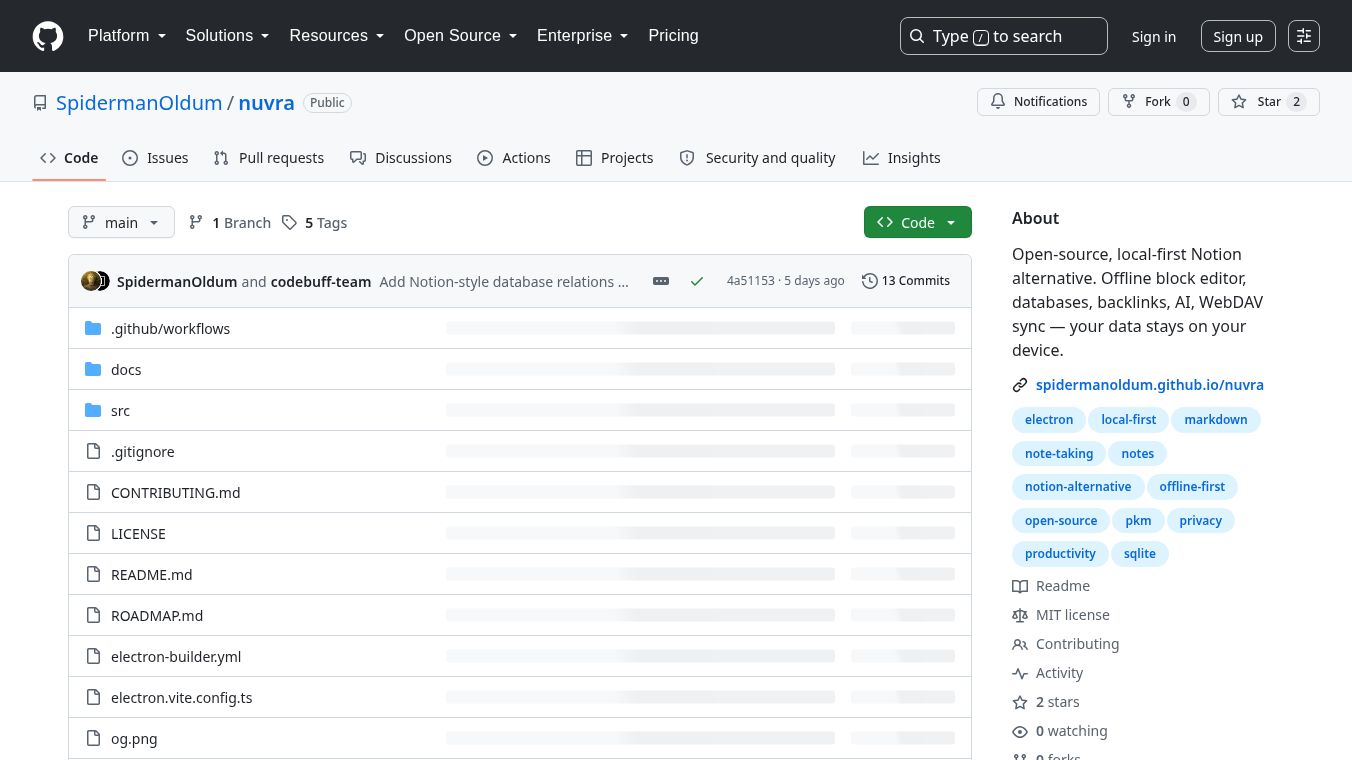
Nuvra is an open-source application designed to provide a Notion-like experience entirely on your local device. It keeps notes, tasks, and project management data entirely offline, requiring no cloud server, user account, or telemetry. Your data resides in a local SQLite database, ensuring complete privacy and control. Nuvra aims to deliver the power of Notion with the privacy of your own computer. It is a local-first application where data never leaves your machine unless you explicitly choose to sync it.
Benefits
Nuvra offers several key advantages for users who value privacy and control over their data. The most significant benefit is complete data privacy. Since all information stays on your local machine, there is no risk of cloud breaches or unauthorized access. Users have full control over their data storage and can choose when to sync it if needed.
The application features a powerful block-based editor that supports headings, lists, to-do items, code blocks, quotes, dividers, and tables. This makes it versatile for various types of content creation. Users can create an infinite hierarchy of subpages with breadcrumbs for easy navigation. The built-in trash and restore feature ensures that accidental deletions can be recovered easily.
Nuvra supports flexible database blocks with multiple view types including table, Kanban, calendar, gallery, list, and timeline. This flexibility allows users to organize their projects in the way that works best for them. The full-text search powered by SQLite FTS5 enables quick searching of titles and content with snippets, even supporting Turkish characters. Users can customize the visual appearance by changing text and highlight colors, page backgrounds, and fonts. Built-in light and dark modes with auto-save further enhance the user experience.
The application integrates AI capabilities through nine different providers, including OpenAI, Anthropic, Gemini, Groq, and Ollama. Users manage their own API keys, ensuring data privacy even when using AI features. Nuvra supports importing from Notion, Obsidian, AppFlowy, AFFiNE, AnyType, Markdown, HTML, TXT, and Nuvra backups. Data can be exported to Markdown, HTML, JSON, or PDF formats. Optional WebDAV sync allows users to synchronize data with Nextcloud or ownCloud using safeStorage encryption. The application features automatic and manual backups with one-click restore and a 20-backup rotation policy.
Use Cases
Nuvra is ideal for individuals and teams who need a robust note-taking and project management tool without compromising on privacy. Students, writers, and researchers can use it to organize their notes, research materials, and project plans locally. The ability to create unlimited subpages makes it perfect for building complex knowledge bases or personal wikis.
Project managers and teams can leverage the database blocks with various view types to track tasks, manage sprints, and visualize project timelines. The Kanban and calendar views are particularly useful for agile workflows. The backlinks feature helps users track connections between pages, making it excellent for creating interconnected knowledge graphs similar to Obsidian.
Developers and technical writers will appreciate the code block support and the ability to export documentation in multiple formats. The support for multiple languages, including English, Turkish, and German, makes it accessible to a global audience. Users who prefer working offline or in environments with limited internet connectivity will find Nuvra particularly valuable. The optional sync feature allows users to maintain a local copy while keeping a backup on a private server.
Pricing
Nuvra is free and open-source software. There are no subscription fees or hidden costs. Users can download installers for Windows, macOS, and Linux directly from the project's releases page. The application requires no installation process on Linux as it comes as a portable AppImage that runs immediately.
Vibes
As an open-source project hosted on GitHub, Nuvra has a community-driven development approach. The project follows a structured roadmap with completed phases focusing on core editor, page tree, local storage, theme, and backups. The development team is actively working on features like global search, favorites, tags, command palette, and drag-and-drop functionality. The project has gained attention for its commitment to privacy and local-first architecture, appealing to users who are skeptical about cloud-based note-taking solutions.
Additional Information
Nuvra is built on a robust modern tech stack including Electron 33 with context isolation and sandbox enabled for security. The UI is built with React 18 and TypeScript in strict mode. The editor engine uses BlockNote 0.42 which is based on TipTap. The database uses SQLite with better-sqlite3 in WAL mode and recursive CTEs for the page tree. State management is handled by Zustand and styling is done with Tailwind CSS. The build system uses electron-vite.
The data model is inspired by Notion where everything is treated as a block. A single blocks table manages the hierarchy via parent_id. The directory structure is well-organized with shared types and IPC channels in src/shared/types.ts, Electron main process in src/main/, preload bridges in src/preload/index.ts, and React UI components in src/renderer/src/.
To run the application locally, users can clone the repository from GitHub, install dependencies with npm install, and start the development server with npm run dev. Production builds can be created for different platforms using specific npm commands. The project uses GitHub Actions to automatically build installers for all platforms when a version tag is pushed.
The project is licensed under an open-source license, allowing users to freely use, modify, and distribute the software. The development team is actively maintaining the project and adding new features based on community feedback and the outlined roadmap.
This content is either user submitted or generated using AI technology (including, but not limited to, Google Gemini API, Llama, Grok, and Mistral), based on automated research and analysis of public data sources from search engines like DuckDuckGo, Google Search, and SearXNG, and directly from the tool's own website and with minimal to no human editing/review. THEJO AI is not affiliated with or endorsed by the AI tools or services mentioned. This is provided for informational and reference purposes only, is not an endorsement or official advice, and may contain inaccuracies or biases. Please verify details with original sources.




 No Info
Comments
Please log in to post a comment.