Noter AI 3.0
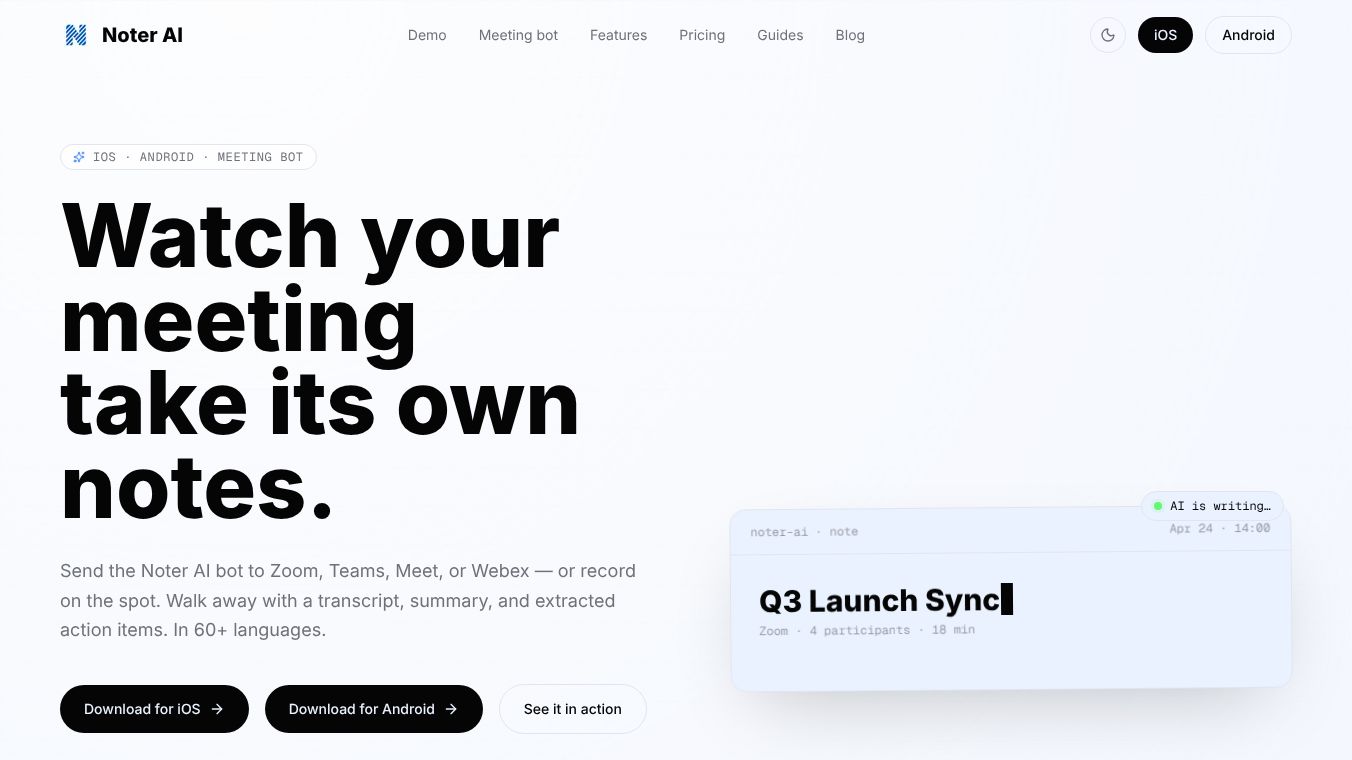





Noter AI 3.0: The Comprehensive Meeting Assistant
Research Context and Background
Noter AI is a powerful meeting assistant designed to automate the note-taking process across various platforms. Trusted by over 100,000 users worldwide, the app boasts a 4.8-star rating on the App Store. It supports over 60 languages for transcription and integrates seamlessly with Zoom, Microsoft Teams, Google Meet, and Webex. The application is available on both iOS (iPhone and iPad) and Android devices.
Benefits
Noter AI simplifies meeting management into a four-step process that saves time and reduces errors. Users can record audio live from their phone or send the Noter AI bot directly into a meeting via a link or calendar sync. The app generates a speaker-aware transcript in real-time. This includes timestamps, labels, and readable paragraphs, requiring no manual cleanup. With a single tap, users can switch from raw transcripts to decision-ready summaries. The AI automatically extracts decisions, risks, blockers, and next steps. Users can also ask natural language questions across their entire archive of recorded meetings. The AI answers based on the context of the selected notes, allowing users to jump straight to source moments without re-reading full transcripts. A standout feature is the Meeting Bot. Users can simply paste a meeting link or tap Join from a synced calendar. The bot joins the meeting as a participant, records the call, and automatically delivers a finished note containing the transcript, summary, analysis, and action items immediately after the call ends. Key features include multilingual transcription supporting over 60 languages with automatic language detection and speaker identification. Finished notes and transcripts can be translated into 18 specific languages including Arabic, Chinese, Dutch, English, French, German, Indonesian, Italian, Japanese, Korean, Polish, Portuguese, Russian, Spanish, Thai, Turkish, and Vietnamese. Users can export notes as PDF, Word, or plain text. Rich text formatting is also available for quick copying to emails or documents. The app is built natively into iOS, offering a seamless experience that feels like it belongs on the device rather than being bolted on. Key iOS features include Dynamic Island visibility for recording status, Control Center access to start capture directly from the system surface, and Siri-Ready Capture for fast recording capabilities. The app is also fully optimized for Android phones and tablets, as well as iPad, which features a layout specifically designed for larger screens. Noter AI prioritizes user privacy and data security. All data is encrypted both in transit and at rest. The app supports industry-standard OAuth and Sign in with Apple for private email relay. Users have full control, including the ability to delete their account and all associated data at any time. Recordings, transcripts, and summaries are kept protected with delete-anytime controls for sensitive meetings.
Use Cases
Noter AI is ideal for professionals who need to keep up with meetings across different platforms. It works well for teams using Zoom, Teams, Meet, or Webex. The app is perfect for anyone who wants to capture decisions and action items without missing details. It is useful for global teams that need multilingual support and translation. The Meeting Bot feature is great for users who want a hands-free way to record and summarize calls. The app is suitable for individuals who want to search through past meeting notes quickly using AI chat. It is also a good choice for users who value privacy and want to control their data completely.
Pricing
Noter AI offers a single plan that includes all features. This plan covers recording, bot functionality, transcripts, summaries, translation, and AI chat. A yearly subscription is available, offering a 58% discount compared to other options, making it the best value for users. Users can explore sample notes within the app to understand the functionality before subscribing. Once subscribed, there are no hidden limits to access.
Vibes
Professionals worldwide have praised Noter AI for its efficiency and accuracy. Common sentiments include users noting that it catches decisions they used to miss while facilitating. Many teams say the bot flow is the first meeting recorder they actually remember to use. Users also appreciate that action items are ready before they open their laptop again.
Additional Information
Noter AI is trusted by over 100,000 users worldwide. The app has a 4.8-star rating on the App Store. It supports over 60 languages for transcription and integrates seamlessly with Zoom, Microsoft Teams, Google Meet, and Webex. The application is available on both iOS (iPhone and iPad) and Android devices.
This content is either user submitted or generated using AI technology (including, but not limited to, Google Gemini API, Llama, Grok, and Mistral), based on automated research and analysis of public data sources from search engines like DuckDuckGo, Google Search, and SearXNG, and directly from the tool's own website and with minimal to no human editing/review. THEJO AI is not affiliated with or endorsed by the AI tools or services mentioned. This is provided for informational and reference purposes only, is not an endorsement or official advice, and may contain inaccuracies or biases. Please verify details with original sources.
 No Info


Comments
Please log in to post a comment.