NiceShot AI
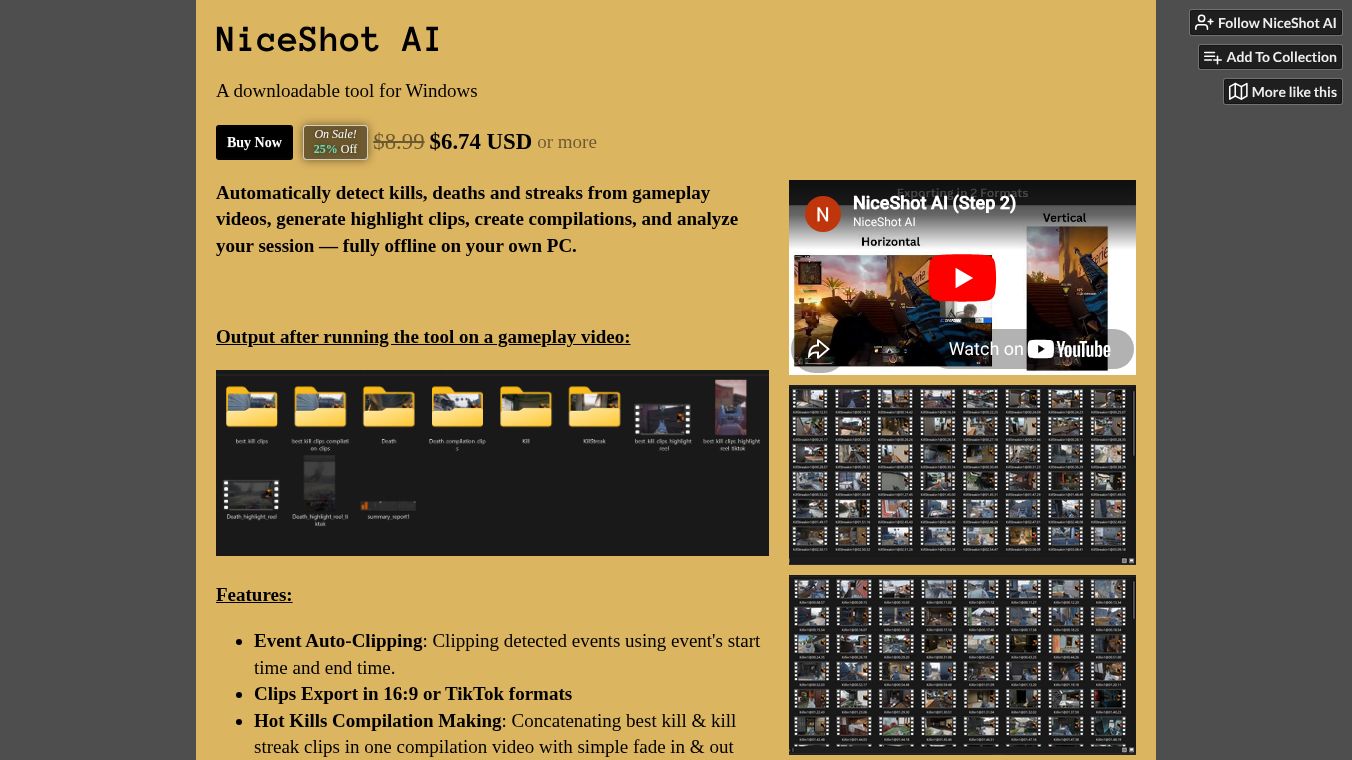





NiceShot AI: An Offline Tool for FPS Gameplay Analysis and Highlight Creation
Overview
NiceShot AI is a downloadable software tool designed for Windows users who play First-Person Shooter games. Its main job is to watch gameplay videos and automatically find important moments like kills, deaths, and long streaks of kills. Once it finds these moments, the tool cuts them out to make short clips or combines them into a highlight reel. It also creates a report with charts to show how well the player did during the session. A key feature of this tool is that it runs completely on your own computer. This means your game footage stays private and you do not need to pay for a subscription or sign up for an account.
Benefits
NiceShot AI offers several advantages for gamers who want to review their performance or create content.
- Automatic Event Detection:The software uses artificial intelligence to scan videos and spot specific actions. It can identify face-to-face gun kills, deaths, and kill streaks without the user needing to watch every second of the video.
- Multiple Output Formats:Users can export clips in standard horizontal 16:9 format for YouTube or vertical format for TikTok and other social media platforms.
- Easy Compilation Creation:The tool can automatically combine the best kill clips into a single video. It adds simple fade transitions between clips and lets the user set the total length of the final video.
- Detailed Performance Reports:After processing a video, the software generates a report with four charts. These show session totals for medals, kills, and deaths, the overall kill-to-death ratio, and how these numbers changed over time.
- Privacy and No Subscription:All processing happens locally on the user's PC. No video data is sent to the cloud, and users pay a one-time fee instead of a monthly subscription.
Use Cases
This tool is best suited for players of specific Call of Duty titles who want to analyze their gameplay or share highlights online.
- Gameplay Analysis:Players can use the session insights report to track their progress. The charts help them see if their kill-to-death ratio is improving over time and how many kills they are getting compared to their deaths.
- Content Creation:Gamers who want to post videos on social media can use the vertical export option to create clips for TikTok or Instagram Reels. The automatic compilation feature helps them quickly make a highlight reel of their best moments.
- Reviewing Performance:The tool works on pre-recorded videos, allowing players to watch their gameplay back and see exactly when they died or got a kill. This helps them learn from their mistakes or celebrate their successes.
The software is currently optimized for Call of Duty: Black Ops 6 and Call of Duty: Black Ops 7. It is important to note that the tool does not work during live gameplay and only processes recorded video files.
Pricing
NiceShot AI is available for purchase with a one-time payment model. The standard price is $8.99 USD. The tool is often on sale for $6.74 USD. Buying the software grants the user lifetime access, so there are no recurring monthly costs.
Vibes
The tool is designed for users who value privacy and want a simple way to process their game footage. Because it runs offline, it appeals to gamers who are concerned about their data being uploaded to the internet. The community support is available through a Discord server and email contact at [email protected]. Users should be aware that the detection is automated and may not be perfect. It might miss some events or create duplicate clips depending on the video quality and game mode.
Additional Information
NiceShot AI has specific hardware requirements to function correctly. It requires a Windows 10 or 11 computer with 64-bit architecture. The most important requirement is the graphics card. The software needs an NVIDIA GPU with CUDA support to run. AMD and Intel graphics cards are not supported at this time. Recommended hardware includes a GTX 1650 or an RTX 5070, along with 16 GB of RAM and 8 GB of hard drive space. The installation process requires an internet connection to run the setup file, but the software itself works offline once installed.
This content is either user submitted or generated using AI technology (including, but not limited to, Google Gemini API, Llama, Grok, and Mistral), based on automated research and analysis of public data sources from search engines like DuckDuckGo, Google Search, and SearXNG, and directly from the tool's own website and with minimal to no human editing/review. THEJO AI is not affiliated with or endorsed by the AI tools or services mentioned. This is provided for informational and reference purposes only, is not an endorsement or official advice, and may contain inaccuracies or biases. Please verify details with original sources.




 No Info
Comments
Please log in to post a comment.