Nib
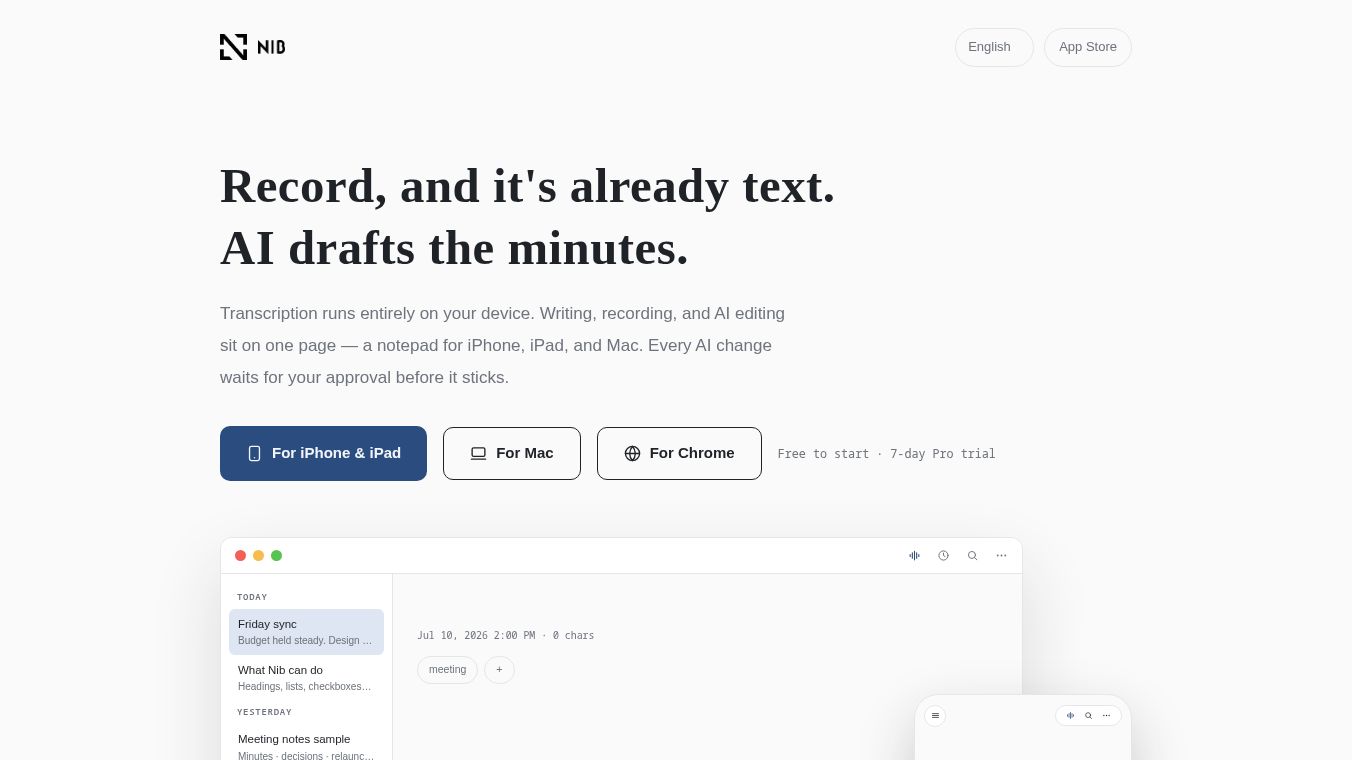





Nib: A Privacy-First, On-Device AI Note-Taking App
Overview
Nib is a powerful note-taking application built for iPhone, iPad, and Mac. It combines writing, audio recording, and artificial intelligence into one smooth experience. The app focuses heavily on user privacy. All transcription, search, and AI processing happen directly on your device. This means it works even when you have no internet connection. Users can draft meeting minutes, essays, and daily notes with AI help that waits for their approval before making any changes.
Benefits
Nib offers several key advantages for anyone who takes notes regularly. First, it provides real-time transcription. Words appear on the screen as you speak. This works on iPhone and iPad using the microphone. On Mac, it can capture audio from video calls like Zoom or Google Meet. Second, the app supports live translation. It can translate what you say into seven languages including English, Spanish, French, and German. This feature is free and works offline once you download the language packs. Third, Nib generates automatic meeting minutes. The AI identifies decisions, to-do lists, and open questions while you record. Users have full control because every AI suggestion is highlighted in indigo. Changes only happen if the user explicitly approves them. Finally, the app uses semantic search. You can search by meaning instead of exact words. This makes finding old notes much faster.
Use Cases
Nib is designed for professionals, students, and anyone who needs to capture ideas quickly. It is perfect for taking meeting minutes during video conferences. The Mac version can listen to Zoom or Google Meet calls directly. Students can use the live translation feature to understand lectures in different languages. Writers can use the AI to summarize long documents or clean up rough drafts. The app also supports handwriting and sketching. Users can draw full-screen with a finger or pencil. Legible handwriting becomes searchable text. Another great use case is saving web content. Users can select text in Chrome and add it to Nib instantly. The app keeps a link to the original page. It also works well for offline note-taking. Since all core features run on the device, users can record and search notes in areas without internet access.
Pricing
Nib offers a flexible pricing model with a free tier and optional paid upgrades. The Free Plan costs nothing forever. It includes unlimited writing and recording. Users get on-device AI capabilities like summarizing and tagging. There are free AI credits that refresh every month. iCloud sync and share links are also included. However, recording sessions are limited to 30 minutes per session. The Pro Plan requires a monthly or yearly subscription. The exact price varies by local currency in the App Store. This plan gives access to the AI assistant across all notes. It also allows for unlimited recording length and AI co-writing features. Users can also buy one-time credit packs. This lets them use cloud AI features without a full subscription. They only pay for the credits they consume.
Vibes
Nib has received positive attention for its focus on privacy and functionality. Users appreciate that their data stays on their device. The ability to work offline is a major plus for people who travel or work in remote areas. The approval system for AI edits builds trust. Users feel safe knowing the AI cannot change their notes without permission. The live translation feature has been praised for making the app useful in international settings. Reviewers note that the semantic search makes finding old information much easier than in other apps. The free tier is generous enough for most casual users. The Pro plan is seen as a good value for professionals who need advanced AI features and unlimited recording time.
Additional Information
Nib supports exporting notes in plain Markdown format. This allows users to copy text, print to PDF, or publish notes as web pages. The app has a referral program. Users can share an invite code with friends. Both the referrer and the new user receive bonus AI credits when a friend signs up. While the AI translation supports seven specific languages, the transcription feature works in any language supported by the device. This means the app can transcribe audio in many more languages than it can translate in real-time. Nib does not require a new account. Users can start writing immediately. Syncing uses existing Apple iCloud accounts. Recorded audio and images never leave the device unless the user chooses to use cloud AI features. When cloud AI is used, only necessary excerpts are sent. These excerpts are never stored permanently.
This content is either user submitted or generated using AI technology (including, but not limited to, Google Gemini API, Llama, Grok, and Mistral), based on automated research and analysis of public data sources from search engines like DuckDuckGo, Google Search, and SearXNG, and directly from the tool's own website and with minimal to no human editing/review. THEJO AI is not affiliated with or endorsed by the AI tools or services mentioned. This is provided for informational and reference purposes only, is not an endorsement or official advice, and may contain inaccuracies or biases. Please verify details with original sources.

Comments
Please log in to post a comment.