Mutter AI Dictation
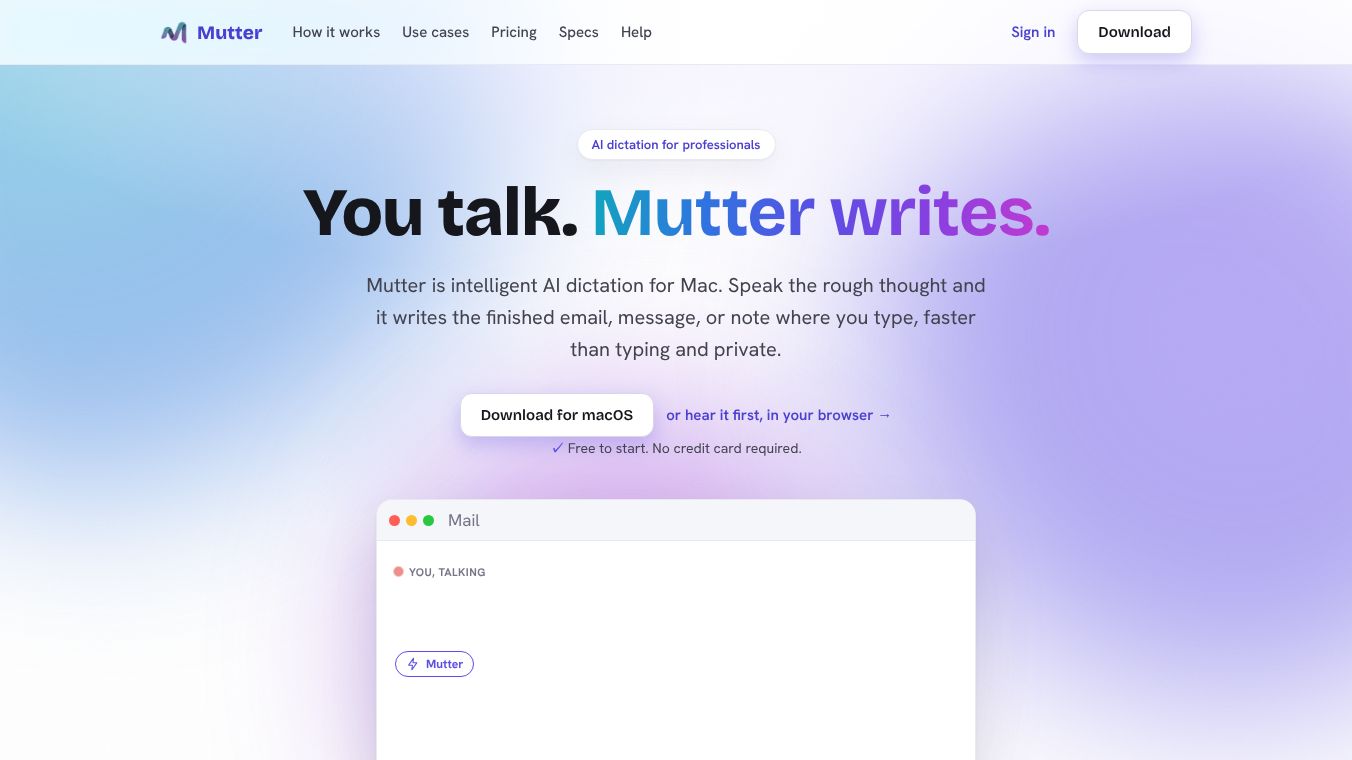





AI Dictation for Professionals: Meet Mutter
Mutter is an intelligent AI dictation tool designed specifically for Mac users. It helps professionals speak their rough thoughts and receive finished emails, messages, or notes instantly. The goal is to make writing faster than typing while ensuring privacy for sensitive work environments.
Benefits
Mutter offers several key advantages for users who want to write more efficiently.
First, it allows users to speak naturally without worrying about perfection. Users can talk with hesitations, false starts, and informal language. The AI cleans up the clutter, recognizes the intent, and generates a polished, ready-to-send version. This means users do not need to worry about grammar or structure while speaking.
Second, Mutter is significantly faster than typing. While the average typing speed is around 40 words per minute, speaking speed averages 150 words per minute. Mutter leverages this speed difference to clear backlogs in seconds rather than minutes. This significantly increases productivity for busy professionals.
Third, the tool prioritizes privacy and security. For lawyers, clinicians, founders, and others handling sensitive information, Mutter offers a Private mode. In this mode, transcription runs entirely on the user's Mac using an on-device model. No audio leaves the machine, is not sent to a server, and is not used for training. This mode works even with Wi-Fi turned off.
Use Cases
Mutter is designed for a wide range of professional tasks and can be used in various ways.
The tool supports multiple output formats through its Intent Mode. When a user speaks, Mutter detects the goal based on the context. For example, saying "reply to Josh" automatically formats the output as an email ready to send. It also supports creating Slack messages, memos, and task lists. This eliminates the need to manually select formats or write prompts.
Users can dictate in multiple languages. The tool supports dictation and translation in over 100 languages. In Private mode, 20+ languages are supported privately and fully offline. In Cloud mode, support extends to 100+ languages with instant translation capabilities. Supported languages include English, Spanish, French, German, Italian, Portuguese, Dutch, Polish, Swedish, Ukrainian, Chinese, Japanese, Korean, Hindi, Arabic, Russian, and many more.
Using Mutter involves three simple steps. First, the user presses and holds a hotkey from any app like email, docs, chat, or an editor. Second, the user dictates their thoughts. Mutter transcribes, removes filler words, and applies styles. Third, the user releases the key. The polished text pastes instantly at the cursor location and is saved to a searchable history.
Pricing
Mutter offers a flexible pricing structure with a free tier to start.
The Free Plan costs $0 per month. It includes 200 words per month on-device. No credit card is required to start.
The Cloud-Based Plan costs $12 per month or $10 per month if billed annually. This includes powerful cloud AI.
The Private, On-Device Plan costs $24 per month or $20 per month if billed annually. This includes everything plus 100% private mode. All paid tiers include Styles, Dictionary, and private searchable history.
Vibes
Mutter aims to empower professionals to stop typing what they could say. It offers finished writing faster than typing, with the added security of being private on your Mac when it matters most. The tool is free to start with no credit card required. Users appreciate that their audio always stays on their Mac in Private mode. The FAQ section confirms that in Cloud mode, only a single utterance is sent over an encrypted connection and is never stored. This builds trust for users concerned about data privacy.
Additional Information
Mutter works on Intel Macs in Cloud mode. The fully on-device Private mode requires Apple Silicon. The tool uses an open-source model for its on-device transcription. An account serves as the license for the software. Users can start for free with a new account receiving 200 on-device words per month at no cost.
This content is either user submitted or generated using AI technology (including, but not limited to, Google Gemini API, Llama, Grok, and Mistral), based on automated research and analysis of public data sources from search engines like DuckDuckGo, Google Search, and SearXNG, and directly from the tool's own website and with minimal to no human editing/review. THEJO AI is not affiliated with or endorsed by the AI tools or services mentioned. This is provided for informational and reference purposes only, is not an endorsement or official advice, and may contain inaccuracies or biases. Please verify details with original sources.



Comments
Please log in to post a comment.