MunaTrust
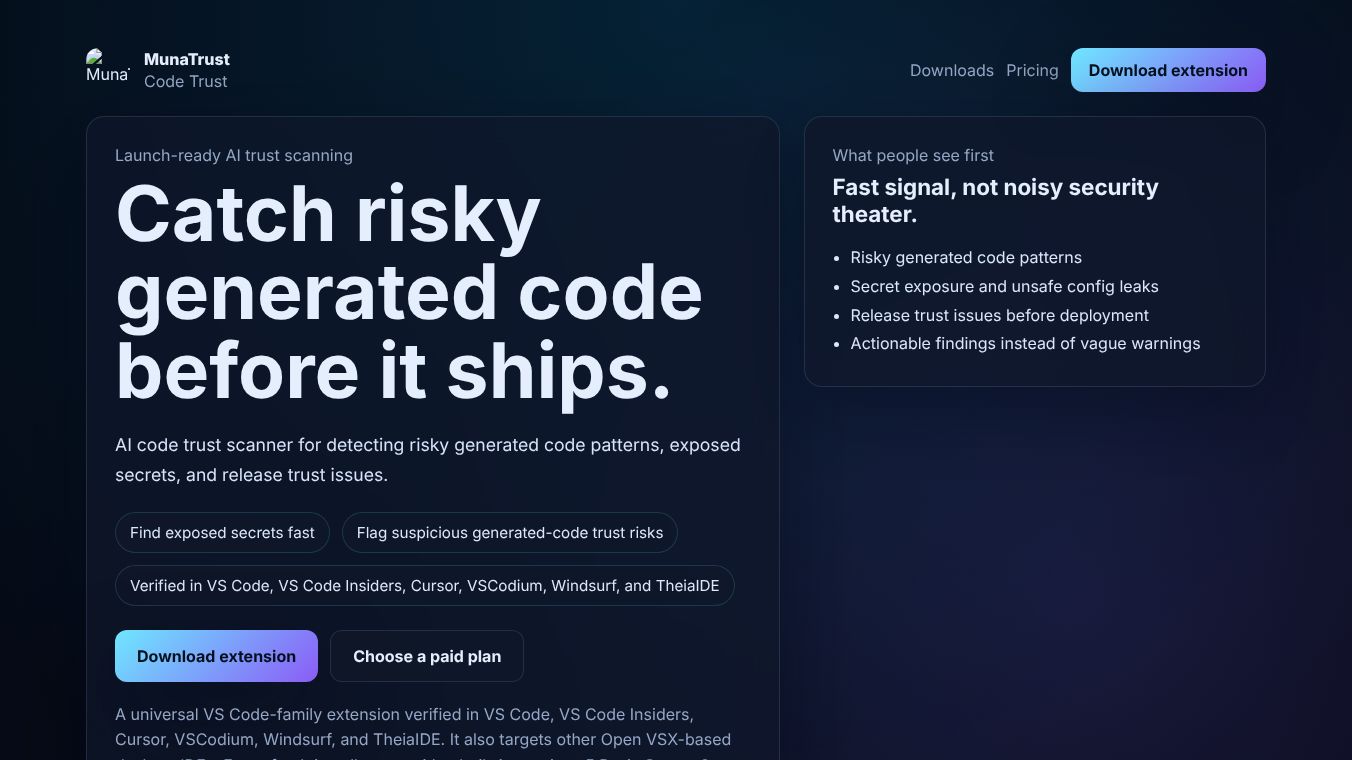





MunaTrust: A Local-First AI Code Security Scanner
MunaTrust is a tool designed to help developers find security risks in their code before they release it to the public. It uses artificial intelligence to scan projects for dangerous patterns, hidden secrets, and mistakes made by AI that could cause problems later. The main goal of MunaTrust is to keep code safe and private by running most of its checks on your own computer instead of sending data to the cloud.
Benefits
MunaTrust offers several important advantages for developers who want secure software.
- Privacy First: The tool keeps your code on your machine. It does not upload your source files, project names, or secrets to external servers unless you choose to do so.
- Fast and Free Basic Checks: Users can run a quick scan for free without needing any special software or paying money. This helps check general project health instantly.
- Deep AI Analysis: For those who need more detail, the tool offers paid plans that use local AI models to explain risks and suggest fixes. This helps developers understand exactly why a piece of code is risky.
- Secret Detection: It automatically finds hidden files like
.envthat might contain passwords or keys that should not be shared. - Actionable Reports: Instead of just showing errors, MunaTrust provides clear reports with specific line numbers, safe code examples, and steps to fix the issues.
- Works Offline: The tool can function even if you do not have an internet connection or a local AI model installed, though some advanced features require a local model to run.
Use Cases
MunaTrust is best used by software developers who write code using Visual Studio Code or similar editors.
- Pre-Release Security Checks: Teams can run scans before deploying new features to ensure no dangerous code or exposed secrets make it to production.
- AI Code Review: As more developers use AI to write code, MunaTrust helps spot hallucinations or unsafe patterns that AI might generate incorrectly.
- Private Development: Companies that require strict privacy can use the full private scan option to ensure no data leaves their organization.
- Learning and Education: Students or junior developers can use the free basic scan to learn about common security issues without worrying about privacy.
- Workspace Management: The tool helps manage access to folders in restricted environments by explaining why certain permissions are needed for scanning.
Pricing (ONLY include if available)
MunaTrust offers a free trial and subscription plans for different needs.
- Solo Plan: Costs $9 per month. This includes unlimited basic scans, 50 advanced AI scans, and full private deep scans.
- Pro Plan: Costs $19 per month. This includes unlimited basic scans, 200 advanced AI scans, and full private deep scans with advanced workflows.
- Team Plan: Costs $99 per month. This includes unlimited basic scans, 1000 advanced AI scans, and full private deep scans with team governance features.
New users get a 7-day free trial to test the tool before choosing a plan. All paid plans are managed through a secure checkout process that sends a license key to the user.
Vibes (ONLY include if available)
Additional Information (ONLY include if available)
MunaTrust is built as a local-first operating system for software trust. It supports various local AI models like Qwen and Llama for deeper analysis. The default model used is Qwen2.5-coder. The project is available on Gumroad for purchasing licenses. Users can contact support at [email protected] for help. The tool integrates well with Visual Studio Code and provides commands to manage workspace trust and run scans easily.
This content is either user submitted or generated using AI technology (including, but not limited to, Google Gemini API, Llama, Grok, and Mistral), based on automated research and analysis of public data sources from search engines like DuckDuckGo, Google Search, and SearXNG, and directly from the tool's own website and with minimal to no human editing/review. THEJO AI is not affiliated with or endorsed by the AI tools or services mentioned. This is provided for informational and reference purposes only, is not an endorsement or official advice, and may contain inaccuracies or biases. Please verify details with original sources.
 No Info

Comments
Please log in to post a comment.