MP3ToText





What is MP3ToText
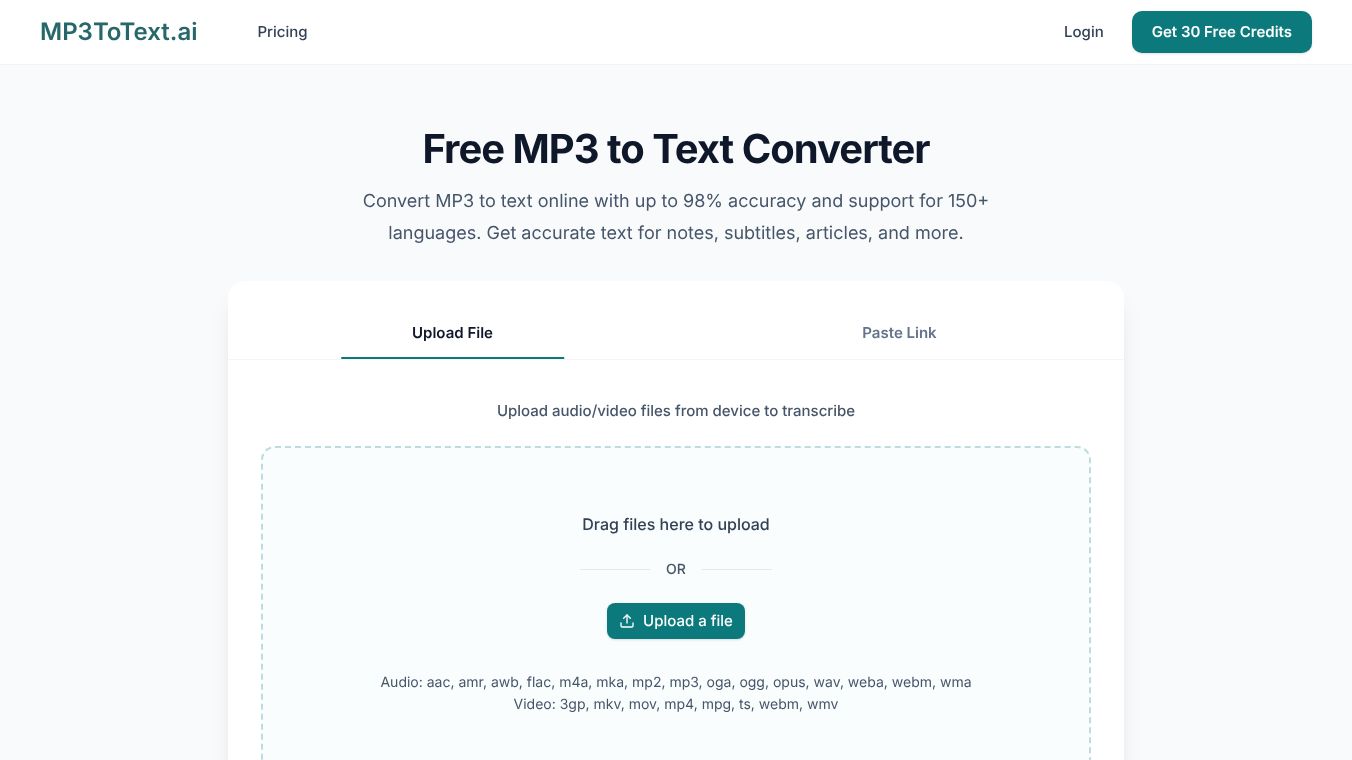
MP3ToText is an online tool that turns audio and video files into written text. It uses artificial intelligence to listen to recordings and create a clean, searchable transcript. Users can upload files directly from their browser without needing to install any special software. The service supports over 150 languages and handles many different file types, making it a versatile option for people who work with audio content.
Benefits
MP3ToText offers several advantages for anyone who needs to convert speech to text quickly. The tool claims an accuracy rate of up to 98% for clear recordings. One of its strongest features is automatic speaker detection, which can identify different voices and label them in the transcript. This is helpful for interviews or group discussions where knowing who said what matters. The platform also includes AI summaries and mind maps, allowing users to get the main points of a long recording without reading every word. It supports 99 languages and various regional accents, which makes it useful for international teams. The service is free to try, and users can export their transcripts in multiple formats for easy sharing.
Use Cases
This tool fits well into many different workflows. Video creators can use it to generate subtitles and captions for their content in minutes instead of hours. Podcasters can turn their episodes into blog posts, show notes, or social media updates. Journalists and media teams can use the transcripts to find specific quotes and organize their reporting without replaying audio files repeatedly. Researchers and students can upload recorded lectures or interviews to create searchable notes for future reference. The ability to handle both audio and video files makes it suitable for a wide range of media projects.
Pricing
MP3ToText offers a free trial for users to test the service. While specific pricing tiers are not detailed in the available information, the platform allows users to upgrade for higher usage limits after trying the free version. The core functionality of converting files is accessible online without requiring a paid subscription for basic use.
Vibes
Public reception highlights the tool as a practical solution for everyday transcription needs. Users appreciate the speed of processing, with most files ready in just a few minutes. The ability to work without installing software is a frequent positive point. Reviews suggest that the tool is particularly effective for clear audio, though background noise can impact results. The support for many languages and the inclusion of speaker labels are often mentioned as key features that make the service stand out from simpler converters.
Additional Information
MP3ToText operates entirely in a web browser, meaning no software installation is required on the user's device. The platform supports a wide variety of audio formats like MP3, WAV, and FLAC, as well as video formats such as MP4 and MOV. Users agree to the platform's terms and conditions when they begin using the service. The tool is designed to be accessible and easy to use for both technical and non-technical users alike.
This content is either user submitted or generated using AI technology (including, but not limited to, Google Gemini API, Llama, Grok, and Mistral), based on automated research and analysis of public data sources from search engines like DuckDuckGo, Google Search, and SearXNG, and directly from the tool's own website and with minimal to no human editing/review. THEJO AI is not affiliated with or endorsed by the AI tools or services mentioned. This is provided for informational and reference purposes only, is not an endorsement or official advice, and may contain inaccuracies or biases. Please verify details with original sources.




Comments
Please log in to post a comment.