MeeLang





MeeLang: Real-Time AI Translation for Global Meetings
Overview
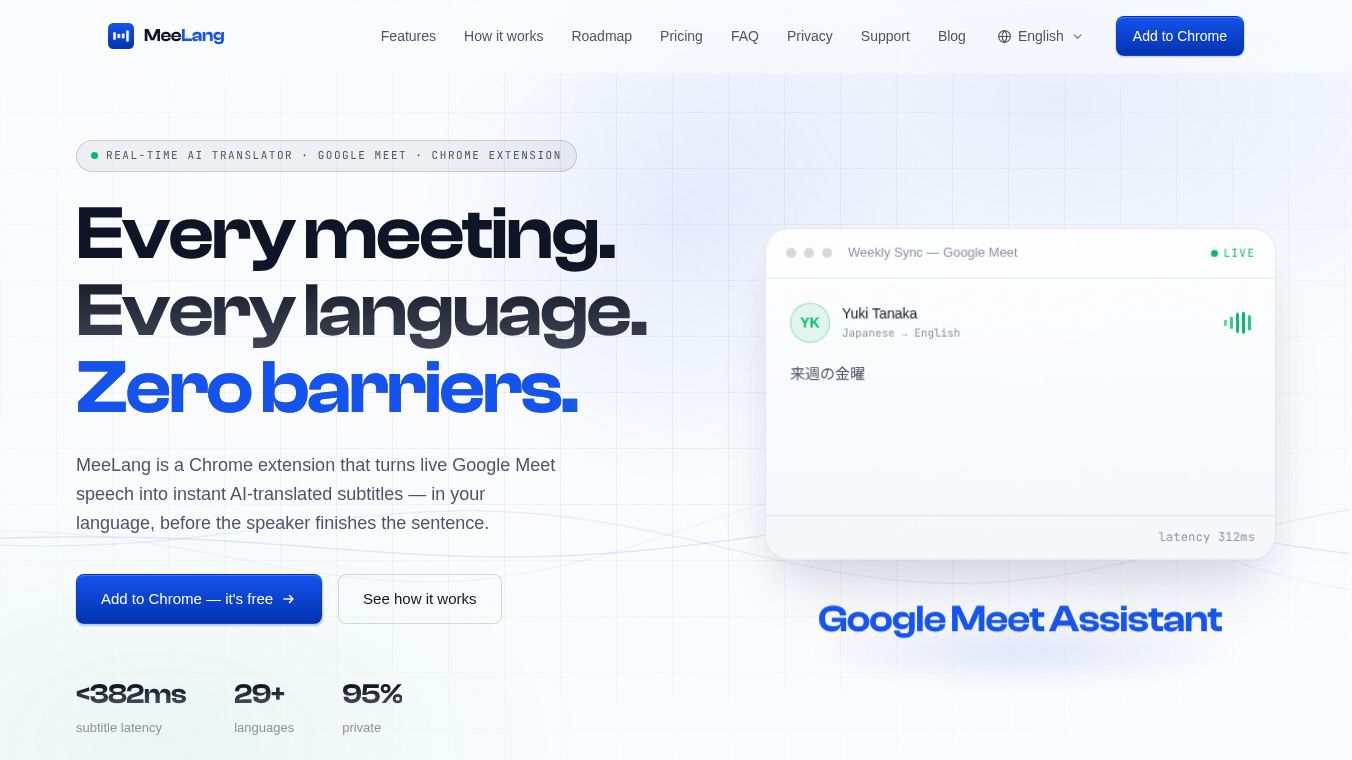
MeeLang is a Chrome extension designed to eliminate language barriers in virtual meetings. It transforms live speech from platforms like Google Meet into instant, AI-translated subtitles in the user's preferred language. The subtitles appear before the speaker finishes their sentence. The tool operates with sub-second latency and supports over 30 languages. It prioritizes user privacy by keeping all data local.
Benefits
MeeLang offers several key advantages for anyone attending virtual meetings. First, it provides real-time subtitles with less than 400ms latency. Words appear as they are spoken so users never fall behind the conversation. The AI is context-aware and handles fast-paced or technical speech with natural phrasing. Second, the tool uses advanced AI to flow like a natural conversation. It adapts to the nuances of different languages and speaking styles. Third, it includes a meeting memory feature. Every meeting is organized in one place. Users can browse and search bilingual transcripts. They can also export or replay the original audio whenever needed. Finally, privacy is built into the design. Meeting content and audio are kept entirely by the user. The service does not store user data or retain any information.
Use Cases
MeeLang is ideal for anyone who needs to communicate across language barriers during virtual calls. It works best for users who attend Google Meet meetings regularly. The extension picks up captions and audio directly within the browser tab. Users can install it with a single click from the Chrome Web Store. No account creation or credit card is required to start. Once installed, instant subtitles in the user's language float over the meeting interface. This allows for natural communication during international business calls, remote team stand-ups, or casual chats with friends abroad. The tool supports translation into 30+ languages including English, Chinese, Japanese, Korean, Spanish, French, German, Portuguese, Hindi, Arabic, Russian, and many others. The source language is detected automatically.
Pricing
MeeLang offers a flexible pricing model with no credit card required to begin.
- Free Plan ($0/month):This plan is ideal for occasional meetings. It includes 90 translation minutes per month. Users can manage and export meeting records. New users get 30 free minutes without signing in. An additional 60 minutes are available by signing in with Google.
- Pro Plan ($9.99/month):This plan is recommended for weekly cross-language calls. It includes 600 translation minutes per month. It includes all Free plan features plus AI Meeting Summaries. Upgrades can be managed directly inside the extension.
Vibes
Users appreciate the seamless integration and privacy focus of MeeLang. The ability to get live translations without signing up or entering payment details lowers the barrier to entry. The 400ms latency ensures that the subtitles feel instantaneous and do not disrupt the flow of conversation. The local storage of transcripts gives users peace of mind regarding their data privacy. Many users find the bilingual transcripts particularly useful for reviewing meeting notes later. The clear distinction between the free and pro plans allows users to start for free and upgrade only when they need more minutes or advanced features like AI summaries.
Additional Information
MeeLang is currently fully supported on Google Meet. Support for Zoom Web, Microsoft Teams, and Webex is planned for the future. The company is developing several features to further enhance the meeting experience. These include AI Meeting Summaries that automatically generate decisions and action items. Speaker Identification will automatically attribute transcripts to specific speakers. Live Voice Dubbing will provide audio translations in natural voices milliseconds behind the original speaker. Team Cloud Sync will allow users to share transcripts and summaries with teams via optional encrypted cloud storage. Native Desktop Apps will extend real-time translation capabilities beyond the browser to desktop applications.
This content is either user submitted or generated using AI technology (including, but not limited to, Google Gemini API, Llama, Grok, and Mistral), based on automated research and analysis of public data sources from search engines like DuckDuckGo, Google Search, and SearXNG, and directly from the tool's own website and with minimal to no human editing/review. THEJO AI is not affiliated with or endorsed by the AI tools or services mentioned. This is provided for informational and reference purposes only, is not an endorsement or official advice, and may contain inaccuracies or biases. Please verify details with original sources.




Comments
Please log in to post a comment.