Markdown to Google Docs
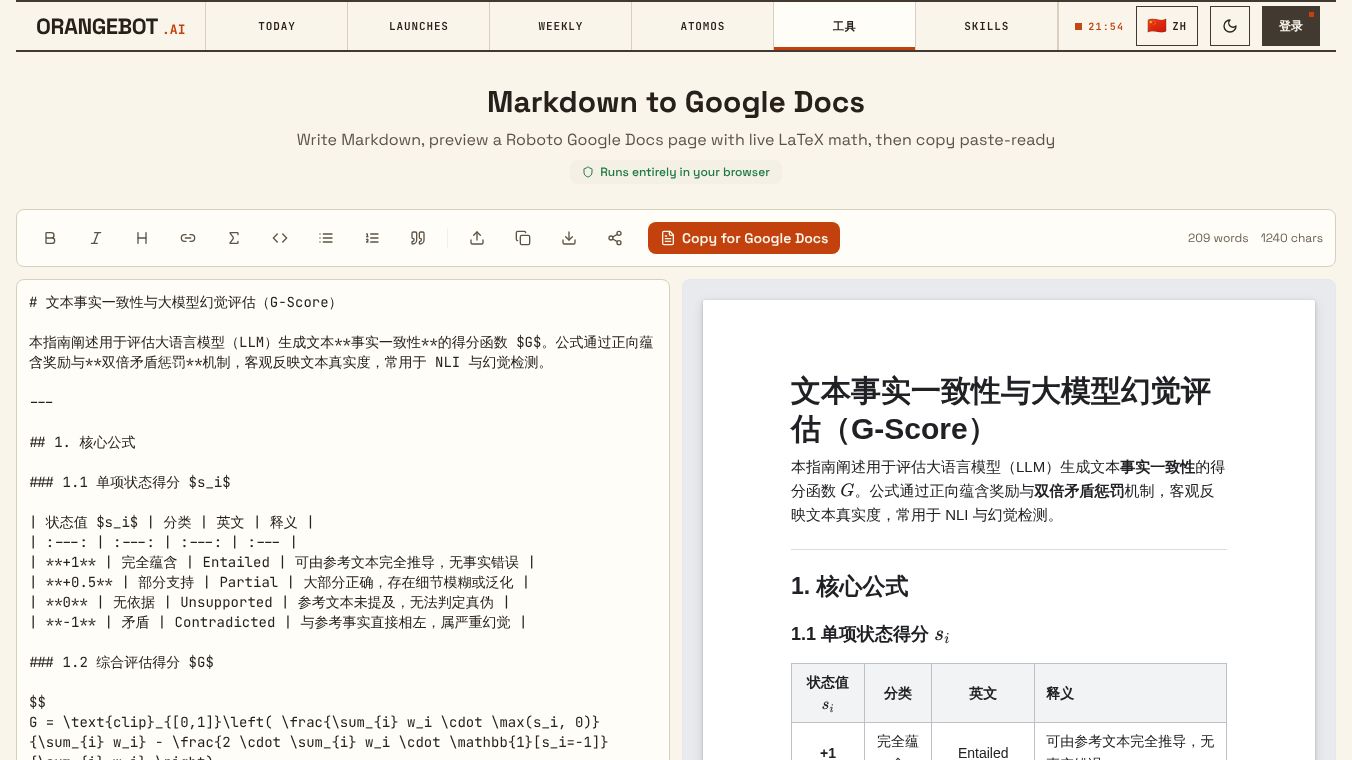





Markdown to Google Docs
Introduction
Markdown to Google Docs is a free online tool designed to help users convert text written in Markdown format into Google Docs documents. Markdown is a simple way to write text using symbols like asterisks and hashtags to create bold text, lists, and headings. Many writers and developers prefer Markdown because it is easy to read and write. However, sharing these documents with others who do not use Markdown can be difficult. This tool solves that problem by turning Markdown files into editable Google Docs that anyone can open and work on. It runs directly in a web browser, so users do not need to install any software on their computers.
Benefits
The main advantage of this tool is its ability to bridge the gap between technical writing and standard document sharing. Users can keep their writing workflow simple by writing in Markdown and then easily share the result with colleagues or clients who use Google Docs. The conversion process is fast and happens instantly without requiring the user to upload large files to a server. This makes it a safe option for handling sensitive information since the text is processed in the browser. Another key benefit is that it preserves the formatting of the original document, ensuring that bold text, lists, and headings look exactly as intended in the final Google Doc.
Use Cases
This tool is useful for a wide range of people who work with text. Writers who publish blogs or documentation often use Markdown to draft their content. They can use this tool to turn their drafts into shareable documents for feedback. Developers who write code documentation can also benefit from it by converting their notes into a format that is easy for non-technical team members to read. Students who take notes in Markdown can quickly convert them into Google Docs to submit assignments or share with study groups. Freelancers who write reports for clients can use this tool to ensure their final deliverables are in a familiar format for their customers.
Pricing
The tool is completely free to use. There are no hidden costs or subscription fees required to convert documents. Users can convert as many files as they need without paying anything.
Vibes
While there are no specific user reviews or testimonials available for this specific tool at this time, the concept of free, browser-based conversion tools is generally well-received by users who want quick and easy solutions. The simplicity of the interface and the lack of installation requirements are typically praised by users who value convenience.
Additional Information
The tool is hosted on the OrangeBot platform, which provides a variety of other free online utilities. It is part of a collection of tools aimed at helping users with common digital tasks without needing complex software. The service relies on open-source libraries to handle the conversion process, which ensures that the technology remains accessible and up to date.
This content is either user submitted or generated using AI technology (including, but not limited to, Google Gemini API, Llama, Grok, and Mistral), based on automated research and analysis of public data sources from search engines like DuckDuckGo, Google Search, and SearXNG, and directly from the tool's own website and with minimal to no human editing/review. THEJO AI is not affiliated with or endorsed by the AI tools or services mentioned. This is provided for informational and reference purposes only, is not an endorsement or official advice, and may contain inaccuracies or biases. Please verify details with original sources.




Comments
Please log in to post a comment.