ImgVid





Images to Video AI Generator: Turn Static Photos into Dynamic Clips
Overview
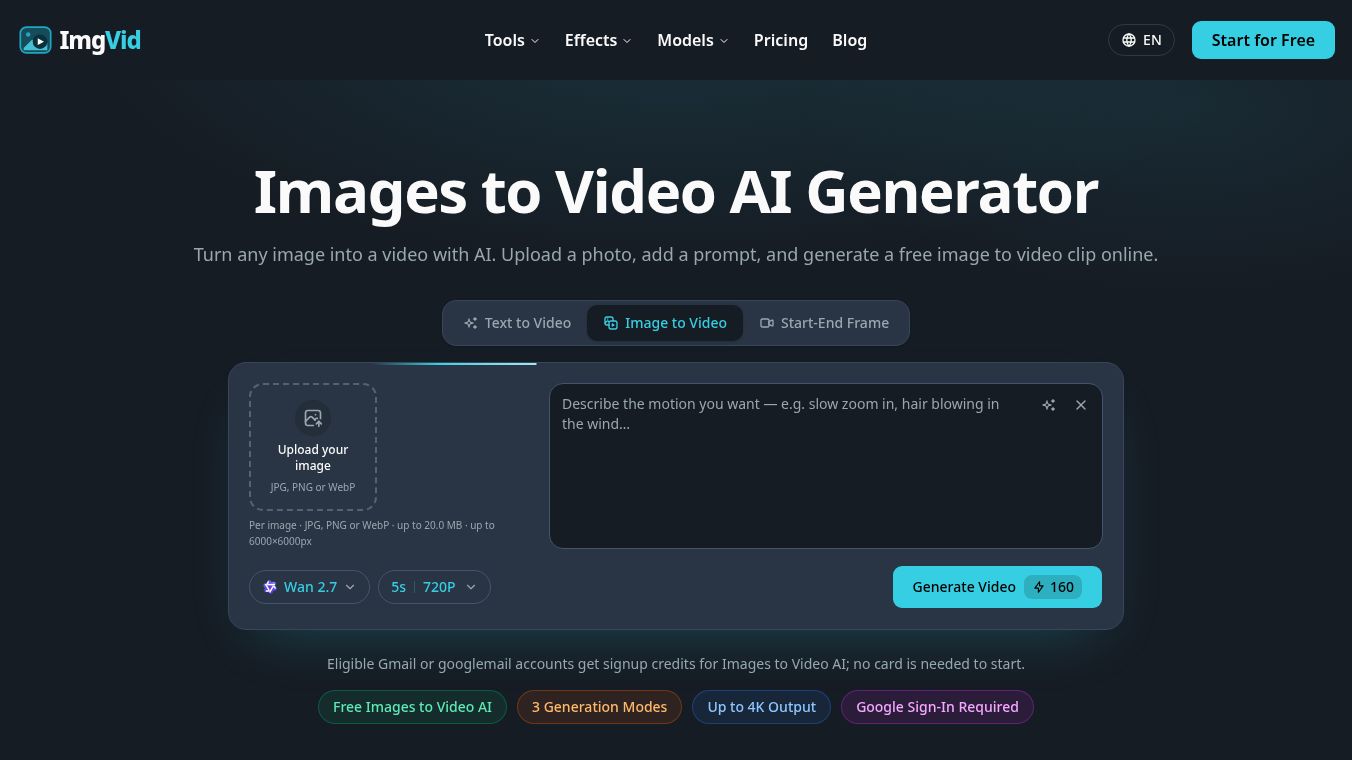
ImgVid is a free, browser-based tool that transforms static images into dynamic video clips using artificial intelligence. Users can upload a single photo, multiple images, or specific start and end frames, add a text prompt to describe the desired motion, and generate a high-quality video clip without needing to install any software or possess editing skills.
Benefits
ImgVid offers several key advantages for creators and casual users alike. Unlike other tools that generate random motion, this AI allows users to direct the result using text prompts. Users can describe specific camera movements like a slow zoom in, environmental changes like hair blowing in the wind, or a specific mood to ensure the generated video matches their creative vision. The tool supports various input methods including animating a single photo, blending several photos into one continuous clip, or providing a start and end frame for the AI to fill in the motion. It also allows users to match the look and motion of a reference image or even bring a sketch to life. The output quality is high, with exports supporting up to 4K resolution in standard MP4 format. Final clips are exported without watermarks, preserving full resolution and frame rate. The platform supports both vertical clips optimized for TikTok and Reels as well as widescreen formats for YouTube. It is free to start for eligible Gmail and googlemail accounts which receive signup credits upon registration. The entire process runs in the browser on any laptop or phone so nothing needs to be downloaded.
Use Cases
Users can leverage the tool for a wide range of applications. It is perfect for creating engaging clips for TikTok and Instagram Reels to increase posting cadence. Marketers can turn static product shots into UGC-style video ads with slow spins or reveals. Families can animate old family photos to create gentle, lifelike moving portraits. Artists can bring anime illustrations or sketches to life as smooth loops. The tool can also apply retro VHS effects, timestamps, and grain to photos. Additionally, users can generate videos where objects or pets appear to speak.
Pricing
ImgVid is free to start for eligible Gmail and googlemail accounts which receive signup credits upon registration, allowing users to try the tool without a payment card. Generation requires credits. While signup credits are free, additional credits can be purchased or obtained via subscriptions for higher volume usage.
Vibes
The platform prioritizes user security. All uploads are processed over an encrypted connection. Images and generated videos remain tied to the user's account and are automatically removed when no longer needed. They are never shared or made public.
Additional Information
The process involves three simple steps. First, users sign in with a Google account and upload their image in JPG, PNG, or WebP formats up to 20.0 MB per image and up to 6000x6000 pixels. Second, users type a short description of the motion, camera move, or mood they want to see. Third, the AI processes the request in minutes and returns a downloadable MP4 ready for social media or further editing.
This content is either user submitted or generated using AI technology (including, but not limited to, Google Gemini API, Llama, Grok, and Mistral), based on automated research and analysis of public data sources from search engines like DuckDuckGo, Google Search, and SearXNG, and directly from the tool's own website and with minimal to no human editing/review. THEJO AI is not affiliated with or endorsed by the AI tools or services mentioned. This is provided for informational and reference purposes only, is not an endorsement or official advice, and may contain inaccuracies or biases. Please verify details with original sources.




Comments
Please log in to post a comment.