Image2PPT
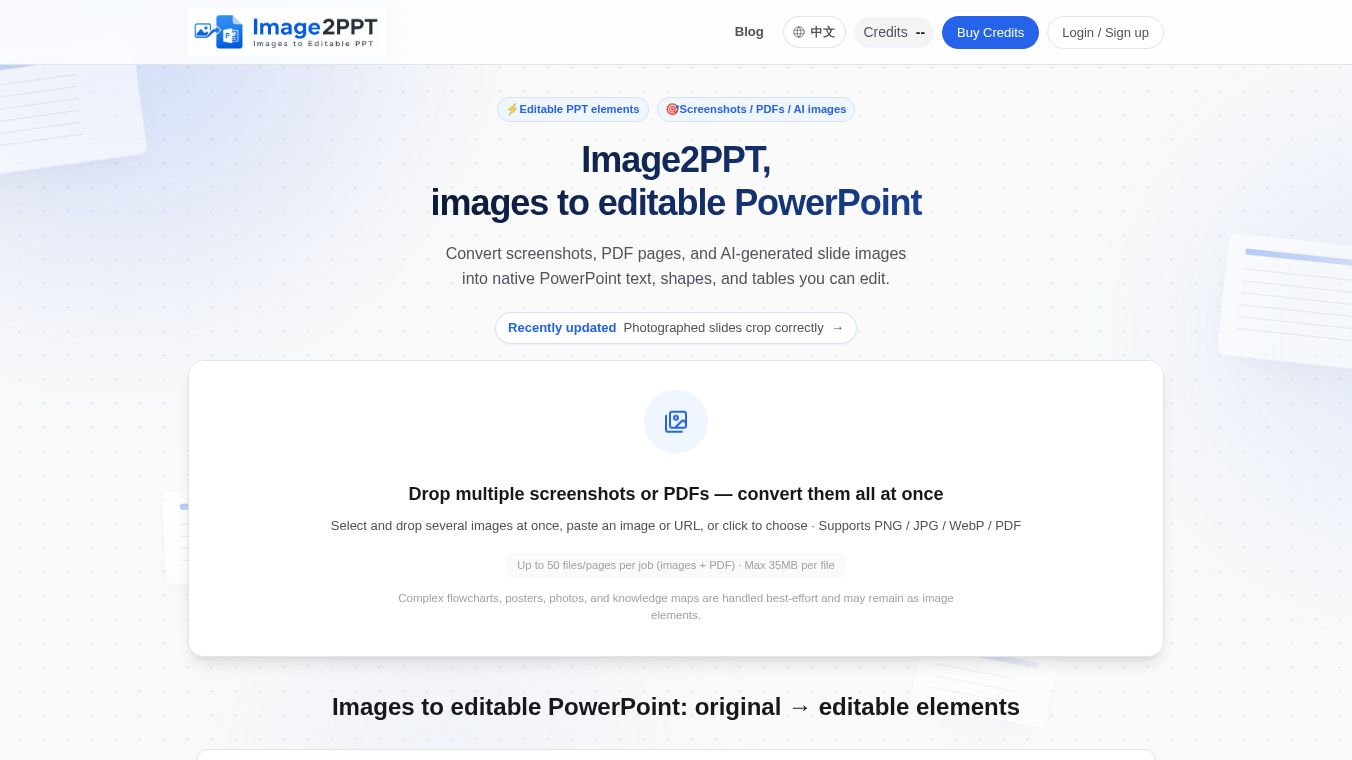





Image2PPT: Turning Pictures into Editable Slides
What is Image2PPT
Image2PPT is a special tool that helps people turn static pictures into editable PowerPoint slides. Many people have great ideas or existing designs saved as images, but putting them into a presentation can be hard work. This tool solves that problem. It takes screenshots, PDF pages, or images made by AI and turns them into real PowerPoint elements. Instead of getting a flat picture that you cannot change, users get text boxes, shapes, and tables that they can click, edit, recolor, and move around just like they would with a slide made from scratch.
Benefits
The main advantage of using Image2PPT is that it saves time and effort. Normally, if you want to use an image in a presentation, you have to manually recreate every word and shape. This tool does the heavy lifting for you. It rebuilds the content so it is fully editable. You can change the text, adjust the colors, and rearrange items without starting over. Another big benefit is the ability to handle many files at once. Users can drop multiple images or PDF pages into the tool to convert them all together. This batch processing feature is great for people who need to convert a lot of content quickly. The tool also lets users pick specific pages from a long PDF file, so they only pay for the slides they actually need.
Use Cases
This tool is perfect for anyone who works with presentations regularly. Teachers and students can use it to turn lecture notes or study guides into class slides. Business professionals can convert meeting notes or reports into professional decks. Designers often create mockups as images and need to put them into a final presentation; this tool makes that easy. It is also very useful for people who use AI writing tools. Many AI assistants can generate slide ideas or full layouts as images. Image2PPT allows users to take those AI-generated pictures and turn them into real slides they can customize. It works best with clear screenshots of existing decks or well-organized PDF pages.
Pricing
Image2PPT uses a credit system instead of a monthly subscription. This means users do not have to pay a recurring fee to keep using the service. Credits stay valid for a long time, so users can save them for later projects. The service has some limits to manage costs. Users can upload up to 50 files or pages in a single job. Each file can be as large as 35MB. The tool automatically matches the correct shape of the uploaded image to ensure the slide looks right.
Vibes
While there are no specific customer reviews or testimonials included in the available information, the tool is designed to solve a common frustration for presentation makers. The focus on pixel-level accuracy suggests a high level of care in how the images are processed. The fact that it supports AI-generated content shows it is keeping up with modern workflows where AI is used to create initial designs. Users who value speed and flexibility in their presentation creation will likely find this tool very helpful.
Additional Information
The company behind Image2PPT has built its own vision-language engine to power the conversion process. This custom technology allows the tool to understand images deeply and reconstruct them accurately. The team is available to help users if they run into problems. If someone faces errors during conversion or has questions about their credits, they can email the admin directly for support. This direct line of communication shows a commitment to helping users succeed with their projects.
This content is either user submitted or generated using AI technology (including, but not limited to, Google Gemini API, Llama, Grok, and Mistral), based on automated research and analysis of public data sources from search engines like DuckDuckGo, Google Search, and SearXNG, and directly from the tool's own website and with minimal to no human editing/review. THEJO AI is not affiliated with or endorsed by the AI tools or services mentioned. This is provided for informational and reference purposes only, is not an endorsement or official advice, and may contain inaccuracies or biases. Please verify details with original sources.



Comments
Please log in to post a comment.