HuskyBIM
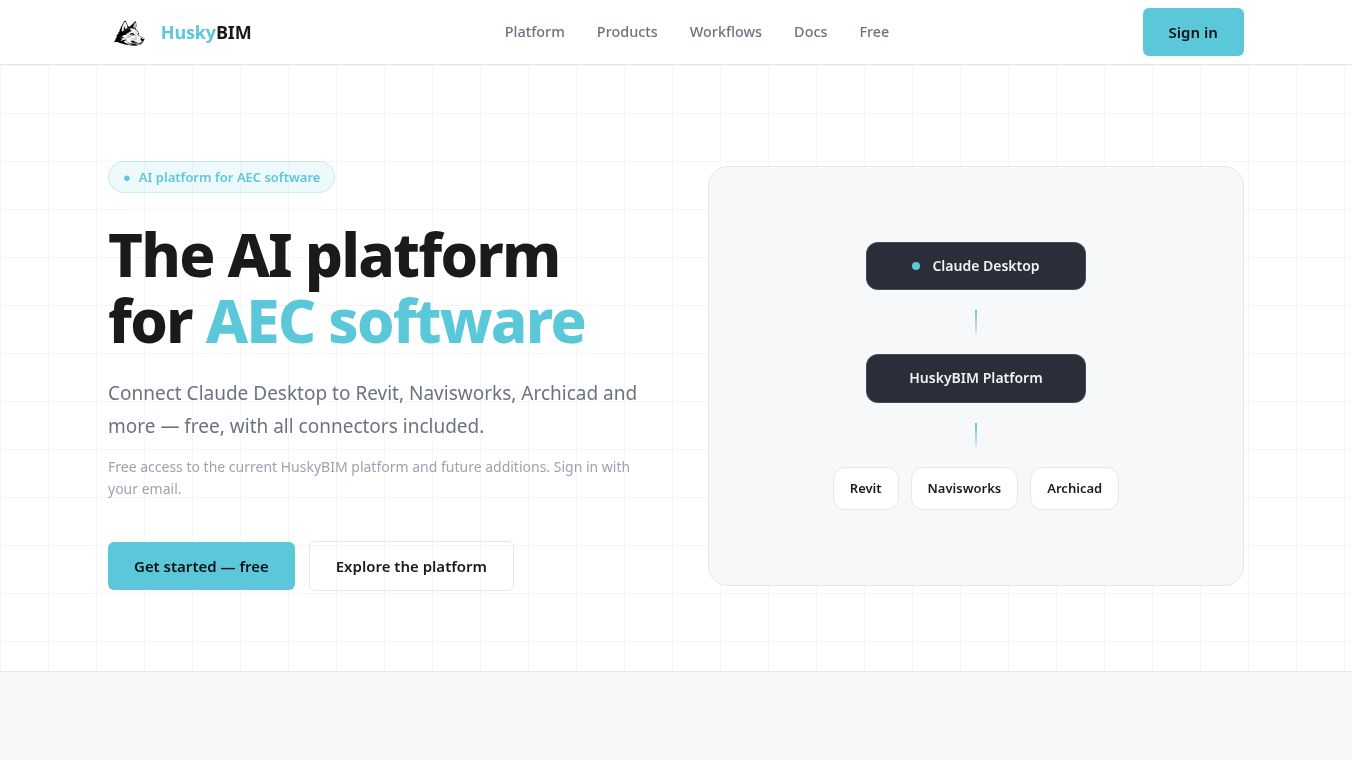





HuskyBIM: The AI Platform for AEC Software
Introduction
HuskyBIM is a dedicated AI platform built specifically for the Architecture, Engineering, and Construction (AEC) industry. It acts as a bridge between popular AI assistants and the complex software tools that design and build professionals use every day. Instead of forcing teams to learn new coding languages or use generic automation tools, HuskyBIM connects directly to programs like Revit, AutoCAD, Navisworks, and Microsoft Project. This allows users to ask questions about their projects or give commands in plain English to automate tasks, update data, and manage workflows without needing custom integrations.
Benefits
HuskyBIM offers several key advantages for teams working in the AEC sector. First, it eliminates the need for scripting or complex API knowledge. Users can simply type natural language requests to get results. Second, it provides production-ready capabilities that are designed for real-world work rather than just demonstrations. Teams can query live model data, edit parameters, create geometry like walls and rooms, and run quality checks at scale. The platform also unifies the experience across multiple tools, so users do not have to manage separate licenses or disconnected plugins for each application. Finally, it is free to use for the current stack of supported software, making advanced AI capabilities accessible without upfront costs.
Use Cases
HuskyBIM can be used in a wide variety of scenarios across different stages of a project. Designers can use it to ask questions about their 3D models or to automatically generate documentation like sheets and annotations. Engineers can run clash detection in Navisworks or manage surfaces and alignments in Civil 3D using simple commands. Project managers can read and write schedules, identify delivery risks, and track tasks within Microsoft Project. Construction managers can browse project tasks and upload files to platforms like Dalux. Even cost estimators can use the tool to read and write estimate items and quantities in Sigma Estimates. The platform supports both 2D and 3D workflows, allowing teams to measure drawings, create plant models, and analyze terrain data efficiently.
Pricing
HuskyBIM is currently free to use. Users can sign in with their email address to access the full platform, which includes all current connectors and MCP servers. This free access covers major tools such as Revit, Navisworks, Archicad, Microsoft Project, Sigma Estimates, and the HuskyMCP knowledge base. The platform also includes future additions automatically, ensuring that teams do not need to pay extra for new features as they are released. There is a limit of up to two machines per account, which is sufficient for most individual professionals or small teams.
Vibes
While specific customer testimonials are not detailed in the available information, the platform has been shaped by the teams that use it daily. The developers emphasize that the tool is built with the people using it in mind, ensuring that workflows remain practical and efficient. The community is encouraged to track changes and share workflows as the platform grows, suggesting an active and collaborative approach to development. The focus on production-ready tools indicates a strong commitment to helping serious AEC teams move from traditional methods to digital workflows with clarity.
Additional Information
HuskyBIM is designed to be scalable and future-proof. As new tools and workflows become important in the industry, they are added to the platform automatically for all users at no extra cost. The setup process is straightforward, requiring only the installation of a connector or MCP server alongside the user's existing software. Comprehensive documentation and technical references are available to help team leads and technical buyers implement the tool smoothly. The platform also integrates with Microsoft Copilot Studio, allowing users to leverage HuskyBIM's AEC connectors directly within the Microsoft 365 ecosystem.
This content is either user submitted or generated using AI technology (including, but not limited to, Google Gemini API, Llama, Grok, and Mistral), based on automated research and analysis of public data sources from search engines like DuckDuckGo, Google Search, and SearXNG, and directly from the tool's own website and with minimal to no human editing/review. THEJO AI is not affiliated with or endorsed by the AI tools or services mentioned. This is provided for informational and reference purposes only, is not an endorsement or official advice, and may contain inaccuracies or biases. Please verify details with original sources.




Comments
Please log in to post a comment.