FluidDocs CLI
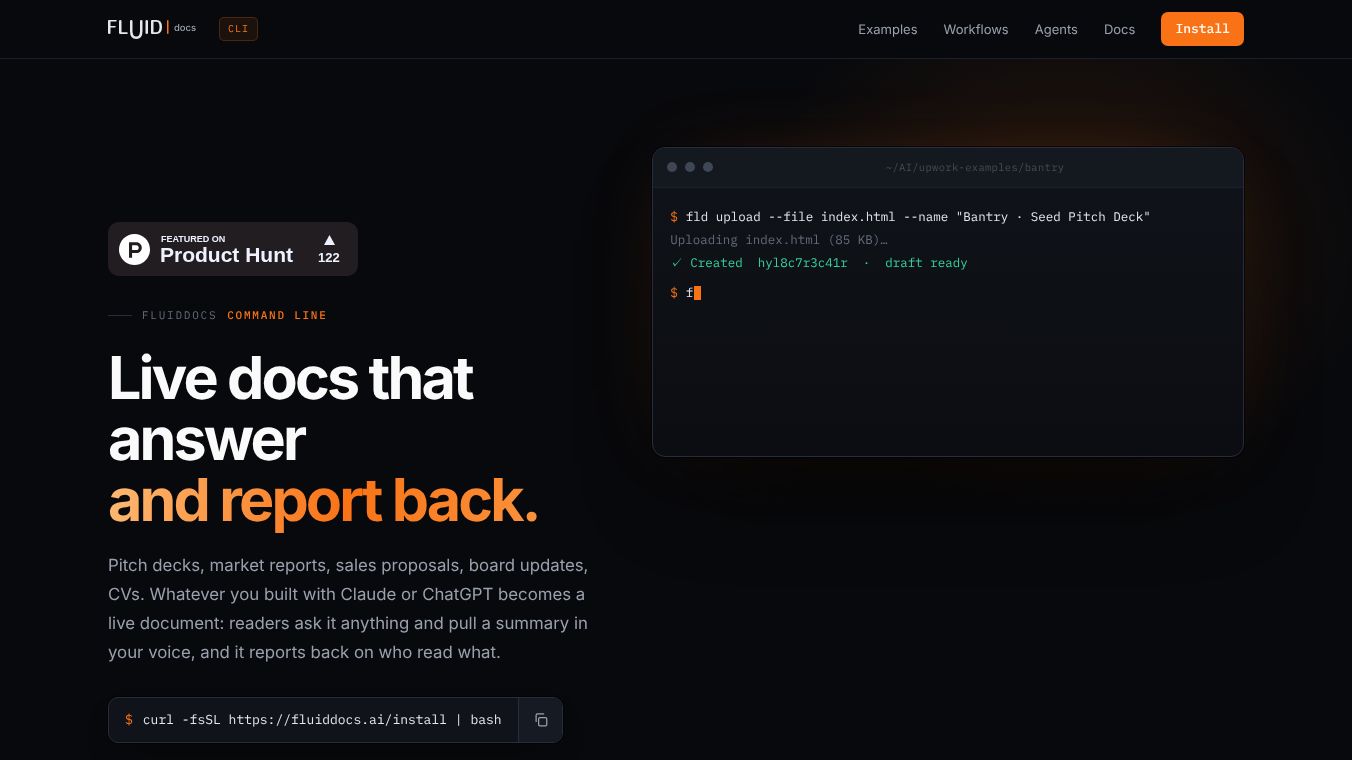





What is FluidDocs CLI
FluidDocs CLI is a command-line tool that helps users manage, deploy, and publish interactive documents. Unlike traditional tools that only focus on how a document looks, this software ensures the document stays useful and interactive after it is published. It allows users to create and update documents while using AI features like on-demand summaries and questions answered directly from the text. The tool is designed to work well with automated coding agents and scripts.
Benefits
FluidDocs CLI offers several key advantages for document creators and teams. Once a document is published, readers can ask questions directly inside the file. The answers come from the document content itself and are written in the author's voice. Users can also request short summaries on demand without waiting for manual updates. Another major benefit is that readers can take actions like booking calls directly from the document without switching to another app. Documents can be updated via prompts, which means the same link always shows the latest version. Teams can track who opened a file, how far they read, and what questions they asked. The tool also exports documents as standard HTML for easy integration with other systems.
The command-line interface is built for automation. It uses simple, predictable commands with consistent flags. All commands support JSON output, which makes it easy for scripts and agents to read the data. Errors are returned in a structured format that machines can understand. The tool works with various coding agents including Claude Code, Codex, Cursor, and Windsurf MCP servers. Old command names remain as aliases so existing scripts do not break when new features are added.
Use Cases
FluidDocs CLI is useful for many different workflows. Users can convert a folder of files into an interactive document with a single command. The default output is a human-readable summary, but adding a flag enables script or agent integration. Coding agents can run every command without human help. The flat command structure means all commands are accessible via a simple help command. Long-running jobs return an ID, allowing users to stream results or check status later. Listing commands are non-recursive by default to prevent agents from accidentally going through entire organizational structures. Analytics can be tracked without logging in, allowing generated documents to report their own usage.
Common tasks include finding existing documents, creating new ones, writing content, and publishing files. Users can enable AI chat grounded in the document content and even build presentation decks. The tool supports managing templates, copying documents, and updating specific parts of a file. It is ideal for creating sales proposals, seed decks, or market reports that need to remain dynamic and engaging for readers.
Pricing
Pricing details for FluidDocs CLI are not available in the provided information.
Vibes
Public reception and specific reviews are not available in the provided information.
Additional Information
FluidDocs CLI provides a robust solution for managing and publishing interactive documents. Its flat command structure, machine-readable output, and AI integration make it ideal for both manual workflows and automated agent deployments. The tool is installed in one line, and the installer automatically detects the user's operating system and architecture. After installation, users run a login command to authorize in the browser and begin publishing documents. The software emphasizes safety and reliability through structured output and controlled access features.
This content is either user submitted or generated using AI technology (including, but not limited to, Google Gemini API, Llama, Grok, and Mistral), based on automated research and analysis of public data sources from search engines like DuckDuckGo, Google Search, and SearXNG, and directly from the tool's own website and with minimal to no human editing/review. THEJO AI is not affiliated with or endorsed by the AI tools or services mentioned. This is provided for informational and reference purposes only, is not an endorsement or official advice, and may contain inaccuracies or biases. Please verify details with original sources.




 No Info
Comments
Please log in to post a comment.