FlowForge





FlowForge: Local-First Automation for Your Mac
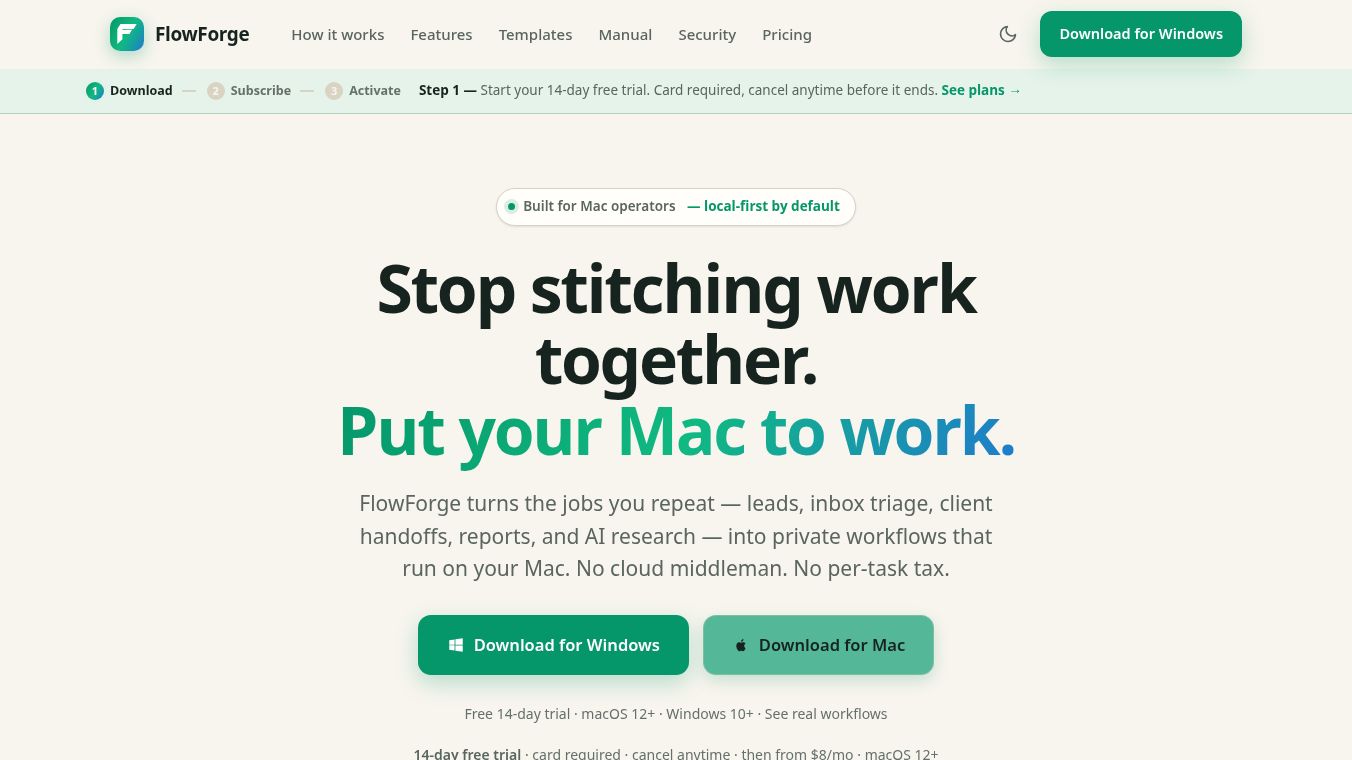
FlowForge is a desktop application designed to help users automate repetitive tasks on their Mac or Windows computer. It turns routine work like managing leads, sorting emails, creating reports, and doing research into private workflows. Unlike many tools that send your data to the cloud, FlowForge runs entirely on your device. This means your personal information and passwords never leave your computer.
Benefits
FlowForge offers several key advantages for anyone looking to save time and stay secure.
- Total Privacy and Security:The app follows a local-first design. Your data, credentials, and API keys stay on your machine. They are encrypted using your Mac's built-in security system and never sent to an external server or logged by the company.
- Works Offline:You can build and run your automation logic even without an internet connection. If a specific step needs the internet, like sending an email, the app will wait until you are connected. The rest of your workflow continues to run smoothly.
- No Coding Required:Users can create complex automations without writing any code. The tool works like a recipe where you pick a trigger and add actions to follow.
- Built-in AI:FlowForge includes artificial intelligence features that run locally on your computer. You can use local models for tasks like summarizing text or classifying data without sending anything outside your device. You can also connect your own AI service if you prefer.
- Full Control and Transparency:Every action the app takes is logged step-by-step. If a workflow fails, the app can suggest fixes using AI or let you resume from where it stopped. You can also save versions of your workflows and roll back to an earlier state if needed.
Use Cases
FlowForge is built to handle a wide variety of daily tasks. The app comes with ready-to-use templates that users can customize.
- Email Management:You can set up the app to sort your inbox. It can classify incoming emails with AI, send automatic replies, and only notify you when something urgent happens.
- Lead Generation:When someone fills out a form on your website, FlowForge can save that information locally and automatically create a follow-up task for you.
- Support Ticket Routing:The tool can read incoming support tickets, figure out what they are about, and send them to the right team member with a notification.
- Client Onboarding:When a new client joins, the app can run a checklist to ensure all necessary steps are completed automatically.
- Finance Tracking:You can create reminders for invoices and payment deadlines so you never miss a due date.
- Content Planning:The app can help generate weekly content calendars and checklists for writers or social media managers.
Pricing
FlowForge uses a flat subscription model. You pay a monthly fee regardless of how many times you run your automations. There is no limit on the number of workflows or actions you can create.
- 14-Day Free Trial:You can try the app for two weeks. A credit card is required to start, but you can cancel before the trial ends without being charged.
- Personal Plan:Costs $8 per month when billed annually or $10 per month billed monthly. This plan includes unlimited workflows and local AI features.
- Pro Plan:Costs $16 per month when billed annually or $20 per month billed monthly. This adds the AI copilot feature, which helps you build workflows, and priority email support.
- Team Plan:Costs $14 per user per month when billed annually. This includes all Pro features plus a shared library of templates and onboarding help.
Note that if you cancel your subscription, the app will stop running your automations. Your data is safe on your computer, so you can restart your subscription later and pick up exactly where you left off.
Vibes
FlowForge has been designed with security and privacy in mind, which appeals to users who are concerned about data leaks. The app is signed and notarized by Apple, so it opens without security warnings on Mac computers. Users appreciate the ability to run complex automations without worrying about their sensitive information being sent to a third-party cloud server. The transparency of the step-by-step logs gives users confidence that the tool is doing exactly what they intend.
Additional Information
FlowForge is currently available as a native application for macOS. A version for Windows is planned for the future. The app supports connections to many popular services including Slack, Discord, Telegram, and GitHub. It can also connect to any tool that exposes an HTTP API. The development team focuses on keeping the software secure and ensuring that workflows run reliably in the background, even when the app window is closed.
This content is either user submitted or generated using AI technology (including, but not limited to, Google Gemini API, Llama, Grok, and Mistral), based on automated research and analysis of public data sources from search engines like DuckDuckGo, Google Search, and SearXNG, and directly from the tool's own website and with minimal to no human editing/review. THEJO AI is not affiliated with or endorsed by the AI tools or services mentioned. This is provided for informational and reference purposes only, is not an endorsement or official advice, and may contain inaccuracies or biases. Please verify details with original sources.




Comments
Please log in to post a comment.