Enlarger
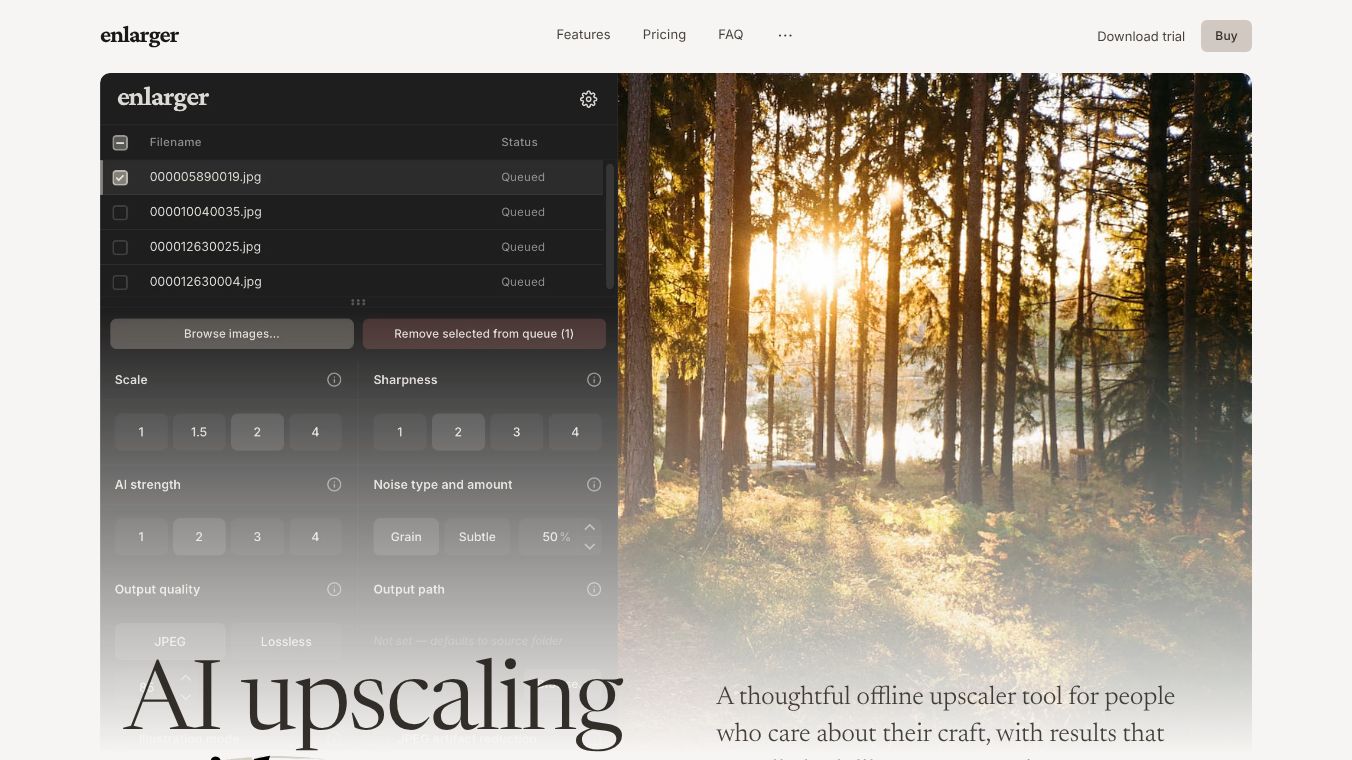





What is Enlarger
Enlarger is a web-based tool designed to help users increase the size of images without losing quality. It uses advanced artificial intelligence to add details to images that were originally small or low resolution. This makes it possible to turn tiny photos into larger, clearer pictures suitable for printing or sharing online. The service runs entirely in the cloud, meaning users do not need to install any software on their computers. They can simply upload an image to the website and receive an enhanced version back.
Benefits
The main advantage of Enlarger is its ability to improve image quality while making the file bigger. Traditional methods of enlarging images often result in blurry or pixelated results. Enlarger avoids this by using smart algorithms to guess and fill in missing details. This keeps the image looking sharp and natural even after it has been scaled up significantly. Another benefit is its ease of use. People who are not tech experts can still get professional results with just a few clicks. The tool also supports various file formats, allowing users to work with photos from different sources. Speed is another plus, as the process happens quickly without requiring powerful local hardware.
Use Cases
Enlarger is useful for many different situations. Photographers can use it to restore old family photos that have become faded or small over time. Designers might need it to resize product images for a website without sacrificing clarity. Print shops can rely on it to prepare low-resolution scans for high-quality printing. Social media managers can also benefit by ensuring their images look great on large screens or when printed as posters. Students and hobbyists can use the tool to enlarge screenshots or diagrams for presentations. Essentially, anyone who needs a bigger, better version of a digital image can find a place for Enlarger in their workflow.
Pricing
Enlarger offers a free tier that allows users to process a limited number of images each month. This is great for occasional users who just need to fix a few photos. For those who need more frequent access, there are paid subscription plans available. These plans provide higher limits on the number of images and may offer faster processing speeds. Specific pricing details can be found on the official website, where users can choose the plan that fits their needs best.
Vibes
Users generally appreciate the simplicity and effectiveness of the tool. Many reviews highlight how well it handles difficult images that other tools struggle with. People often mention the clean interface and the lack of complicated settings as major positives. Some users note that the free version is generous enough for most casual needs. While some advanced users might want more control over the enhancement process, the majority feel that the automatic results are good enough for everyday tasks. The community feedback suggests that Enlarger has become a go-to solution for quick image fixes.
Additional Information
Enlarger is part of a growing family of AI-powered tools created by the same team behind other popular image utilities. The company focuses on making complex technology accessible to everyone through simple web interfaces. They have partnered with various design communities to promote the use of their tools for creative projects. The platform continues to update its algorithms to support new image formats and improve performance over time.
This content is either user submitted or generated using AI technology (including, but not limited to, Google Gemini API, Llama, Grok, and Mistral), based on automated research and analysis of public data sources from search engines like DuckDuckGo, Google Search, and SearXNG, and directly from the tool's own website and with minimal to no human editing/review. THEJO AI is not affiliated with or endorsed by the AI tools or services mentioned. This is provided for informational and reference purposes only, is not an endorsement or official advice, and may contain inaccuracies or biases. Please verify details with original sources.



Comments
Please log in to post a comment.