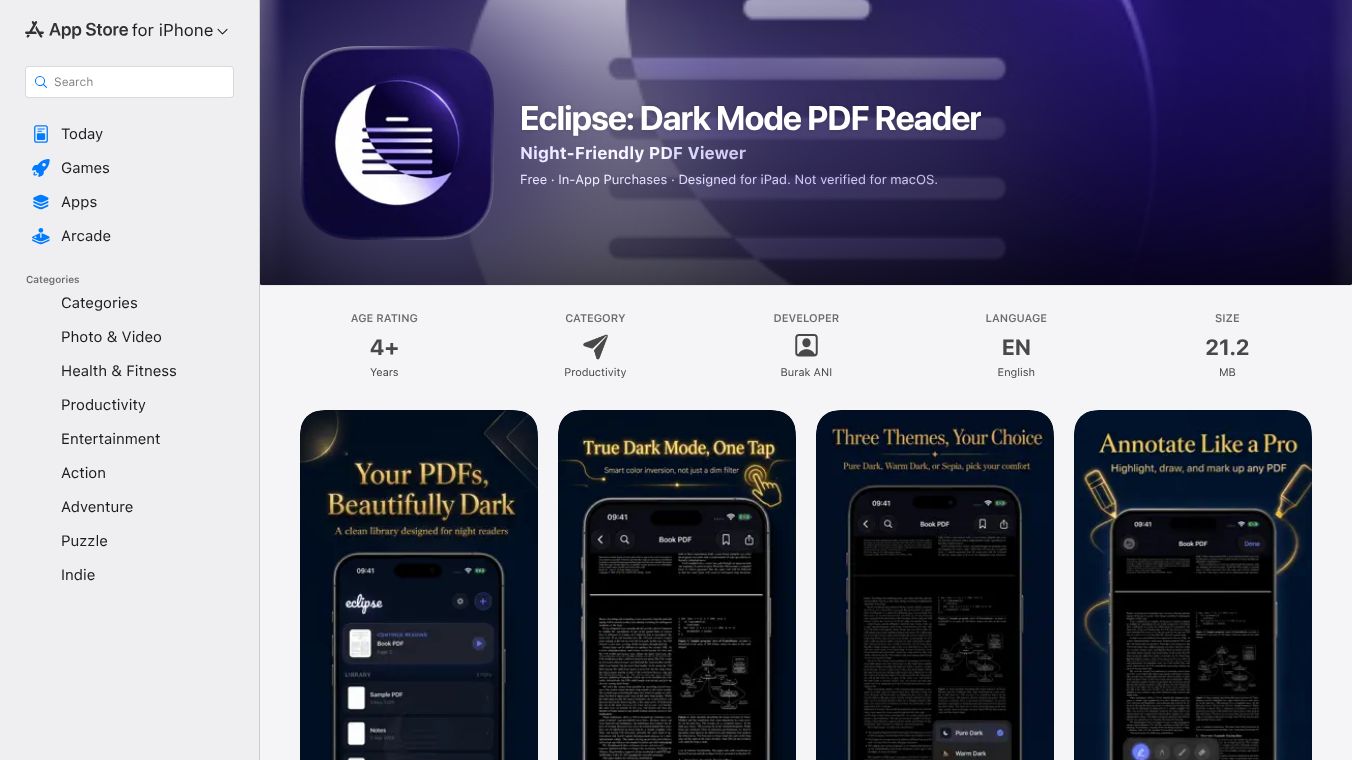





Eclipse is a special PDF reader app made for iPad, iPhone, and Mac. It is designed to help people read documents at night without hurting their eyes. Most apps just dim the screen, but Eclipse uses a smart technology to flip the colors of the text itself. This creates a true dark mode where white text becomes black and black text becomes white. This method saves battery life on OLED screens and keeps your eyes comfortable in the dark.
Benefits
The main advantage of Eclipse is its ability to reduce eye strain during late-night reading sessions. By using a color inversion engine, it provides a genuine dark mode experience that is better for your eyes than simple screen dimming. The app offers three different reading themes to suit your mood. The free version includes a pure dark theme with high contrast. The paid version adds warm dark tones for relaxation and a sepia theme that looks like old paper for long reading sessions. Users can also adjust the brightness of their screen directly inside the app. Another major benefit is privacy. The app keeps all your files on your device and never sends them to the cloud. It does not collect any data or track your usage.
Use Cases
This app is perfect for students, researchers, and anyone who reads a lot of PDFs. You can use it to read textbooks, research papers, or manuals while staying up late. The app allows you to highlight text and draw notes with different colors and pen tools. You can save these notes directly onto the PDF file. If you get stuck on a page, you can bookmark it with a custom title. The app also has a search feature that finds words anywhere in the document. You can track your reading progress with a progress bar and resume reading exactly where you left off. It works on iPad, iPhone, and Mac computers running the latest versions of their operating systems.
Pricing (ONLY include if available)
The app is available for free with basic features. The free version lets you read documents in pure dark mode. To unlock more features, users can buy Eclipse Pro. The monthly subscription costs $1.99 per month. There is also a lifetime deal for $4.99 that gives you access to all features forever. The Pro version includes the warm dark and sepia themes, bookmarking capabilities, and advanced annotation tools.
Vibes (ONLY include if available)
Users appreciate the app for its focus on privacy and eye comfort. The developer, Burak ANI, has confirmed that no data is collected from the app. Many users find the sepia theme helpful for long reading sessions as it feels like reading on real paper. The clean interface without clutter is also well received by those who want a distraction-free reading environment.
Additional Information (ONLY include if available)
The app requires iOS 17.0 or later for mobile devices and macOS 14.0 or later for computers. It specifically works on Apple M1 chips or newer Mac models. The file size is small at 21.2 MB. The app is rated for ages 4 and up. It supports only the English language. The app is not officially verified for macOS by Apple. For more legal details, users should check the Terms of Use and Privacy Policy provided by the developer.
This content is either user submitted or generated using AI technology (including, but not limited to, Google Gemini API, Llama, Grok, and Mistral), based on automated research and analysis of public data sources from search engines like DuckDuckGo, Google Search, and SearXNG, and directly from the tool's own website and with minimal to no human editing/review. THEJO AI is not affiliated with or endorsed by the AI tools or services mentioned. This is provided for informational and reference purposes only, is not an endorsement or official advice, and may contain inaccuracies or biases. Please verify details with original sources.
 No Info
Comments
Please log in to post a comment.