Daisy
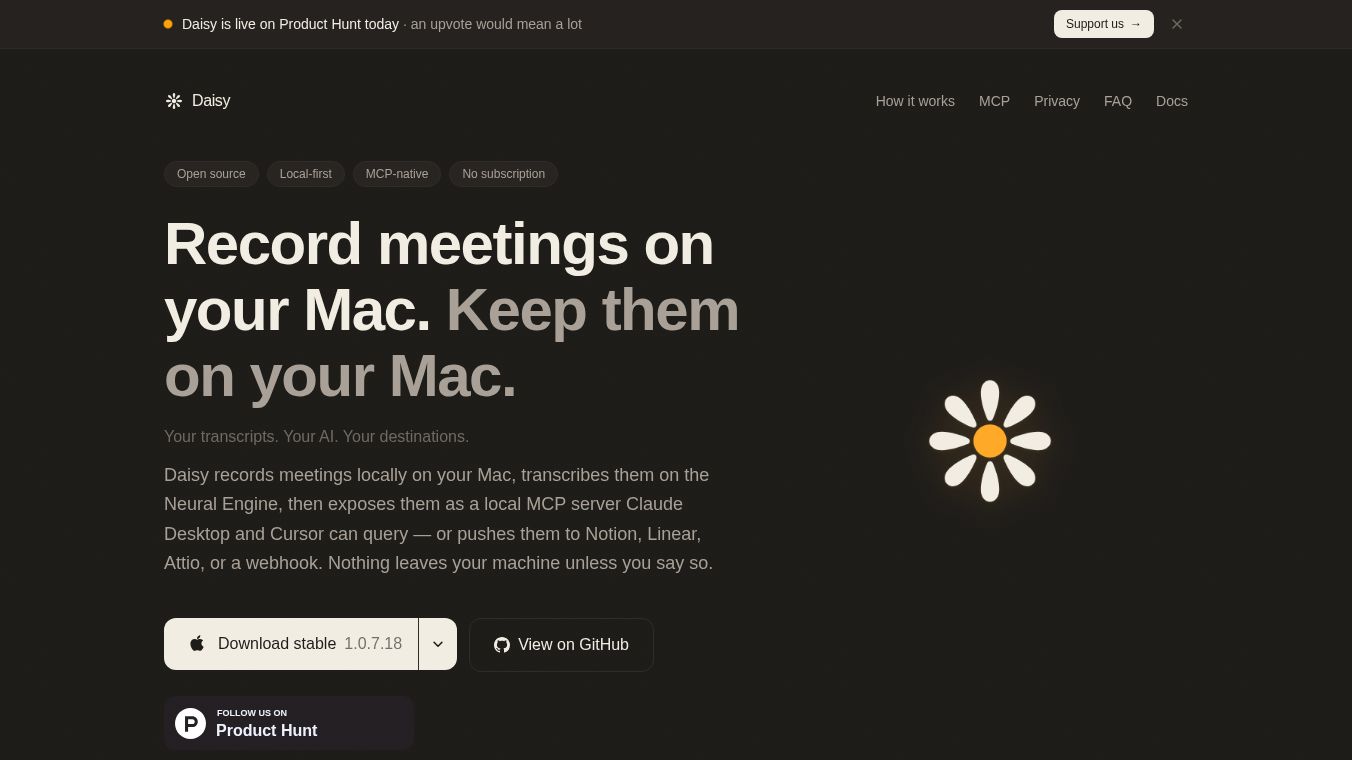





Daisy: The Local-First, Open-Source Meeting Assistant for Mac
Daisy is a special tool built for Apple Mac computers that use Apple Silicon chips. It acts as a meeting assistant that records conversations, turns them into text, and helps you organize the notes. Unlike many other tools that send your data to the cloud, Daisy keeps everything on your own computer. This means your private meetings stay private unless you choose to share them. It is designed for people who value privacy and want full control over their information.
Benefits
Daisy offers several key advantages for users who need reliable meeting tools.
- Total Privacy and Control:All recording and transcription happen on your Mac using the built-in Neural Engine. No data leaves your machine unless you explicitly send it somewhere else. This is perfect for companies with strict security rules or individuals who want to keep their thoughts completely private.
- No Monthly Fees:The tool is currently free during its beta phase. The final plan will be a one-time purchase. You will not face monthly subscriptions or hidden costs for every meeting you record.
- Open Source Code:The entire program is open source under the Apache 2.0 license. This means anyone can check the code to ensure it is safe and works as promised. It builds trust because the community can verify its security.
- Smart Speaker Identification:Daisy can tell who is speaking in a meeting. It uses advanced offline processing to improve accuracy after the meeting ends, which is often better than tools that try to guess while the meeting is still happening.
- Flexible AI Options:You can use Daisy with different AI models. You can connect your own API keys for cloud services or use local models that run on your computer. This gives you the freedom to choose the AI provider that fits your needs and budget.
Use Cases
Daisy is designed to fit into various workflows where recording and organizing meetings is important.
- Professional Meetings:It captures audio from popular platforms like Zoom, Google Meet, and Telegram. It works by listening to your system audio, so you do not need to install a bot inside the meeting app. This makes it easy to use during standard work calls.
- Personal Note Taking:The tool offers a voice note mode for quick thoughts. You can also use a dictation mode that turns your speech into text directly where you are typing. This is great for brainstorming or capturing ideas on the fly.
- Knowledge Management:Daisy saves every recording as a plain text file with tags and dates. You can store these files in your favorite note-taking apps like Obsidian or iCloud Drive. This helps you build a searchable library of all your past conversations.
- Automated Workflows:After a meeting ends, Daisy can automatically send the notes to other apps. You can set it to create tasks in Linear, add pages to Notion, or post updates to Slack. This helps keep your work organized without manual effort.
- Secure Environments:Because the data never leaves your computer by default, Daisy is ideal for legal teams, healthcare professionals, or any business that must comply with strict data protection laws.
Pricing
Daisy is currently available for free during its beta period. The developers have stated that the final pricing model will be a one-time lifetime purchase. There are no monthly fees, no charges per meeting, and no hidden costs. Users can download the software from the official GitHub repository.
Vibes
The community response to Daisy has been very positive, especially among users who prioritize privacy and open-source software. Developers appreciate that the tool respects their data sovereignty by keeping everything local. The ability to integrate with popular AI tools like Claude Desktop and Cursor without uploading sensitive data has been a major highlight. Users often mention feeling relieved to have a tool that does not require a subscription or a data processing agreement. The open-source nature of the project has also fostered trust, as security experts can audit the code to ensure it meets high standards.
Additional Information
Daisy is built specifically for Apple Silicon Macs, including models with M1, M2, M3, and M4 chips. It requires macOS 14 or newer to function properly. The software relies on the Neural Engine for fast processing, so it does not work on older Intel Macs. The application is signed by Apple and distributed as a standard DMG file. It uses a secure local server that only listens on your own computer, making it inaccessible from other devices on your network. The project is hosted on GitHub and is licensed under the Apache 2.0 terms.
This content is either user submitted or generated using AI technology (including, but not limited to, Google Gemini API, Llama, Grok, and Mistral), based on automated research and analysis of public data sources from search engines like DuckDuckGo, Google Search, and SearXNG, and directly from the tool's own website and with minimal to no human editing/review. THEJO AI is not affiliated with or endorsed by the AI tools or services mentioned. This is provided for informational and reference purposes only, is not an endorsement or official advice, and may contain inaccuracies or biases. Please verify details with original sources.



Comments
Please log in to post a comment.