CtrlOps





What is CtrlOps?
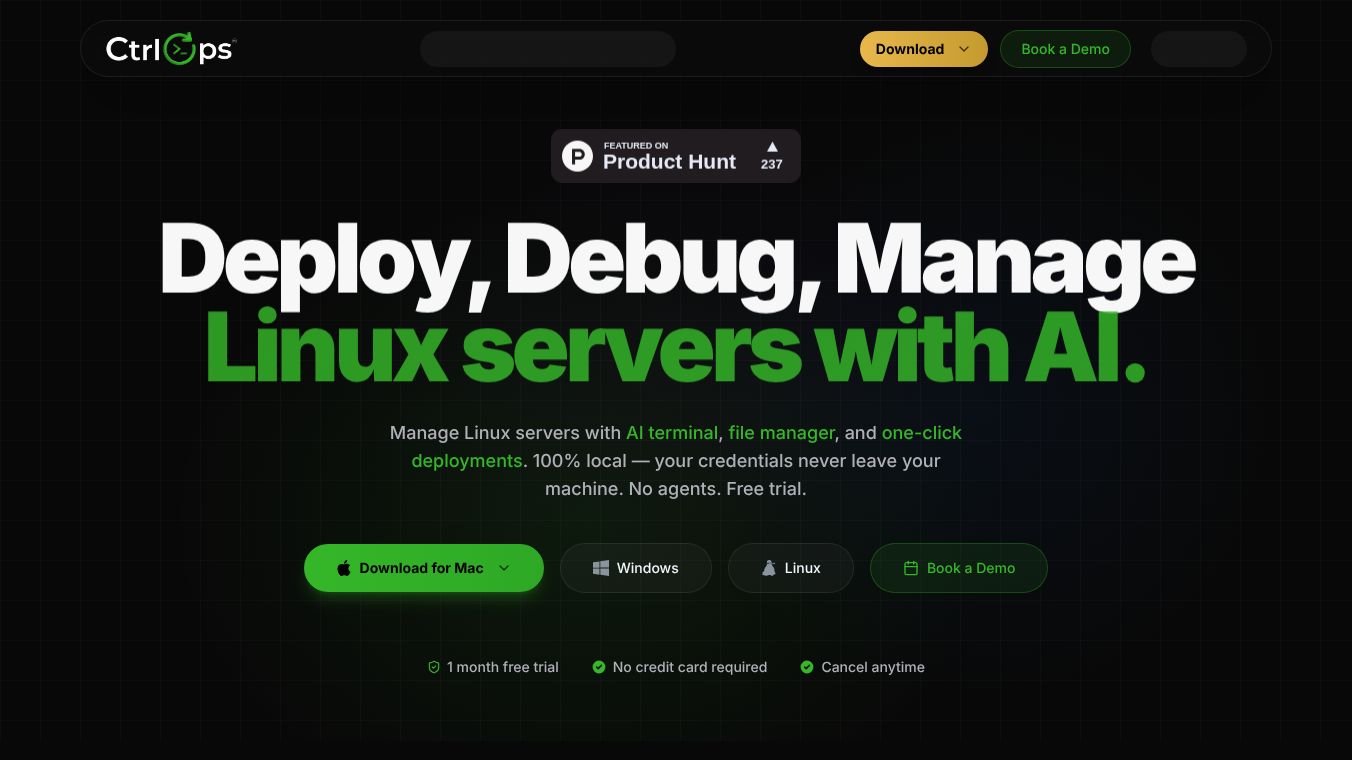
CtrlOps is a desktop application built for managing Linux servers. It combines several common DevOps tasks into one easy-to-use program. Instead of switching between different tools, users can handle server deployment, file management, and debugging from a single interface. The software runs entirely on the user's computer, which means sensitive data like passwords and security keys stay private and never leave the local machine. This approach makes it a strong choice for engineers who value security and want to avoid complex cloud setups.
Benefits
CtrlOps offers several clear advantages for managing server infrastructure.
- Data Privacy:The most important feature is its 100% local architecture. All SSH keys and credentials are encrypted and stored only on the user's computer. This ensures that sensitive information never touches a cloud service or is sent over the internet.
- Simplified Workflow:The tool brings together multiple functions like a terminal, file manager, and deployment system into one app. This eliminates the need to switch between different programs, saving time and reducing errors.
- AI Assistance:An artificial intelligence assistant acts as a 24/7 senior DevOps engineer. It can translate plain English into bash commands, explain complex error logs, and suggest fixes for server issues automatically.
- Fast Deployments:Users can push code or configurations to servers with a single click. Real-world data shows that these deployments typically take less than 30 seconds.
- Wide Compatibility:The software works with any Linux or Ubuntu server that has SSH enabled. This includes servers hosted on major cloud providers like AWS, Google Cloud, Azure, and DigitalOcean, as well as on-premise machines.
- No Agents Required:Because the design is agentless, there is no need to install additional software on the remote servers. This reduces setup complexity and potential points of failure.
Use Cases
CtrlOps is designed for engineers and teams who manage Linux environments across various platforms.
- Cloud Infrastructure Management:Teams can manage fleets of servers across different cloud providers from one dashboard. The tool supports AWS, Google Cloud, Azure, and DigitalOcean without needing specific cloud keys.
- On-Premise Server Maintenance:Organizations with their own private servers can use the application to diagnose errors and deploy updates without installing agents on the remote machines.
- Troubleshooting and Debugging:When a server throws an error, the AI assistant can analyze the logs and generate the exact commands needed to fix the problem. This is helpful for both experienced engineers and those who need guidance.
- File Management and Backups:The built-in file manager allows users to organize files and perform backups directly from the interface. It also includes tools for managing user registries on the servers.
- Secure Credential Handling:Developers who need to store and access SSH keys securely can use the encrypted local storage feature. This is ideal for environments where data leakage is a major concern.
Pricing
CtrlOps is a paid-only tool available for professionals and enterprises. There are three main plans to choose from.
- Monthly Plan:Costs $7 per month. This plan includes unlimited server connections, access to the AI terminal, file management, and one-click deployment features. All updates are included.
- Pro Annual Plan:Costs $70 per year. This plan offers a 20% discount compared to the monthly rate. It includes all features from the monthly plan plus priority email support, early access to new features, and extended license support.
- Enterprise Plan:This plan is coming soon. It will include everything in the Pro plan along with a dedicated account manager, a 99.9% uptime guarantee, custom integrations, and on-premise deployment options.
Additional Information
CtrlOps is available as a native desktop application on macOS, Windows, and Linux. It supports both Apple Silicon and Intel x64 chips on Mac computers. The software does not require any cloud-based user interface, ensuring a fast and responsive experience. While it currently lacks some advanced enterprise features like Single Sign-On or custom APIs, it provides a robust solution for managing Linux servers with a focus on privacy and ease of use.
This content is either user submitted or generated using AI technology (including, but not limited to, Google Gemini API, Llama, Grok, and Mistral), based on automated research and analysis of public data sources from search engines like DuckDuckGo, Google Search, and SearXNG, and directly from the tool's own website and with minimal to no human editing/review. THEJO AI is not affiliated with or endorsed by the AI tools or services mentioned. This is provided for informational and reference purposes only, is not an endorsement or official advice, and may contain inaccuracies or biases. Please verify details with original sources.




Comments
Please log in to post a comment.