Cronloop AI





Automate Recurring Work with AI Agents: A Comprehensive Guide to Cronloop
Overview
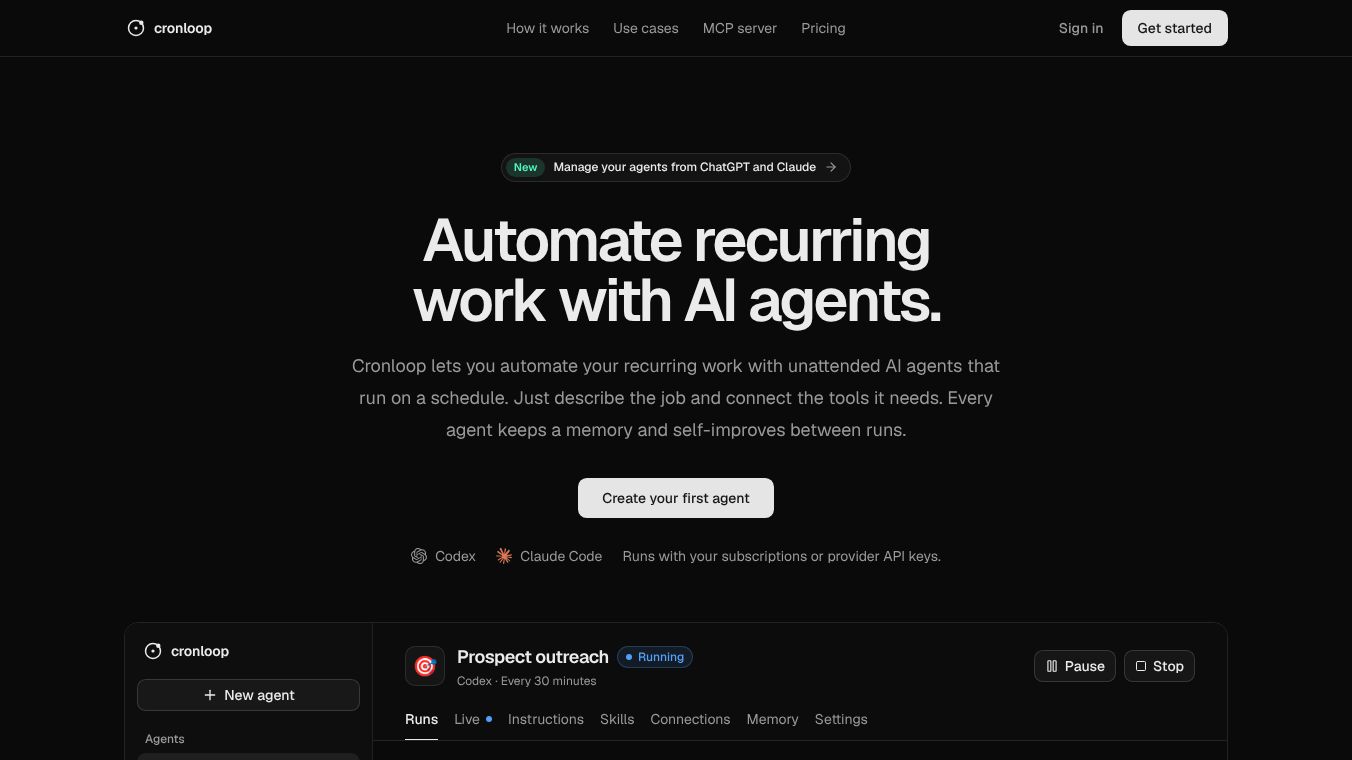
Cronloop is a platform designed to automate recurring work using unattended AI agents that operate on a schedule. By simply describing a job in Markdown and connecting the necessary tools, users can create specialized agents for sales, support, growth, engineering, and more. Each agent maintains a memory and self-improves between runs, ensuring continuous optimization.
Benefits
Cronloop allows users to define agents with specific instructions, schedules, and tool integrations. Once created, these agents run autonomously, handling tasks such as prospect outreach, support ticket resolution, organic traffic growth, issue resolution, social content automation, and competitor tracking. Each agent maintains a memory and self-improves between runs, ensuring continuous optimization. Users can leverage their existing ChatGPT or Claude subscriptions or bring their own Anthropic or OpenAI API keys, with model usage billed according to their chosen provider.
Use Cases
Cronloop supports a wide range of tools and APIs, allowing agents to interact with virtually any software your team uses. Supported integrations include Gmail, HubSpot, MailChimp, Google Ads, Google Analytics, Semrush, Google Search Console, Webflow, WordPress, Shopify, Stripe, QuickBooks, Xero, Wise, Calendly, Google Calendar, Intercom, Zendesk, WhatsApp, Telegram, Discord, Reddit, Notion, Linear, Jira, Confluence, Asana, ClickUp, Trello, Airtable, Miro, Figma, Loom, Google Sheets, Google Drive, Dropbox, Box, Zapier, Make, YouTube, Instagram, Facebook, TikTok, X, GitHub, GitLab, Vercel, Netlify, Cloudflare, Docker, Kubernetes, PostgreSQL, MongoDB, Redis, Supabase, Firebase, Google Cloud, Snowflake, Datadog, Grafana, Sentry, PagerDuty, Elastic, Mixpanel, and PostHog. If a tool has an API, MCP (Model Context Protocol), or CLI, Cronloop agents can use it. Cronloop agents can be accessed directly from ChatGPT or Claude assistants, streamlining the workflow. Users can create new agents, start fresh runs, or review post-mortems of previous failures. To begin using Cronloop, users can sign in with GitHub, Google, or their work email, create their first agent by describing the job in Markdown, connect the necessary tools, set up the schedule, and launch the agent to monitor its performance.
Pricing
Cronloop offers flexible pricing options to suit different needs. The Free Tier is ideal for testing and initial deployments, allowing users to create and run their first agents at no cost. The Pro Tier is priced at $25 per month or $20 per month when billed annually, designed for work that requires faster execution and cannot wait an hour.
Vibes
Cronloop provides a robust API for managing agents and runs. Users can create, update, pause, resume, or delete agents using endpoints like agentslist, agentsget, agentscreate, agentsupdate, agentspause, agentsresume, and agentsdelete. Users can start, list, review, get details, or cancel runs using runsstart, runslist, runsreview, runsget, and runscancel. Users can manage configurations and encrypted secrets using configurationlist, environmentset, environmentdelete, secretsset, and secretsdelete. Users can read, write, or clear the durable memory carried by agents between runs using memorylist, memoryread, memorywrite, and memory_delete. With Cronloop, if you can write the job description, you can run the agent, empowering teams to automate repetitive tasks and focus on high-value activities.
Additional Information
Cronloop agents can be accessed directly from ChatGPT or Claude assistants, streamlining the workflow. To add the address, users can open the connector settings in their preferred MCP client, such as Claude or ChatGPT, and add Cronloop as a custom connector using the address https://app.cronloop.ai/v1/mcp. Users can approve the connection by signing in to Cronloop and approving access via a standard OAuth sign-in, eliminating the need to manage API keys. Users can interact with their assistant in plain language to create new agents, start fresh runs, or review post-mortems of previous failures. For example, users can set up an agent to answer new Zendesk tickets from help docs every 5 minutes and escalate sensitive issues. The actions include creating the agent, storing the Zendesk token securely, starting the first run, and monitoring progress.
This content is either user submitted or generated using AI technology (including, but not limited to, Google Gemini API, Llama, Grok, and Mistral), based on automated research and analysis of public data sources from search engines like DuckDuckGo, Google Search, and SearXNG, and directly from the tool's own website and with minimal to no human editing/review. THEJO AI is not affiliated with or endorsed by the AI tools or services mentioned. This is provided for informational and reference purposes only, is not an endorsement or official advice, and may contain inaccuracies or biases. Please verify details with original sources.



Comments
Please log in to post a comment.