ConverterToMarkdown
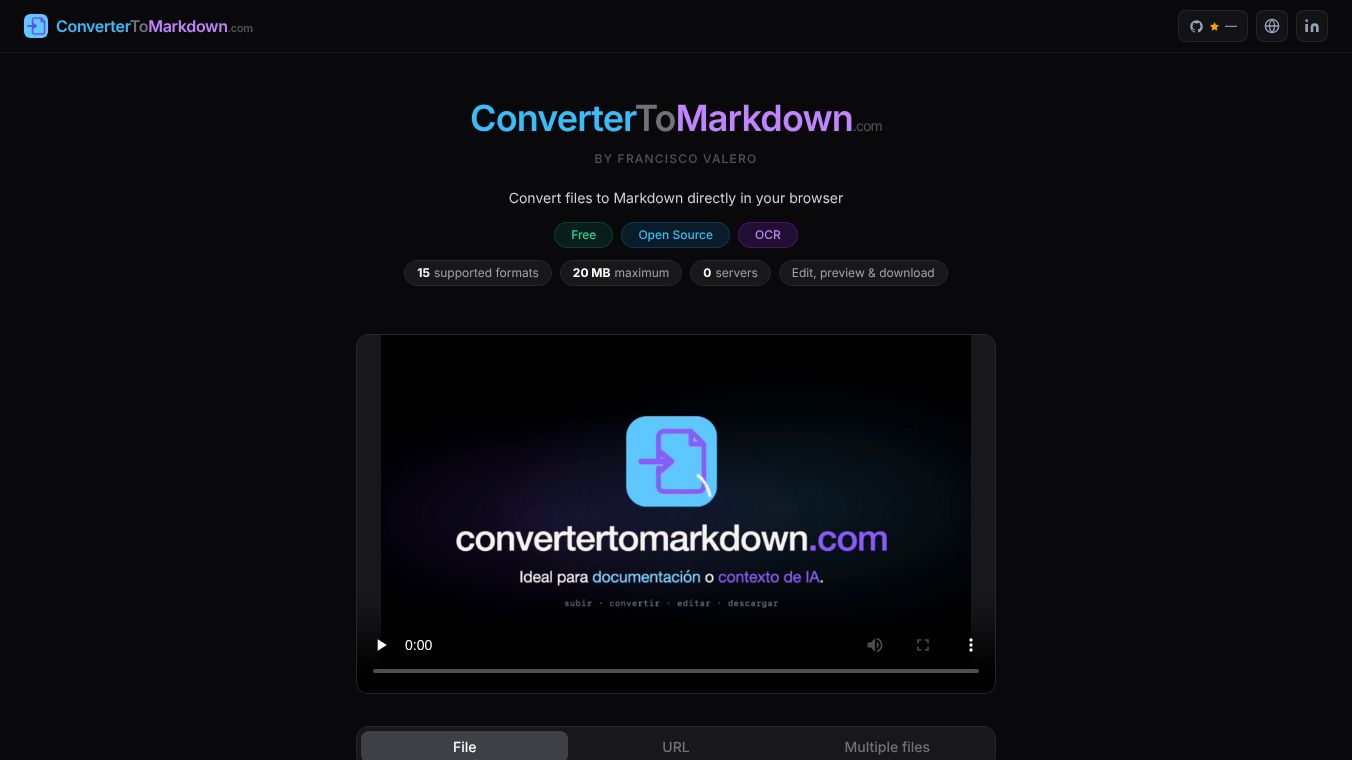





ConverterToMarkdown: A Privacy-First, Browser-Based File Converter
Overview
ConverterToMarkdown is a free, open-source web tool designed to convert various file formats into Markdown. Developed by independent developer Francisco Valero, the tool addresses the common need to transform documentation, PDFs, spreadsheets, and other data formats into Markdown for use in GitHub repositories, Obsidian notes, and Large Language Model contexts. The core philosophy of the tool is privacy and simplicity: all processing occurs locally within the user's browser, ensuring that no data is ever uploaded to external servers.
Benefits
ConverterToMarkdown offers several key advantages for users who need to convert files quickly and securely. The most significant benefit is its privacy-first architecture. Unlike many online converters that upload files to remote servers, this tool processes all files entirely within the user's browser using JavaScript APIs. This means files never leave the user's device and no data is sent to third parties or external servers. The tool also functions fully offline once the webpage is loaded, so an internet connection is not required to process files. Another major benefit is the advanced editing capabilities. The tool includes a built-in editor that allows users to refine the converted content before downloading. It operates in two synchronized modes: Editor Mode displays the raw Markdown syntax for manual editing, while Preview Mode renders the Markdown into formatted HTML to show how the final document will appear. Changes made in either mode sync in real-time. Users can copy the result to their clipboard or download the final .md file. The tool is completely free with no registration, account creation, or credit card requirements. It also supports batch processing, allowing users to convert multiple files simultaneously. Files are processed sequentially to prevent browser overload. Once complete, users can download individual files or a single ZIP archive containing all converted .md files.
Use Cases
ConverterToMarkdown is useful for a wide range of scenarios where users need to transform different file types into Markdown. It supports conversion from 15 different file types, covering documents, spreadsheets, web pages, structured data, and images. Users can convert DOCX Word documents, PDFs containing extractable text, and scanned PDFs using Optical Character Recognition. The tool also handles XLSX and XLS Excel files, HTML web pages, TXT plain text, MD Markdown, and CSV tables or forms. For structured data, it supports JSON and XML. Images such as JPG, PNG, WEBP, BMP, and GIF can be converted by extracting text using in-browser OCR. The tool works on desktop browsers like Chrome, Safari, and Firefox, as well as mobile browsers on Android and iOS. It is particularly useful for developers and users working with AI agents. By adding the command npx convertertomarkdown-mcp to a client, compatible agents such as Claude Code or Cursor can convert files to Markdown directly without opening a web browser. Users can also convert files using multiple input methods. They can drag and drop files directly onto the interface, click to select files from their device storage or cloud apps like Google Drive and iCloud, or paste the URL of any public file to convert it instantly without needing to download it first. The tool is designed to be a lightweight utility for enhancing productivity in environments like GitHub, Notion, Obsidian, VS Code, and various AI tools.
Pricing
The service is completely free with no registration, account creation, or credit card requirements. There are no hidden costs or subscription fees. Users can convert as many files as they need within the 20 MB per file limit without paying anything.
Vibes
ConverterToMarkdown has been well-received by users who value privacy and simplicity. The tool is praised for its ability to process files locally without uploading them to external servers. Users appreciate the offline capability and the fact that it works on both desktop and mobile devices. The built-in editor and preview mode are highlighted as useful features for refining converted content before downloading. The support for batch processing and multiple input methods, including URL conversion, is seen as a significant advantage for efficiency. The tool is considered a reliable and secure option for converting files to Markdown for use in various productivity environments.
Additional Information
ConverterToMarkdown was built by Francisco Valero, an independent developer focused on web productivity tools. The project was initiated because Valero frequently needed to convert documentation and spreadsheets to Markdown for his own workflow but could not find a free, privacy-first solution that operated entirely in the browser. The tool is open-source, allowing the community to review and contribute to its development. It was designed to be a lightweight utility for enhancing productivity in environments like GitHub, Notion, Obsidian, VS Code, and various AI tools. The tool supports a maximum file size of 20 MB per file. Larger documents may need to be compressed or split before conversion. The tool also offers a Model Context Protocol server for integration with AI agents, which allows compatible agents to convert files to Markdown directly without opening a web browser. Note that using the MCP server option will consume tokens from the user's agent.
This content is either user submitted or generated using AI technology (including, but not limited to, Google Gemini API, Llama, Grok, and Mistral), based on automated research and analysis of public data sources from search engines like DuckDuckGo, Google Search, and SearXNG, and directly from the tool's own website and with minimal to no human editing/review. THEJO AI is not affiliated with or endorsed by the AI tools or services mentioned. This is provided for informational and reference purposes only, is not an endorsement or official advice, and may contain inaccuracies or biases. Please verify details with original sources.



Comments
Please log in to post a comment.