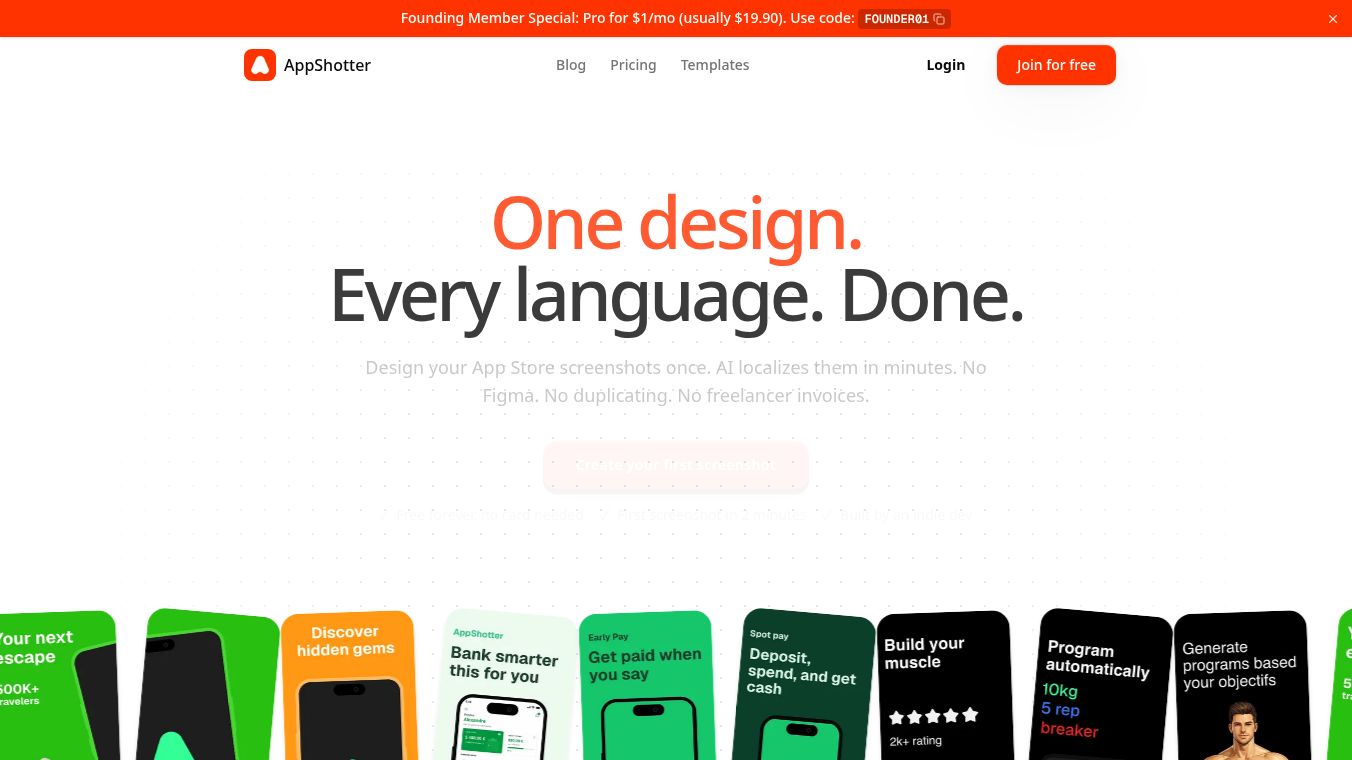





AppShotter: Streamline Global App Store Screenshots with AI Localization
Research Context and Background
AppShotter is a specialized tool designed to simplify the creation and localization of App Store screenshots. Built by a solo indie developer, the platform allows users to design screenshots once and automatically generate localized versions for every language, device, and store format. It eliminates the need for Figma, manual duplication, and hiring freelancers for translation.
Benefits
AppShotter offers several key advantages for developers and designers. The most significant benefit is the ability to create one design and have it automatically translated into multiple languages. This feature supports over ten languages including English, French, German, Japanese, Chinese, Korean, Spanish, Portuguese, Italian, and Arabic. The AI-powered localization ensures that the text in the screenshots is native quality without the need for manual translation or external freelancers.
Another major advantage is efficiency. The traditional method of creating screenshots for different languages can take hours. AppShotter reduces this time to just five minutes. Users can upload their app screenshots, pick a template, let the AI localize everything, and export the results in one click. The tool also supports various device formats such as iPhone 6.7 inch, iPhone 6.5 inch, iPad, Android Phone, and Android Tablet. It generates all the sizes required by both Apple and Google stores in one click, ensuring compliance with store guidelines.
The platform is built by a solo developer who provides direct support. This means users have direct access to the creator, ensuring their feedback is heard and acted upon. The free plan is available forever with no credit card required, making it accessible for everyone.
Use Cases
AppShotter is designed for indie developers, freelancers, and small agencies. Indie developers can build their own apps without spending hours in Figma for every language. Freelancers can deliver localized screenshots to clients in one click, allowing them to charge more and work less. Small agencies can scale screenshot production across multiple apps and clients without multiplying the workload.
The tool is particularly useful for app updates. Users can edit their screenshots once and re-export them any time. This workflow can be reused for each release, saving significant time compared to traditional methods. The streamlined process makes it ideal for developers who ship apps internationally. Whether you are launching a new app or updating an existing one, AppShotter helps you create high-quality, store-compliant screenshots for global markets with minimal effort.
Pricing
AppShotter offers a free plan that is available forever. This plan requires no credit card. Users can create and export localized screenshots for their own apps or clients using the free version. There is also an option for early access where users can sign up to shape the product's development. Early users benefit from locked-in pricing and their feature requests directly influence the roadmap.
Vibes
The product has received positive attention for its ability to solve a common pain point for developers. The workflow comparison highlights the efficiency gains, showing a shift from a multi-step traditional method to a simple four-step process. Users appreciate the direct developer support and the fact that the tool is built by a solo indie developer who is responsive to feedback. The emphasis on a free plan with no credit card requirement has been noted as a significant advantage for users who want to test the tool without financial commitment.
Additional Information
AppShotter was built by a solo indie developer. This unique background allows for direct communication between users and the creator. The platform is still in an early access phase where user feedback directly shapes the product roadmap. This approach ensures that the tool evolves based on real user needs rather than a predetermined feature list. The developer focuses on providing a user-friendly interface that combines AI-powered localization with ease of use.
This content is either user submitted or generated using AI technology (including, but not limited to, Google Gemini API, Llama, Grok, and Mistral), based on automated research and analysis of public data sources from search engines like DuckDuckGo, Google Search, and SearXNG, and directly from the tool's own website and with minimal to no human editing/review. THEJO AI is not affiliated with or endorsed by the AI tools or services mentioned. This is provided for informational and reference purposes only, is not an endorsement or official advice, and may contain inaccuracies or biases. Please verify details with original sources.




Comments
Please log in to post a comment.