AiBender
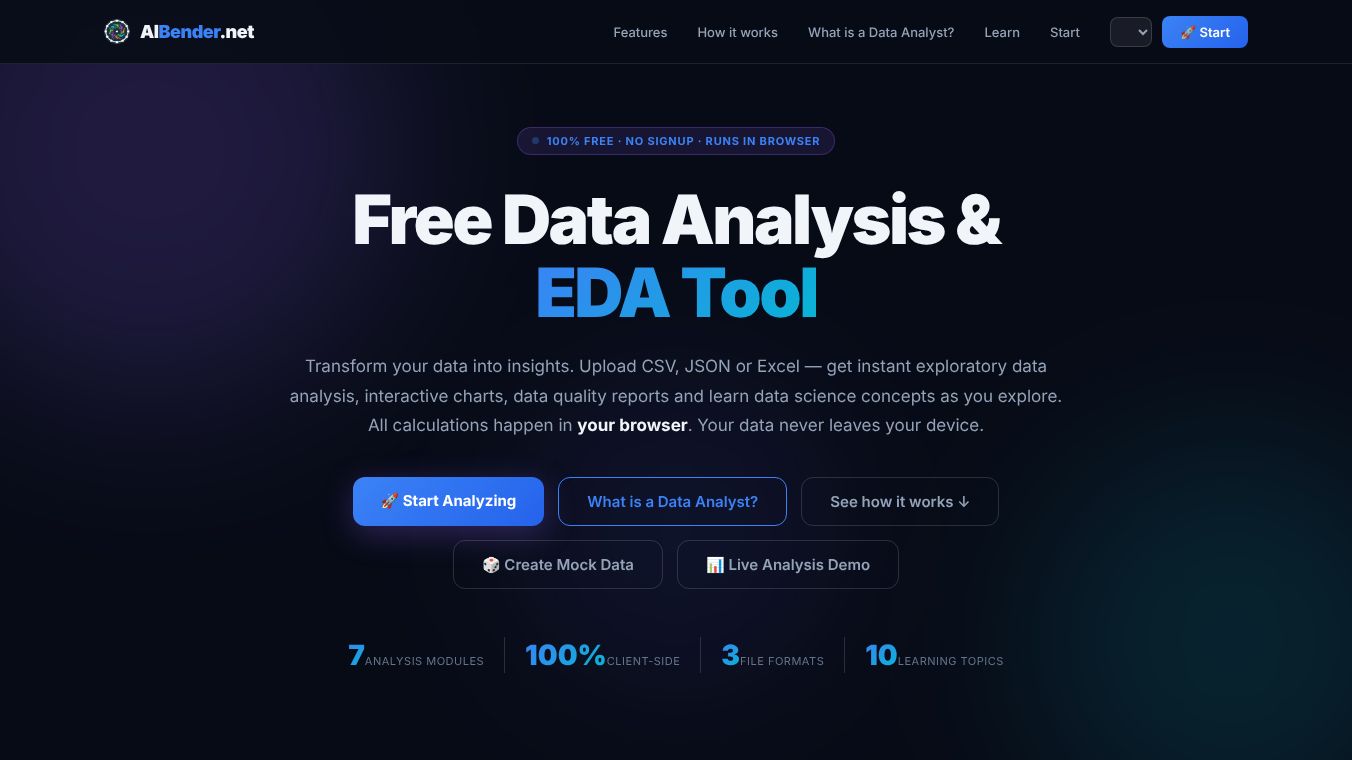





AIBender: A Comprehensive, Client-Side Data Analysis and Education Tool
Overview
AIBender is a 100% free, no-signup-required data analysis and Exploratory Data Analysis (EDA) tool that runs entirely within your web browser. Designed for data analysts, students, and practitioners, it transforms raw data into actionable insights instantly. A key feature of AIBender is its client-side architecture: all calculations occur locally on your device, ensuring your data never leaves your computer. The platform supports three file formats (CSV, JSON, Excel) and integrates with Hugging Face for loading public datasets.
Benefits
AIBender provides seven distinct analysis modules designed to cover the entire data analysis workflow, from raw file ingestion to final reporting.
1. Data Explorer Tool
The Data Explorer allows users to browse their data in a filterable table. A unique feature is that every column header acts as a live search input, enabling users to filter through 100,000 rows instantly. Users can also utilize an "Edit data" function to fix values directly in the table; changes can be saved and will automatically refresh the Profile, Charts, and Quality assessments.
2. Auto Data Profiling
This module provides an immediate overview of the dataset's structure. It performs automatic type detection and calculates metrics such as null percentages, unique counts, and completeness bars for every column, allowing users to understand their data's shape and integrity in seconds.
3. Statistical Summary
For numeric columns, AIBender automatically computes a comprehensive suite of statistical measures. These include minimum, maximum, mean, median, mode, standard deviation, quartiles (Q1, Q3), Interquartile Range (IQR), and skewness.
4. Dynamic Charts
The tool generates interactive visualizations automatically. Users can create histograms, bar charts, scatter plots, line charts, and donut charts. These charts are fully interactive, supporting hover, zoom, and click functionalities to explore data trends and distributions.
5. Quality Assessments
AIBender automatically evaluates data quality by detecting missing values, statistical outliers (using the IQR method), duplicate rows, and format inconsistencies. The tool assigns a quality score ranging from 0 to 100 based on these findings.
6. Science Learning Center
Integrated directly into the analysis process, the Learning Center offers 10 educational cards explaining core data science concepts. Topics covered include EDA, the difference between mean and median, correlation, outliers, and distribution shapes. This feature allows users to learn data science concepts as they analyze their data.
7. Mock Data Generator
For practice or testing purposes, users can build a custom schema by defining column types (integer, decimal, text, date, etc.) and generate realistic random datasets from scratch.
Use Cases
AIBender supports multiple methods for bringing data into the platform:*File Upload:Users can drag and drop or browse to upload CSV, JSON, or Excel files.*Hugging Face Loader:Users can load any public dataset directly from Hugging Face by simply pasting the dataset name. The tool fetches and analyzes the data client-side.*Schema Builder:Users can define a custom schema to generate synthetic data for practice.
The process of using AIBender follows four main steps:1.Upload or Generate:Bring data in via file upload, Hugging Face integration, or the built-in generator.2.Auto-Analyze:The tool instantly profiles the data, detecting types, computing statistics, identifying missing values and outliers, and generating charts—all within the browser.3.Explore & Learn:Users switch between the seven analysis tabs (Explorer, Profile, Statistics, Charts, Quality, Learn, and Export). Each tab includes contextual explanations of the analysis being performed.4.Export Results:Users can download filtered data as CSV or JSON, or export statistics and profile reports to bring clean, validated data to subsequent analysis steps.
Beyond raw analysis, AIBender emphasizes education. Every analysis step is accompanied by an explanation, ensuring that users understand not justwhatthe data shows, butwhyit matters. The platform serves as a dual-purpose tool for both professional data cleaning/analysis and learning fundamental data science principles.
Pricing
AIBender is 100% free with no signup required.
Vibes
No specific reviews or testimonials were found in the provided article.
Additional Information
No specific funding, partnerships, or notable achievements were mentioned in the provided article.
This content is either user submitted or generated using AI technology (including, but not limited to, Google Gemini API, Llama, Grok, and Mistral), based on automated research and analysis of public data sources from search engines like DuckDuckGo, Google Search, and SearXNG, and directly from the tool's own website and with minimal to no human editing/review. THEJO AI is not affiliated with or endorsed by the AI tools or services mentioned. This is provided for informational and reference purposes only, is not an endorsement or official advice, and may contain inaccuracies or biases. Please verify details with original sources.


Comments
Please log in to post a comment.