AI Video Transcriber





AI Video Transcriber: A Free Tool for Turning Video into Text
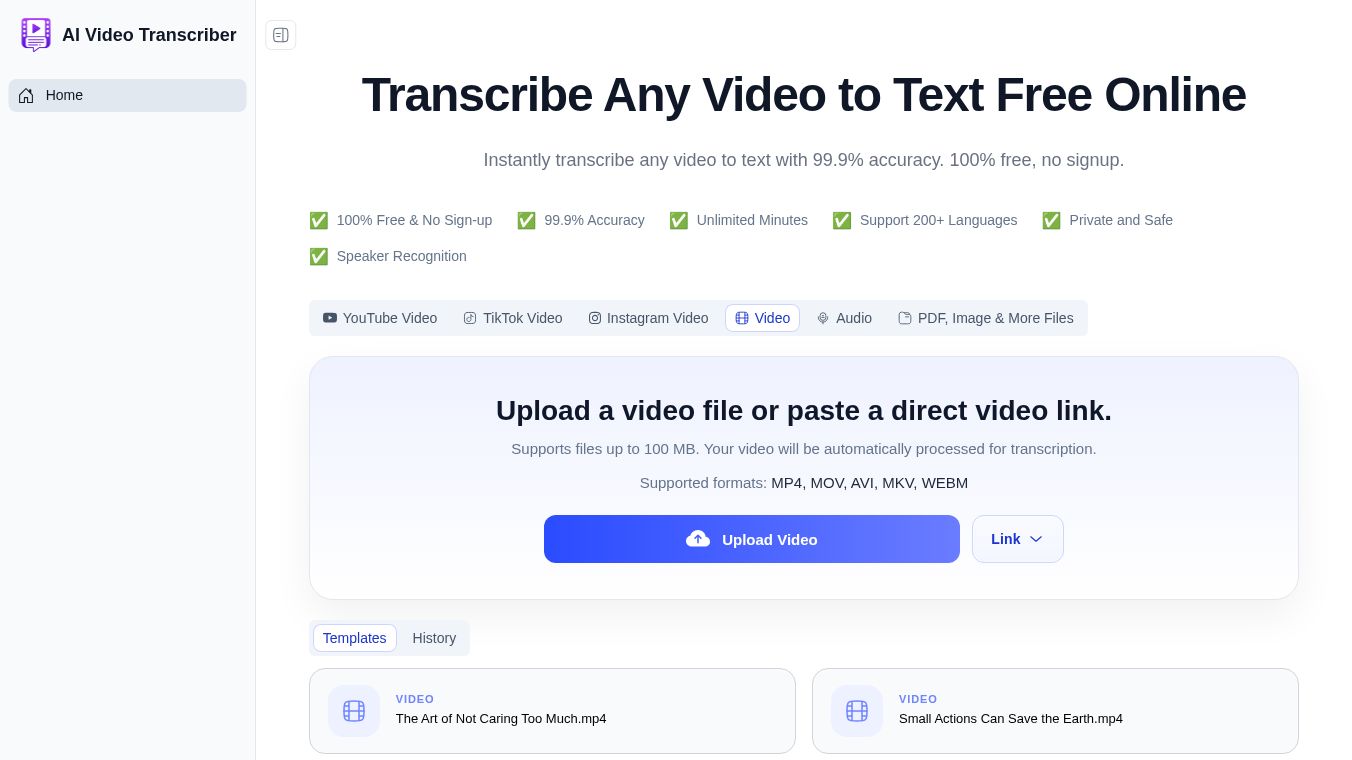
AI Video Transcriber is an online program that turns video files into written text. It uses artificial intelligence to listen to audio and write down what is being said. This tool is designed to be simple and fast, requiring no special skills to use. It is trusted by over one million people who need to convert video content quickly.
Benefits
The main advantage of this tool is that it is completely free. Users do not need to create an account or enter credit card information to start working. There are no limits on how much video you can process, meaning you can handle unlimited minutes of content. The system supports more than 200 different languages, making it useful for a global audience. It claims a 99.9% accuracy rate for clear audio, which saves a lot of time compared to typing manually. The software can also tell the difference between multiple speakers in a single video. Security is a major plus because files are encrypted and deleted from servers within 24 hours. The company promises never to use user data to train its AI models.
Use Cases
This tool works well for many different groups of people. Podcasters and content creators can use it to turn interviews into blog posts or social media clips. Researchers and journalists can quickly find quotes from long interviews or press conferences without watching every frame. Teams and companies can convert Zoom meetings or webinars into searchable documents to keep everyone on the same page. Students and freelancers find it helpful for making study notes or organizing meeting minutes without extra effort. The tool accepts many video formats like MP4, MOV, and AVI. It also allows users to paste direct links from YouTube, Vimeo, or Google Drive instead of uploading files. It specifically supports meeting recordings from Zoom and Google Meet.
Pricing
The tool is 100% free to use. There are no hidden fees, no subscription plans, and no credit card required for any service.
Vibes
Users generally have very positive feelings about this tool. Emily Carter, a content marketing specialist, says the accuracy is solid and it makes long videos easy to clean up. Jason Miller, a university student, highlights how much time it saves for lectures and webinars. Sofia Nguyen, a freelance writer, appreciates that the tool handles different accents well. Daniel Brooks, a podcast editor, finds the software more stable and fast than other services he has tried. Olivia Johnson, a social media manager, values its ability to handle various formats like TikTok clips. Michael Lee, a research assistant, notes that the results are good enough that he rarely needs to make major corrections.
Additional Information
The platform has received high ratings from independent review sites. It holds a 4.9 rating on G2, a 4.8 rating on Capterra, and a 4.9 rating on Product Hunt. The service is GDPR compliant, which means it follows strict rules about data privacy. The maximum file size that can be uploaded is 5 GB. The system filters out background noise automatically to improve the quality of the transcript. It supports exporting text into formats like TXT, DOCX, PDF, SRT, and VTT.
This content is either user submitted or generated using AI technology (including, but not limited to, Google Gemini API, Llama, Grok, and Mistral), based on automated research and analysis of public data sources from search engines like DuckDuckGo, Google Search, and SearXNG, and directly from the tool's own website and with minimal to no human editing/review. THEJO AI is not affiliated with or endorsed by the AI tools or services mentioned. This is provided for informational and reference purposes only, is not an endorsement or official advice, and may contain inaccuracies or biases. Please verify details with original sources.

Comments
Please log in to post a comment.