AI Parent
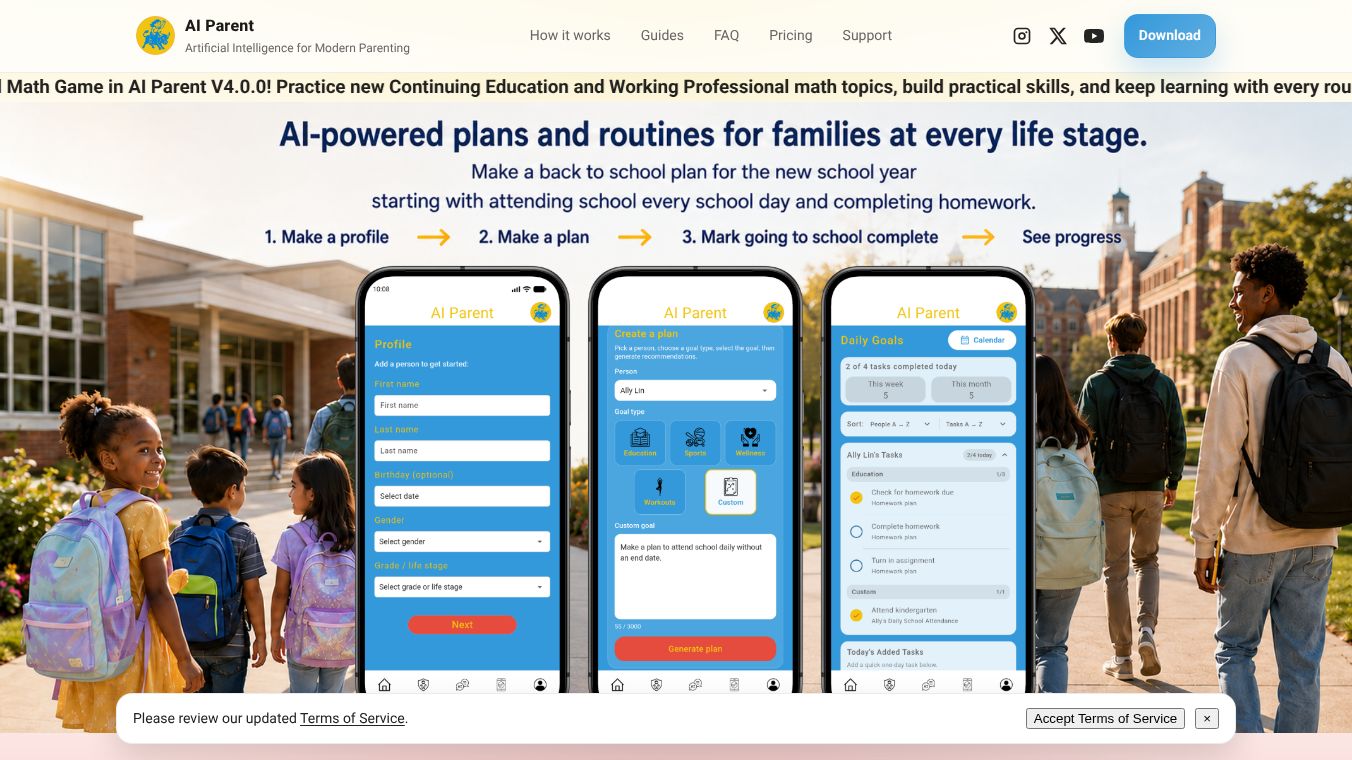





What is AI Parent
AI Parent is a digital tool designed to help families manage their children's online activities. It acts as a guardian for the internet by filtering harmful content and monitoring screen time. The app runs on a parent's phone and connects to their child's devices to provide a safer browsing experience. It focuses on protecting kids from inappropriate websites and apps while giving parents control over how much time their children spend on screens.
Benefits
The main advantage of AI Parent is its ability to block bad content automatically. It uses smart technology to recognize and stop access to sites that are not suitable for children. This helps parents avoid the stress of constantly checking what their kids are looking at. The tool also lets parents set time limits for different apps and websites. This feature helps families establish healthy digital habits and reduce screen time without constant arguments. Another key benefit is the detailed reports it provides. Parents can see exactly how much time their children spend online and which apps they use most. This data helps families make informed decisions about technology use at home.
Use Cases
AI Parent is useful for parents of children who use smartphones, tablets, or computers. It works well for families who want to limit gaming time or stop access to social media before bedtime. The tool is also helpful for parents who want to block specific websites that might contain violent or adult content. It can be used to create different rules for different times of the day. For example, a parent can allow educational websites during homework time but block games after school. The app is also suitable for families who travel, as it allows them to set rules remotely from their own devices.
Pricing
AI Parent offers a free version with basic features. This version includes content filtering and simple screen time tracking. For more advanced options, the app has a paid subscription plan. The premium plan costs a monthly fee and includes detailed reports, custom app blocking, and remote management features. Families can choose to pay monthly or annually to get the full set of tools. The exact price for the annual plan is not listed in the available information but is typically lower than the monthly rate.
Vibes
Users of AI Parent have generally positive feedback. Many parents appreciate how easy the app is to set up and use. They value the clear reports that show their children's online activity. Some users mention that the content filtering works well to block inappropriate sites. However, a few parents note that the free version has limited features compared to the paid plan. Overall, the community sees it as a helpful tool for modern families dealing with screen time challenges.
Additional Information
AI Parent is developed by a team focused on digital safety for children. The company has partnered with various educational organizations to promote healthy tech habits. While specific funding details are not publicly available, the app has gained attention for its practical approach to family digital wellness. The developers regularly update the app to improve its filtering accuracy and add new features based on user feedback.
This content is either user submitted or generated using AI technology (including, but not limited to, Google Gemini API, Llama, Grok, and Mistral), based on automated research and analysis of public data sources from search engines like DuckDuckGo, Google Search, and SearXNG, and directly from the tool's own website and with minimal to no human editing/review. THEJO AI is not affiliated with or endorsed by the AI tools or services mentioned. This is provided for informational and reference purposes only, is not an endorsement or official advice, and may contain inaccuracies or biases. Please verify details with original sources.



 No Info
Comments
Please log in to post a comment.