AI Live Assistant





AI Live Assistant: Your Real-Time Coding Partner
Research Context and Background
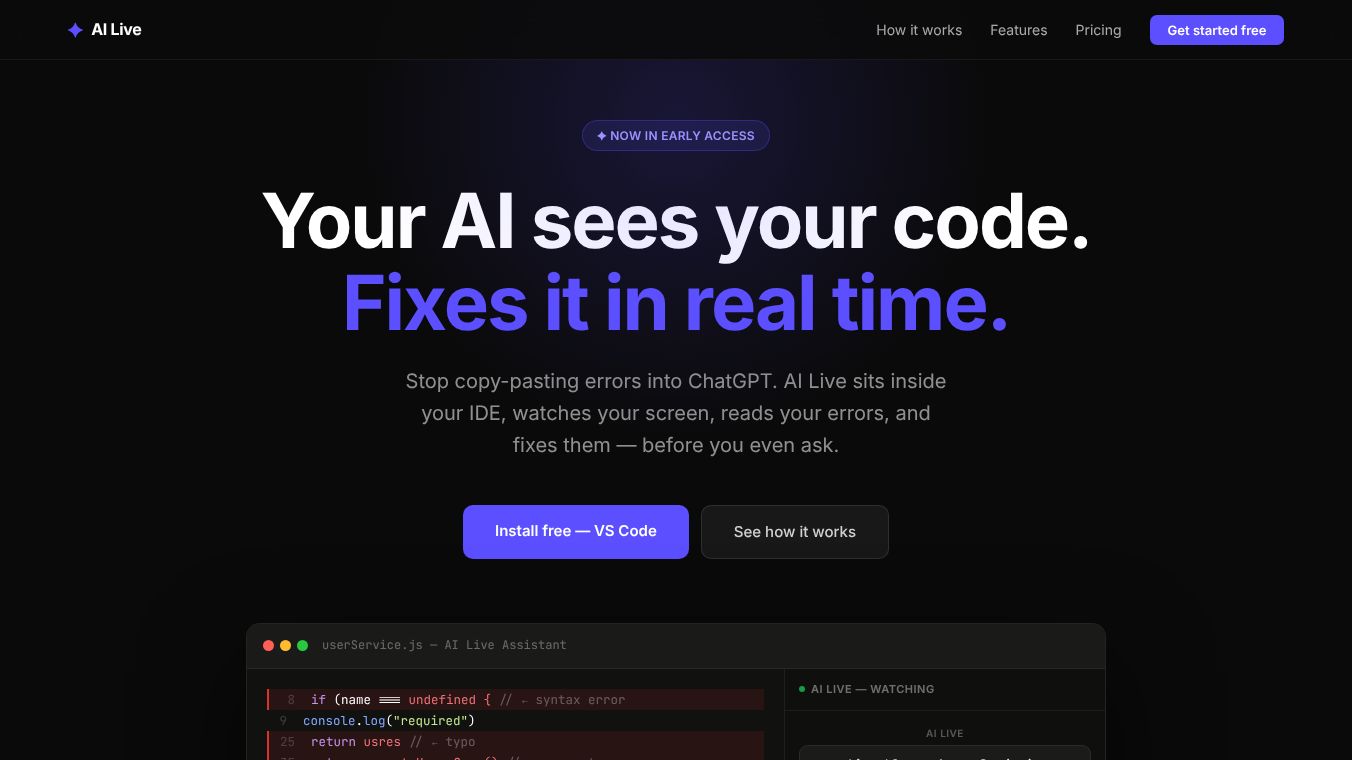
AI Live Assistant is an early-access tool built for developers who want to fix code errors without stopping their workflow. It works directly inside popular coding environments like VS Code, Android Studio, and Xcode. Instead of asking a chatbot to fix a problem after you copy and paste an error message, this tool watches your screen in real time. It reads your code, finds mistakes, and applies fixes automatically before you even notice the issue. The system uses three layers to understand your project fully. It connects to your editor, monitors your terminal and browser logs, and sends all that data to an AI model that generates a solution instantly.
Benefits
The main advantage of AI Live Assistant is that it saves time by fixing errors automatically. When a mistake appears in your code, the tool detects it immediately and prepares a fix. You can apply the corrected code with just one click. This removes the need to manually copy and paste error messages into a chat window. The tool also understands your entire project, not just the file you are currently editing. It knows about imports, file types, and project history. For privacy, users have two strong options. They can use their own API keys so their data goes straight to the provider. Or they can run the AI locally on their own machine for 100% privacy. Teams can also share knowledge so the AI gets smarter as more people use it.
Use Cases
Developers use AI Live Assistant to speed up their daily coding tasks. It is useful for anyone who writes code in supported environments like VS Code or Android Studio. The tool helps when you are building a new feature and encounter a sudden error. It also helps when debugging complex issues that involve multiple files or terminal logs. Teams can use the shared knowledge base to solve recurring problems across the organization. Companies with strict security rules can use the enterprise version to run the AI locally or host it on their own servers. It is designed for both individual developers and large teams who need reliable support.
Pricing
AI Live offers a flexible pricing model that does not require a credit card to start.
- Free Plan:This plan costs $0 per month. It includes 75 AI requests every day. Users get access to the VS Code extension and basic error detection. It also includes auto-fix features and team tools.
- Pro Plan:This plan costs $25 per month. It offers unlimited AI requests. Users get access to all IDE extensions and advanced features like terminal capture and Git integration. They can also bring their own API keys.
- Team Plan:This plan costs $40 per user per month. It includes all Pro features plus shared project memory and a team knowledge base. It also provides an admin dashboard for tracking usage and managing billing.
- Enterprise:This option is custom for large companies. It includes all team features plus self-hosted deployment. It supports local AI only, single sign-on, audit logs, and white-label licensing.
Vibes
The tool is designed to feel like a helpful partner rather than a separate application. Users appreciate that it works silently in the background. The ability to fix errors with a single click reduces frustration during coding sessions. The option to run the AI locally gives users peace of mind about data security. Team members enjoy the shared knowledge base because it helps everyone learn from past solutions. The free plan allows new users to test the tool without any financial risk.
Additional Information
AI Live Assistant is currently in early access. It supports popular IDEs like VS Code, Android Studio, and Xcode. The company offers both cloud-based and local processing options to suit different privacy needs. The enterprise version allows for self-hosted deployment which is important for companies with specific compliance requirements. The tool integrates with existing workflows by reading diagnostics and logs directly from the development environment.
This content is either user submitted or generated using AI technology (including, but not limited to, Google Gemini API, Llama, Grok, and Mistral), based on automated research and analysis of public data sources from search engines like DuckDuckGo, Google Search, and SearXNG, and directly from the tool's own website and with minimal to no human editing/review. THEJO AI is not affiliated with or endorsed by the AI tools or services mentioned. This is provided for informational and reference purposes only, is not an endorsement or official advice, and may contain inaccuracies or biases. Please verify details with original sources.

Comments
Please log in to post a comment.